
Projection Mapping for Product Launches
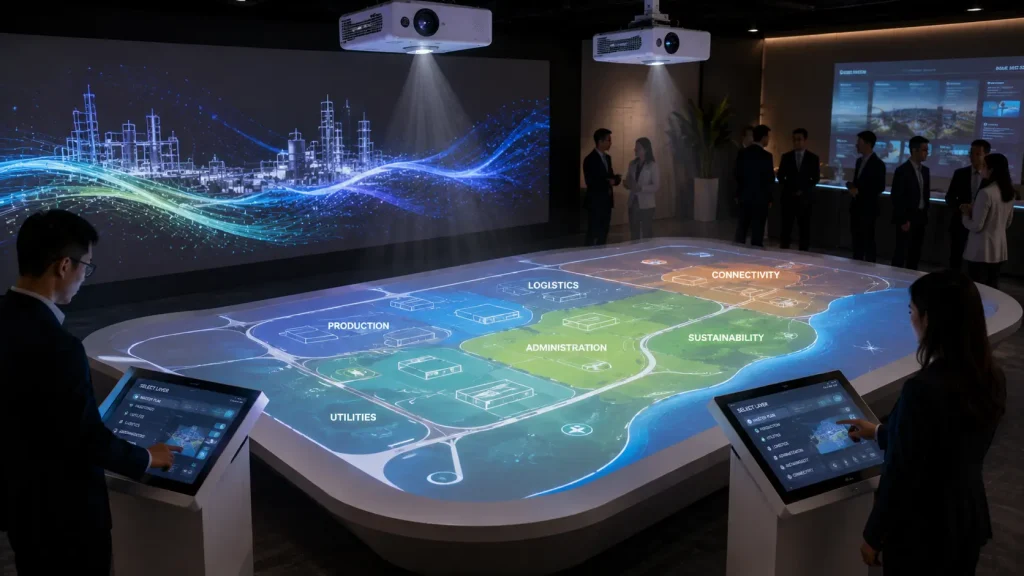
Projection Mapping for Product Launches combines physical products, customised animation and event technology to create product reveals that go beyond conventional screen presentations.
Instead of showing a launch video and then revealing the product separately, projection mapping can integrate the real product directly into the visual sequence.
Animated light, graphics and 3D effects can move across the stage, interact with physical structures and highlight selected parts of the product before the final reveal.
This approach can be used for automotive launches, technology products, industrial equipment, appliances, property launches and other corporate product introductions in Malaysia.
Key Takeaways
- Projection mapping can integrate the real product into the launch experience.
- Visual content can be mapped onto products, vehicles, stages and surrounding physical structures.
- The reveal can be synchronised with lighting, music, sound effects and physical movement.
- Product mapping works best when accurate product dimensions or 3D references are available.
- Projection mapping does not need to cover the entire event stage to create a strong launch moment.
- Interactive technology can extend the experience after the main product reveal.
- Creative content and technical planning should begin before the final launch sequence is produced.
What Is Product Launch Projection Mapping?
Product launch projection mapping uses precisely aligned projected content to connect digital animation with a real physical product or launch environment.
The projection surface may include:
- The Product Itself
- A Vehicle
- A Product Pedestal
- Stage Structures
- Scenic Panels
- Walls
- Floors
- Custom Fabricated Structures
The objective is to make the digital content and physical reveal feel like one continuous experience.
For a broader introduction to the technology, see our Projection Mapping Malaysia guide.
Why Use Projection Mapping for a Product Launch?
A product launch usually has one key challenge: creating anticipation before the audience finally sees the product.
A conventional approach may involve playing a launch video on an LED screen before bringing the product onto the stage.
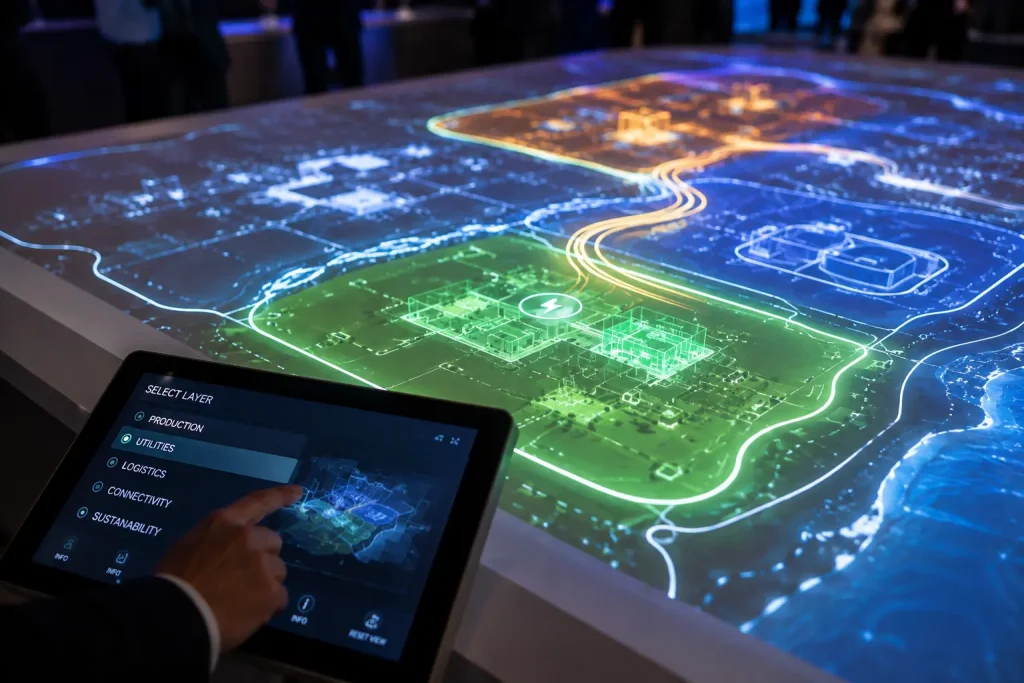
Projection mapping allows the reveal to become part of the visual story itself.
Create Anticipation Before the Reveal
The product does not need to be shown immediately.
Visual clues can gradually introduce its design, technology, materials or features before the complete product becomes visible.
Connect the Physical Product with Digital Content
Once the product is revealed, mapped graphics can continue interacting with its physical shape.
This creates a stronger relationship between the animation and the actual product being launched.
Highlight Specific Product Features
Projection can draw attention to selected areas using animated lines, colour changes, technical graphics or visual effects.
Instead of explaining every feature with presentation slides, the launch sequence can visually direct the audience toward the relevant physical area.
Create a More Memorable Launch Moment
Projection mapping can combine the product reveal with lighting, audio and stage movement so that the launch is experienced as one coordinated show moment.
How Can Projection Mapping Be Used for a Product Reveal?
There are several ways to incorporate projection mapping into a product launch.
Projection Directly onto the Product
Custom content can be aligned directly to the physical product.
Depending on the surface, projected graphics can trace its shape, highlight different sections or temporarily change its visual appearance.
This technique is particularly effective when the product has distinctive physical geometry.
Projection Mapping Around the Product
The product does not always need to become the main projection surface.
Projection can instead transform the surrounding stage while the physical product remains clearly visible at the centre.
For example, animated energy lines can travel across surrounding panels before converging toward the product during the reveal.
This approach can also reduce projection challenges when the product surface is highly reflective or unsuitable for direct projection.
Projection Mapping Before the Product Appears
The launch can begin with an empty stage or covered product.
The surrounding physical environment is transformed through projection mapping while the story gradually builds toward the reveal.
At the climax, the visual content, lighting and audio transition together as the physical product appears.
Vehicle Projection Mapping for Automotive Launches
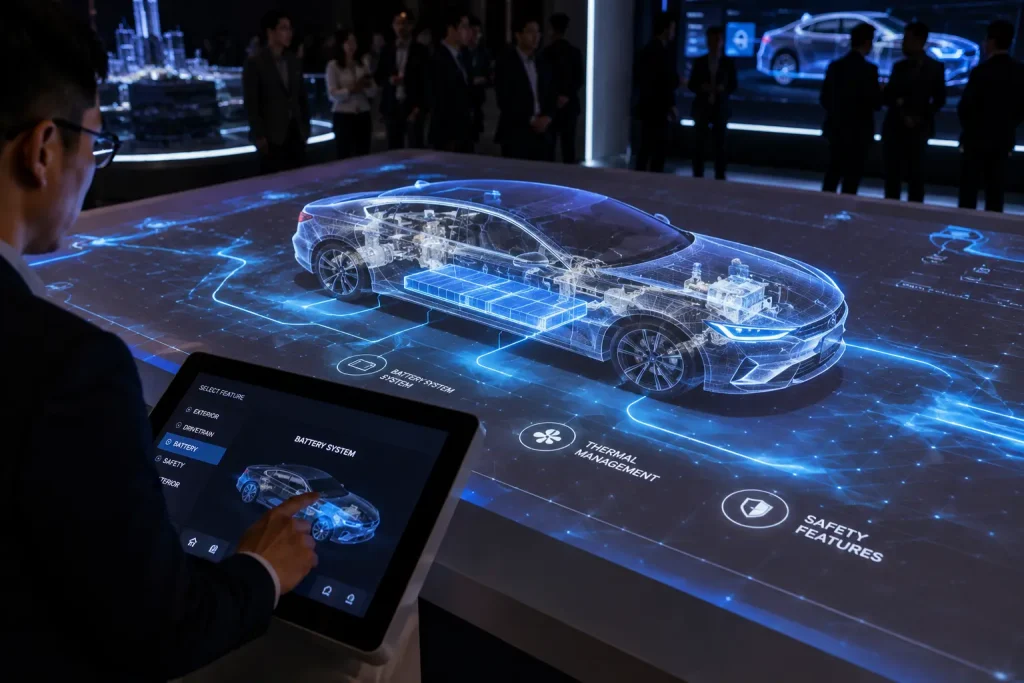
Vehicle projection mapping is one of the most visually recognisable applications of product projection.
A stationary car can become part of the launch animation while remaining physically present on stage.
Projection content can be designed to:
- Trace the Vehicle Contours
- Highlight Exterior Design Lines
- Introduce Lighting Features
- Visualise Technology
- Change the Perceived Vehicle Colour
- Create Technical Wireframe Effects
- Introduce Performance Themes
- Build Toward the Final Reveal
The strongest automotive projection effects are normally designed according to the actual vehicle dimensions and viewing position.
Does Projection Mapping Work on a Real Car?
Yes, but the vehicle surface requires careful consideration.
Automotive paint, glass, chrome and lighting elements can reflect projected light differently.
The content should therefore be designed with the real vehicle surface in mind rather than assuming that every part of the car will behave like a conventional projection screen.
For some launch concepts, projection may focus primarily on the body panels while windows, headlights and highly reflective areas remain part of the physical vehicle.
The surrounding stage can then extend the visual experience beyond the car itself.
Projection Mapping for Industrial Product Launches
Projection mapping is not limited to consumer products or automotive launches.
Industrial equipment and machinery can also become part of a visual product presentation.
This can be particularly useful when the product contains technical features that are difficult to explain through its exterior alone.
Projected animation can help visualise:
- Internal Systems
- Energy Flow
- Mechanical Processes
- Product Components
- Technology Features
- Connectivity
- Performance Improvements
The physical machine remains on stage while animation provides an additional visual layer for explaining how it works.
Projection Mapping for Technology Product Launches
Technology products can use projection mapping to create an environment that supports the product’s design language and positioning.
Instead of placing the product in front of generic digital graphics, mapped physical structures can respond visually as different features are introduced.
This can be suitable for launches involving:
- Electronics
- Smart Devices
- Technology Platforms
- Robotics
- Industrial Technology
- Smart Mobility
- Connected Products
The projection experience can move from abstract brand storytelling into more technical feature visualisation as the launch progresses.
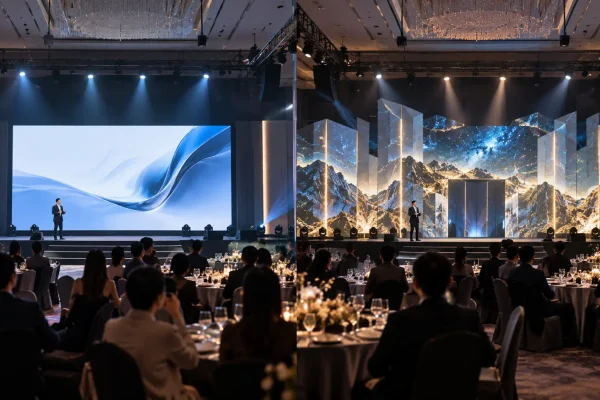
Stage Projection Mapping for Product Launches
Product launch projection mapping does not have to focus entirely on the product.
A custom physical stage can provide a much larger canvas for storytelling.
The stage may include:
- Layered Scenic Panels
- Geometric Structures
- Product Platforms
- Reveal Doors
- Physical Frames
- Columns
- Custom Fabricated Features
Projection content can travel across these surfaces before reaching the product.
This creates a sense of progression and gives the audience visual clues about where the main reveal will happen.
For more ideas on integrating projection with event stages, see our Projection Mapping for Corporate Events guide.
Projection Mapping vs LED Screen for Product Launches
Projection mapping and LED screens do not necessarily need to compete with each other.
They can perform different roles during the same launch.
An LED screen can remain useful for:
- Presentation Slides
- Speaker Content
- Product Videos
- Live Camera Feed
- Detailed Specifications
Projection mapping can then be reserved for the more experiential parts of the launch, such as the opening sequence and product reveal.
For example, an LED screen can provide the main presentation canvas while surrounding physical structures and the product itself are projection mapped during selected moments.
We cover the differences in more detail in our upcoming Projection Mapping vs LED Screen guide.
Synchronising Projection Mapping with Lighting and Sound
A product reveal becomes more effective when projection, lighting and audio are designed around the same sequence.
Possible show elements include:
- Projection Mapping
- Moving Head Lighting
- Stage Lighting
- Music
- Sound Effects
- Smoke or Haze
- Laser Effects
- Mechanical Reveal Systems
- Performers
The objective is not to activate every effect at the same time.
Instead, the sequence should control where the audience looks.
For example, the room may begin almost completely dark while a subtle projected line traces the outline of the product.
As the music builds, additional mapped elements can appear across the stage before lighting reveals the complete physical product at the climax.
Can Product Launch Projection Mapping Be Interactive?
Yes. Interactive technology can be added either during the launch or as a post-reveal audience experience.
Possible applications include:
- Gesture-controlled Product Visuals
- Interactive Product Exploration
- Motion-responsive Projection
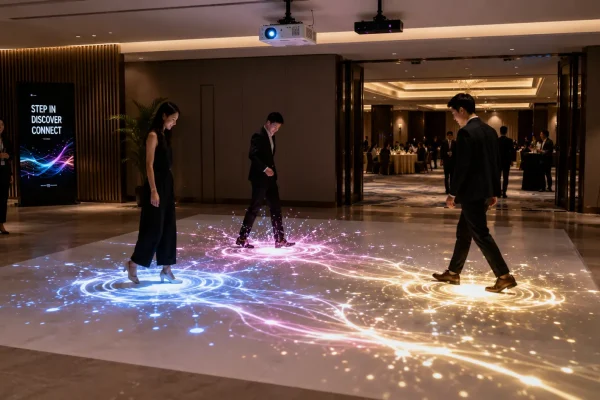
- Interactive Floors
- Touchscreen Product Information
- Audience-controlled Visual Effects
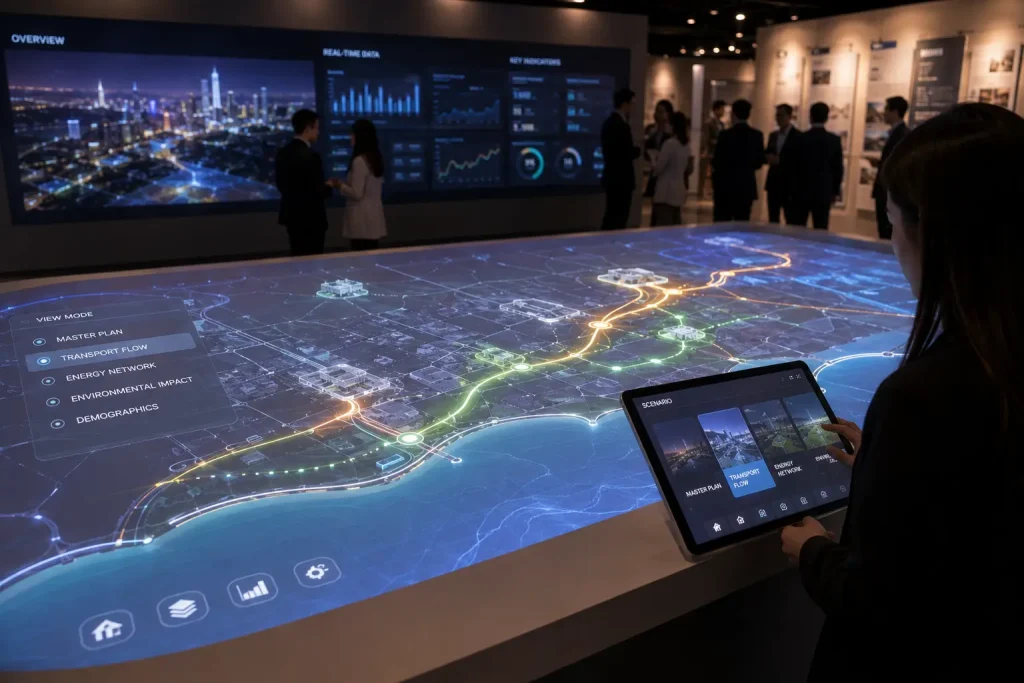
For example, after the main reveal, visitors could interact with a digital interface to select different product features while the surrounding projection changes accordingly.
This allows the launch experience to continue beyond the main stage presentation.
Learn more in our Interactive Projection Mapping Malaysia guide.
What Information Is Needed to Map a Physical Product?
Accurate product references help the creative and technical teams prepare projection content that aligns more closely with the real object.
Depending on the project, useful materials may include:
- Product Dimensions
- Technical Drawings
- CAD Files
- 3D Models
- Product Photographs
- Material References
- Colour Information
- Physical Product Samples
When a 3D model is available, it can also support previsualisation and content development before the physical product arrives at the event venue.
Why Is Product Position Important?
Projection mapping depends on the relationship between the projector, physical object and audience viewing position.
If the product moves significantly after calibration, the projected graphics may no longer align correctly with its physical features.
For this reason, the final product position should be clearly marked and maintained during the mapped sequence.
If the launch requires the product to move onto the stage, the show can be designed so that precise product mapping begins only after it reaches the calibrated position.
Can Projection Mapping Work on Reflective Products?
Yes, but reflective surfaces require additional planning.
Glossy paint, polished metal, chrome, glass and other reflective materials do not behave in the same way as a matte projection surface.
Some projected light may reflect away from the audience, while certain viewing angles may produce unwanted highlights.
This is particularly important for automotive launches and premium products with highly polished finishes.
Depending on the product, the creative approach may focus projection on selected surfaces while using lighting to reveal highly reflective areas.
The surrounding stage can also carry part of the visual content so that the complete experience does not depend entirely on projecting directly onto the product.
Where Should Projectors Be Positioned for a Product Launch?
Projector positions depend on the size of the product, stage layout, projection surface and audience viewing area.
The projector must have a clear line of sight toward the mapped surface.
Technical planning should consider:
- Projection Distance
- Lens Selection
- Projector Brightness
- Product Height
- Stage Dimensions
- Audience Sightlines
- Speaker Positions
- Lighting Equipment
- Scenic Structures
- Performer Movement
For smaller objects, projector placement may be relatively close to the installation.
A vehicle or large industrial product may require a different projector position and lens configuration to cover the required surfaces.
How Do You Prevent People from Blocking the Projection?
Because projection requires a clear optical path, people or objects passing between the projector and mapped surface can create shadows.
This should be considered when planning presenter positions, performer movement and audience access.
Possible approaches include:
- Positioning Projectors Above Audience Level
- Using Elevated Projection Positions
- Planning Presenter Movement Around Projection Zones
- Mapping Selected Product Surfaces Instead of the Entire Object
- Using Multiple Projection Angles Where Required
The launch choreography should therefore be planned together with the projection system rather than developed independently.
Projection Mapping Content Production for Product Launches
Product launch content should explain or enhance the product rather than becoming a visual effect that has little connection to what is being launched.
The creative process can begin by identifying the most important launch messages.
These may include:
- Product Design
- Innovation
- Technology
- Performance
- Materials
- Key Features
- Brand Positioning
- Product Benefits
The visual sequence can then translate these messages into animation that interacts with the physical product and stage.
2D vs 3D Content for Product Projection Mapping
Not every product launch requires complex 3D animation.
2D motion graphics can be effective for:
- Animated Lines
- Brand Graphics
- Colour Transitions
- Typography
- Technical Information
- Particle Effects
3D animation becomes useful when the sequence needs to visualise depth, internal structures, mechanical movement or more complex transformations.
For example, an industrial machine can appear to open visually while animation reveals the internal process inside the equipment.
A vehicle launch may use 3D content to create the illusion of different materials moving across the body before transitioning back to the real vehicle.
Combining selected 3D moments with well-designed 2D motion graphics can often create a stronger and more controlled launch sequence than using complex effects continuously.
Product Launch Previsualisation
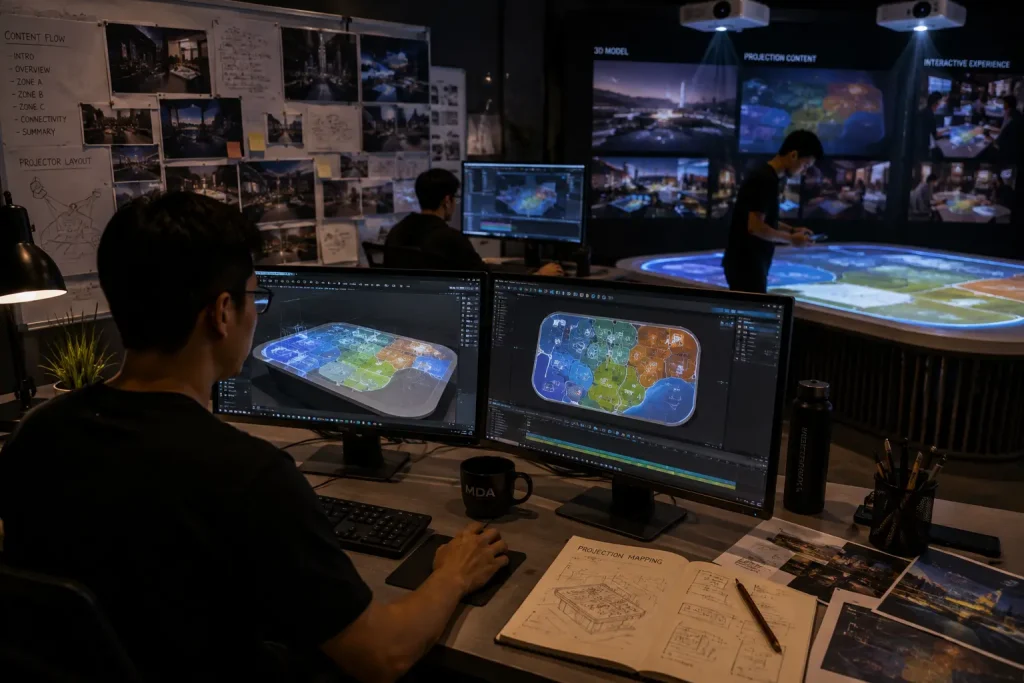
Previsualisation can help the client and production team understand how the projection mapping concept may appear before the actual event setup.
A simplified digital representation of the stage and product can be used to preview:
- Product Position
- Projection Areas
- Stage Composition
- Major Animation Moments
- Reveal Timing
- Lighting Direction
- Audience Perspective
This is particularly useful for launches involving custom stages, vehicles or large physical products.
Previsualisation also allows creative changes to be discussed before final animation production and on-site installation.
Can Projection Mapping Show Internal Product Features?
Yes. One useful application of product projection mapping is visualising information that cannot normally be seen from the outside.
For example, animation can create the impression that the exterior surface becomes transparent or opens visually to reveal internal systems.
This can help communicate:
- Mechanical Components
- Battery Systems
- Airflow
- Energy Distribution
- Internal Technology
- Safety Systems
- Engineering Features
The effect does not physically expose the internal product. Instead, the projection content creates a visual explanation aligned with the exterior object.
This approach can be particularly useful for automotive, engineering and technology product launches.
Should Projection Mapping Be Used for the Entire Product Presentation?
Not necessarily.
Projection mapping can be most effective when reserved for selected moments where visual transformation adds value.
A complete product launch may combine:
- Opening Cinematic
- Projection Mapping Reveal
- CEO or Management Presentation
- LED Screen Presentation
- Product Demonstration
- Interactive Product Exploration
- Media Photography
This allows projection mapping to create the emotional launch moment while other technologies handle detailed information and longer presentations.
Interactive Experiences After the Product Reveal
The audience experience does not need to end once the main launch show is completed.
After the reveal, interactive technology can allow guests to explore the product in greater detail.
Possible post-launch experiences include:
- Interactive Touchscreen Product Explorer
- 360-degree Product Viewer
- Colour and Configuration Selector
- Interactive Technical Features
- Motion-controlled Visuals
- Interactive Projection
- Digital Product Comparison
- QR-based Product Information
For example, an automotive launch could transition from the main projection mapping reveal into an interactive touchscreen experience where guests explore colours, specifications, safety features and interior details.
This creates a complete journey from attention and excitement to deeper product understanding.
For projection-based audience interaction, see our Interactive Projection Mapping Malaysia guide.
Why Is a Site Survey Important for Product Launch Projection Mapping?
A site survey can identify technical restrictions before the launch setup is finalised.
The projection team can review:
- Stage Dimensions
- Ceiling Height
- Projection Distance
- Projector Positions
- Rigging Options
- Ambient Lighting
- Audience Viewing Angles
- Product Access Route
- Power Availability
- Equipment Access
The product access route is especially important when launching a vehicle or large machine.
The stage may provide an ideal mapping position, but the product must also be physically transported into that position safely.
Product Launch Projection Mapping Workflow
A typical projection mapping product launch can be developed through the following stages.
1. Product and Event Brief
The team identifies the product, launch objective, venue, audience and key message.
2. Product Asset Collection
Available dimensions, photographs, CAD files, 3D models and brand assets are reviewed.
3. Site and Stage Planning
The product position, projection surfaces, projector locations and audience viewing area are evaluated.
4. Creative Concept
The overall reveal idea and relationship between the product, stage and animation are developed.
5. Storyboard and Previsualisation
The major show moments and transitions are planned before final production.
6. Content Production
2D motion graphics, 3D animation, sound design and other visual assets are produced.
7. Technical Installation
Projectors, media servers, signal systems and required event equipment are installed at the venue.
8. Mapping and Calibration
The content is aligned to the actual product and surrounding physical surfaces.
9. Full Rehearsal
Projection, lighting, audio, presenters, performers and product movement are tested as one complete sequence.
10. Live Product Launch
The technical team operates the approved sequence according to the event show flow.
Why Is Rehearsal Important for a Product Reveal?
A product launch can involve several events happening within a few seconds.
For example:
- The Launch Video Ends
- The Room Lighting Changes
- Projection Mapping Begins
- The Product Moves into Position
- Music Reaches the Main Cue
- The Final Visual Effect Appears
- Stage Lighting Reveals the Product
- The Presenter Enters
If these actions are not coordinated, the reveal may lose its intended impact.
A full rehearsal allows the creative, technical and event teams to confirm timing and make adjustments before guests enter the venue.
How Much Does Projection Mapping for a Product Launch Cost?
The cost of product launch projection mapping in Malaysia depends on the creative concept, physical product, venue and technical requirements.
Major cost factors include:
- Product Size
- Projection Surface Size
- Number of Projectors
- Projector Brightness
- Lens Requirements
- Stage Design
- Content Duration
- 2D or 3D Animation Complexity
- Media Server Requirements
- Interactive Features
- Installation Requirements
- Testing and Rehearsal
- Technical Crew
A short mapped reveal around one physical product can have very different requirements from a large automotive launch involving multiple stage surfaces and customised 3D animation.
For a detailed explanation of the factors affecting budget, see our Projection Mapping Cost Malaysia guide.
How Can Product Launch Projection Mapping Cost Be Controlled?
A strong product launch does not necessarily require projection across every available surface.
The budget can be focused on the most important reveal moments.
Possible approaches include:
- Mapping One Hero Product or Surface
- Using Projection Only During the Opening Reveal
- Combining 2D Graphics with Selected 3D Effects
- Using Existing Product 3D Assets Where Suitable
- Keeping the Physical Stage Simple
- Using LED Screens for Information-heavy Content
- Concentrating Production on a Short High-impact Sequence
The objective should be to create a memorable relationship between the physical product and digital content rather than increasing technical complexity unnecessarily.
What Should the Client Provide?
The following information can help develop an initial product launch projection mapping concept and quotation:
- Event Date
- Venue
- Product Type
- Product Dimensions
- Product Photographs
- CAD or 3D Model, If Available
- Stage Dimensions or Stage Design
- Expected Audience Size
- Launch Programme
- Key Product Features
- Brand Guidelines
- Reference Videos
- Required Show Duration
- Estimated Budget
If the final product cannot be revealed during the early creative stage, technical information can be managed according to the client’s confidentiality requirements.
How Early Should a Projection Mapping Product Launch Be Planned?
Planning should ideally begin once the product, venue and approximate launch direction are known.
Projects involving custom 3D animation, vehicle mapping or complex stage structures should allow sufficient time for:
- Concept Development
- Product Asset Preparation
- Stage Planning
- Storyboard Approval
- Previsualisation
- Animation Production
- Technical Planning
- Installation
- Mapping Calibration
- Rehearsal
Early planning also allows the stage, product position and projector locations to be designed together instead of solving technical conflicts during event setup.
Why Work with MyDigital Asia for Product Launch Projection Mapping?
MyDigital Asia provides creative and technical projection mapping solutions for product launches in Malaysia.
Depending on the project requirements, our scope can include:
- Creative Concept Development
- Product Launch Storyboard
- Styleframe Development
- Previsualisation
- 2D Motion Graphics
- 3D Product Animation
- Vehicle Projection Mapping Content
- Stage Projection Mapping
- Projector and Lens Planning
- Media Server Setup
- Projection Mapping and Calibration
- Interactive Product Experiences
- Technical Testing
- Rehearsal
- Live Event Operation
By developing the creative content and projection system around the real product, the launch can move naturally from visual storytelling into the physical reveal.
Frequently Asked Questions
Can projection mapping be used directly on a product?
Yes. Projection can be aligned directly onto many physical products, although the material, colour, reflectivity and geometry should be evaluated before confirming the creative approach.
Can projection mapping be used on a car?
Yes. Vehicle projection mapping can trace body contours, highlight design features and create animated visual effects across selected vehicle surfaces.
Does the product need to stay still?
For conventional projection mapping, the product should normally remain in its calibrated position while precise mapped content is being displayed. If movement is required, the sequence and technical system need to be planned accordingly.
Do we need a 3D model of the product?
Not always, but an accurate 3D model or CAD file can be very useful for complex product mapping, previsualisation and 3D content production.
Can projection mapping work with an LED screen?
Yes. LED screens can handle presentations and detailed information while projection mapping is used for the physical product, scenic structures and selected launch moments.
Can you create the launch animation?
Yes. MyDigital Asia can provide customised 2D and 3D animation together with projection mapping technical implementation depending on the project requirements.
Can lighting and sound be synchronised with the reveal?
Yes. Projection mapping can be coordinated with lighting, music, sound effects and physical reveal cues to create a complete launch sequence.
Can guests interact with the product after the reveal?
Yes. Interactive touchscreens, motion tracking, interactive projection and other digital experiences can be added after the main launch sequence.
Plan a Projection Mapping Product Launch in Malaysia
A successful product launch should make the physical product the hero of the experience.
Projection mapping can build anticipation, explain product features and connect customised animation with the real object before, during and after the reveal.
The most suitable approach depends on the product, venue, stage, available projection positions and creative objective.
Send MyDigital Asia your product information, event date, venue, stage dimensions, reference concept and available budget so that we can evaluate the creative and technical requirements.
Planning a product launch in Malaysia?
Contact MyDigital Asia to discuss a customised projection mapping reveal, content production and technical setup for your launch.
Related Projection Mapping Guides
- Projection Mapping Malaysia: Complete Guide
- Projection Mapping Cost Malaysia
- Projection Mapping for Corporate Events
- Building Projection Mapping Malaysia
- Projection Mapping for Annual Dinners
- Interactive Projection Mapping Malaysia
- Interactive Floor Projection Malaysia
- Immersive Projection Malaysia
- Projection Mapping vs LED Screen
Request a Free Consultation
Looking for Interactive Maps, Interactive Solutions or Event Technology?

LATEST POSTS