
Interactive Showroom Malaysia: Technology for Corporate & Product Experience Centres
A corporate showroom should do more than display products.
For companies with complex products, engineering systems or large portfolios, the real challenge is helping visitors understand what the company does, how the product works and why it matters.
This is where an interactive showroom can become useful.
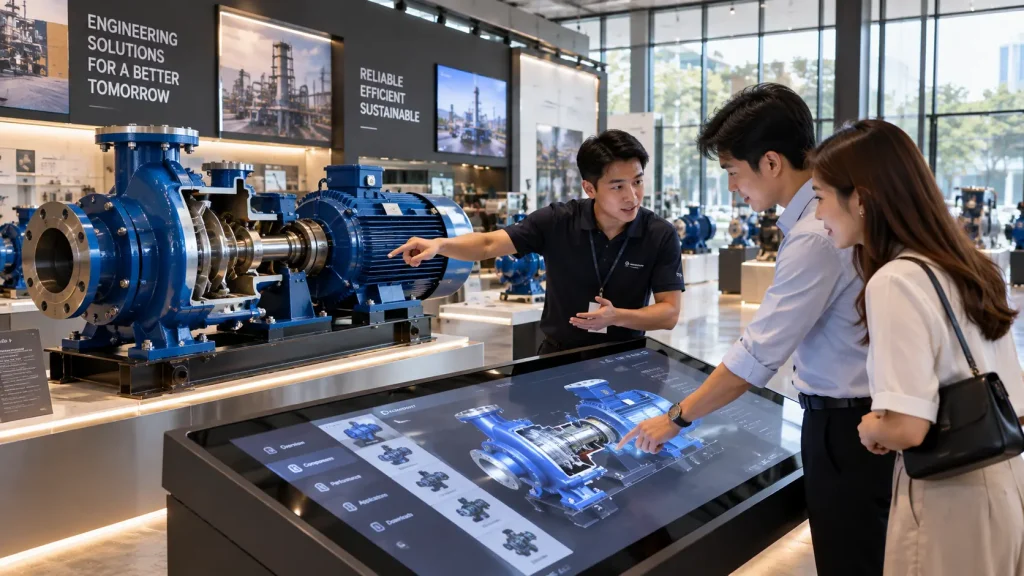
Touchscreens, physical products, 3D visualisation, interactive models, projection and sensor-based experiences can transform technical information into something visitors can explore for themselves.
The objective is not to fill the showroom with screens.
The technology should help communicate information that would otherwise be difficult to demonstrate physically.
Interactive Showroom Technology at a Glance
| Showroom Requirement | Possible Interactive Solution |
|---|---|
| Present a large product portfolio | Interactive product catalogue |
| Explain complex machinery | 3D product visualisation or animation |
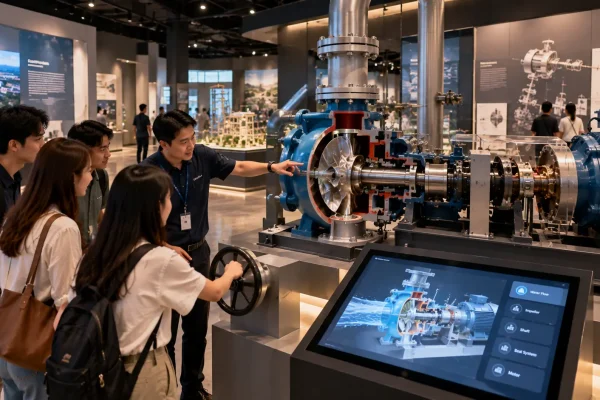
| Show internal components | Interactive exploded-view model |
| Present locations or facilities | Interactive map |
| Explain a manufacturing process | Process visualisation or interactive timeline |
| Show different configurations | Digital product configurator |
| Create a strong introduction | Immersive presentation or projection |
| Connect physical products with information | Physical product + digital interface |
Start With What Visitors Need to Understand
A common mistake in showroom planning is choosing the technology before deciding what information the visitor actually needs.
Instead, begin with the visitor.
Consider:
- Who normally visits the showroom?
- Are they customers, investors, distributors, employees or government representatives?
- What do they already know about the company?
- Which products are difficult to explain?
- What questions do sales teams repeatedly answer?
- Which physical products can be displayed?
- Which products are too large, expensive or impractical to keep in the showroom?
These questions help determine where interactive technology can provide real value.
1. Interactive Product Catalogue
Companies with a large product range may struggle to display every model physically.
An interactive product catalogue allows visitors to explore products by category, industry, application or specification.
For example, visitors could select:
- Product category
- Model
- Application
- Technical specification
- Industry
- Feature
- Accessories
The interface can then present relevant photographs, videos, technical diagrams, animation or 3D content.
This can reduce the amount of printed material required while allowing the showroom to present a much larger portfolio than the physical space could accommodate.
2. Interactive 3D Product Visualisation
3D visualisation is particularly useful for engineering and industrial products.
A visitor can rotate a digital model, zoom into components or explore areas that cannot normally be seen from the outside.
Depending on the project, the experience may allow visitors to:
- Rotate the product in 360 degrees
- Zoom into specific components
- Separate assemblies
- Reveal internal mechanisms
- Switch between product variants
- Trigger animations
- Explore technical features
Existing CAD or 3D engineering files may sometimes be adapted for real-time interactive use, although optimisation is usually required depending on the original model complexity.
3. Exploded-View Product Experiences
Some products become easier to understand when their components are separated visually.
An interactive exploded view can allow visitors to select individual components and understand how they relate to the complete product.
This can be useful for:
- Automotive systems
- Industrial machinery
- Pumps and motors
- Electrical equipment
- Mechanical assemblies
- Medical equipment
- Building systems
Instead of showing a static technical diagram, visitors can explore the assembly at their own pace.
4. Physical Product + Interactive Digital Information
When the actual product can be displayed, digital technology should support it rather than replace it unnecessarily.
Imagine an industrial component positioned on a display pedestal.
A touchscreen beside it could allow the visitor to select different parts of the product. The system could then display the relevant specification, animation or application information.
Lighting can also potentially be coordinated so that the selected physical component is highlighted while its information appears digitally.
This creates a clear relationship between:
Physical product → selected component → digital explanation.
5. Interactive Manufacturing Process
Visitors to an industrial showroom may never enter the actual production area.
An interactive process experience can help explain what happens inside the factory.
For example, the visitor could move through:
- Raw material
- Production
- Assembly
- Quality inspection
- Testing
- Packaging
- Delivery
Each stage could contain animation, factory footage, diagrams or interactive 3D content.
This can be especially useful when the actual process is restricted, dangerous, geographically distant or simply too large to demonstrate inside the showroom.
6. Interactive Facility Maps
Large companies may operate multiple factories, offices, project sites or facilities.
An interactive map can help visitors explore these locations without filling an entire wall with static information.
Visitors might select a location to view:
- Facility information
- Products manufactured there
- Production capabilities
- Photographs
- Videos
- Project references
- Regional coverage
For companies with large campuses, the same approach can also be used to explain different buildings, departments or production zones.
See our interactive maps Malaysia guide for more examples.
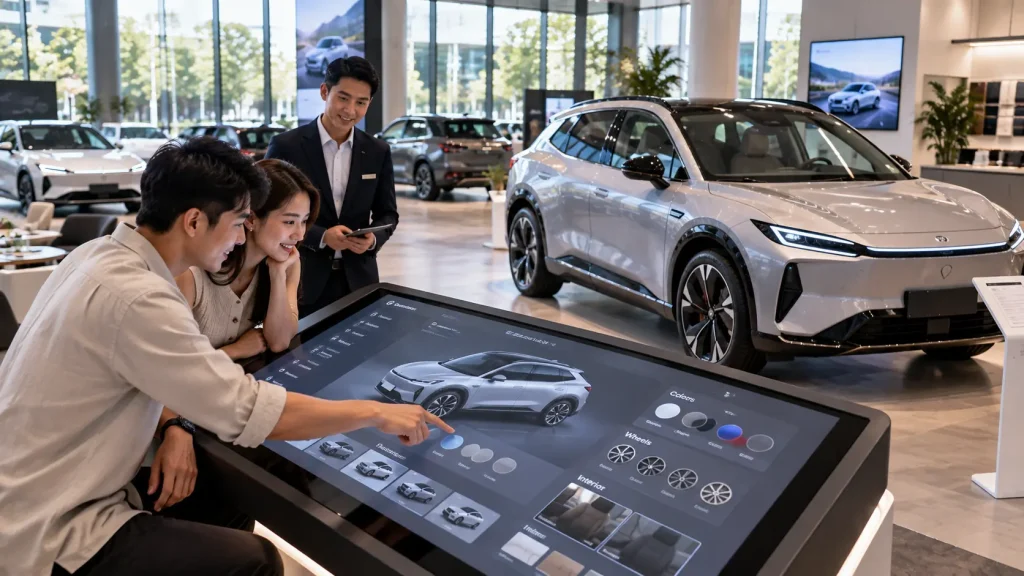
7. Automotive Interactive Showrooms
Automotive showrooms are well suited to interactive product exploration because one physical vehicle can contain many configurations and features.
A digital experience could allow visitors to explore:
- Vehicle colours
- Variants
- Exterior features
- Interior features
- Safety systems
- Technology
- Specifications
- Accessories
Interactive 3D can also allow the vehicle to be rotated, zoomed or viewed from different angles.
This is particularly useful when not every colour, trim or configuration is physically available in the showroom.
8. Property and Development Showrooms
Property galleries have a different information challenge.
Visitors need to understand not only the building but also its relationship with the surrounding area.
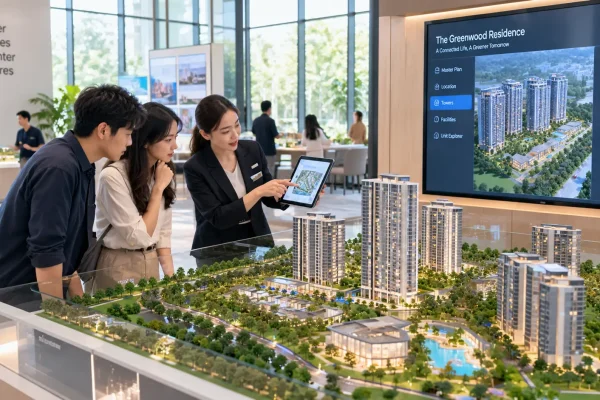
An interactive installation could connect:
- Masterplan
- Physical scale model
- Unit information
- Facilities
- Nearby landmarks
- Transport connections
- 3D architectural visualisation
A visitor could select a zone on a touchscreen and see the corresponding area highlighted on a physical model.
Alternatively, an interactive map could allow visitors to explore the development digitally.
9. Building Materials & Architectural Product Showrooms
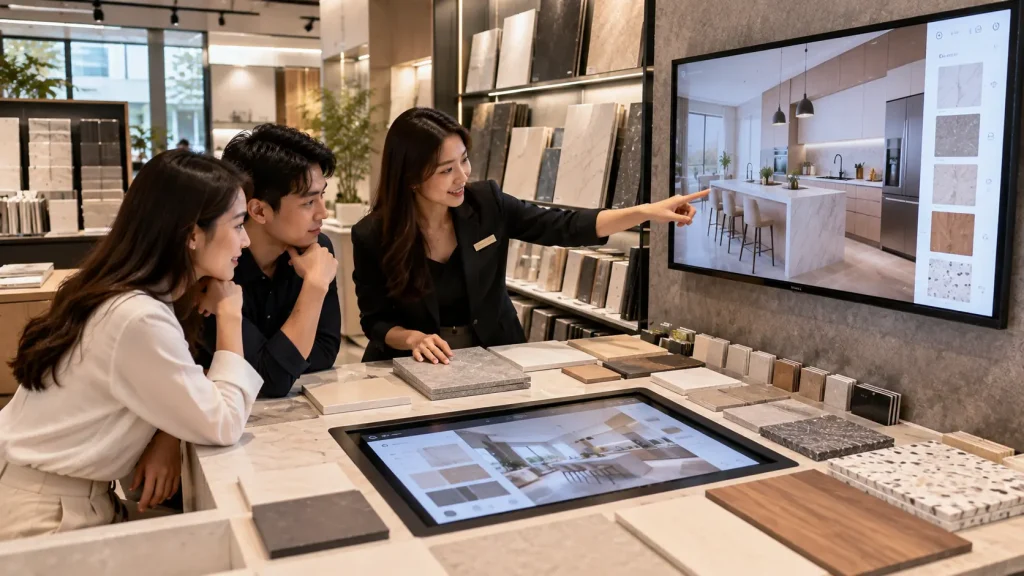
Building material brands often need to demonstrate many combinations of finishes, colours and applications.
Instead of physically constructing every possible environment, visitors could select different materials and see them applied to a digital interior or architectural scene.
For example, a visitor might change:
- Floor finish
- Wall material
- Surface colour
- Lighting condition
- Product series
The digital visualisation can help customers compare combinations while physical material samples remain available for texture and colour inspection.
10. Immersive Corporate Presentation Spaces
Some corporate showrooms need a stronger opening or closing experience for VIP visits, delegations or customer presentations.
A dedicated immersive room can combine large-format projection, animation, sound and corporate storytelling.
Instead of presenting information through a conventional slide deck, visitors can experience a short visual journey covering topics such as:
- Company history
- Manufacturing capability
- Technology
- Major projects
- Global presence
- Future vision
The experience can then lead visitors into the main showroom where individual products and technologies are explored in more detail.
For more information on this format, see our immersive experience Malaysia guide.
Designing the Showroom Around the Visitor Journey
An interactive showroom works best when the individual technologies feel like parts of one experience rather than separate digital stations.
A typical corporate showroom journey might follow this sequence:
- Introduction — Give visitors a quick understanding of the company and its capabilities.
- Industry or Market Context — Explain where the company’s solutions are used.
- Product Exploration — Allow visitors to examine key products and technologies.
- Process or Engineering Story — Explain how products are manufactured or how the technology works.
- Projects and Applications — Show where the solutions have been implemented.
- Future or Innovation — Present upcoming technology, research or company direction.
Not every showroom needs to follow this exact structure, but planning the journey first helps determine where interactive technology is actually useful.
Self-Guided vs Guided Showroom Experiences
Some corporate showrooms are designed for visitors to explore independently, while others are primarily used during guided presentations.
| Experience Type | Design Consideration |
|---|---|
| Self-Guided | Simple navigation, clear instructions and easy content discovery |
| Sales-Guided | Presenter can quickly access specific products, features or case studies |
| VIP Presentation | Controlled storytelling and coordinated audiovisual content |
| Training | More detailed technical information and structured learning content |
| Mixed Use | Interface should support both independent exploration and presentations |
A mixed-use showroom may require a system that can switch between visitor mode and presentation mode.
For example, visitors might normally explore products independently, while a salesperson can access a specific product or project immediately during a customer presentation.
How Much Information Should Be on the Screen?
A common problem with corporate interactive displays is trying to include too much information.
Technical companies often have large amounts of product data, specifications, diagrams and documentation available. Putting all of this onto the first screen can make the experience difficult to use.
A better structure is to divide information into layers.
The first level might communicate:
- What the product is
- What it does
- Where it is used
- Its key advantages
Visitors who need more information can then open deeper sections containing specifications, technical drawings, videos or supporting documents.
This keeps the main experience accessible while still providing technical depth when required.
Touchscreen, Physical Controls or Sensors?
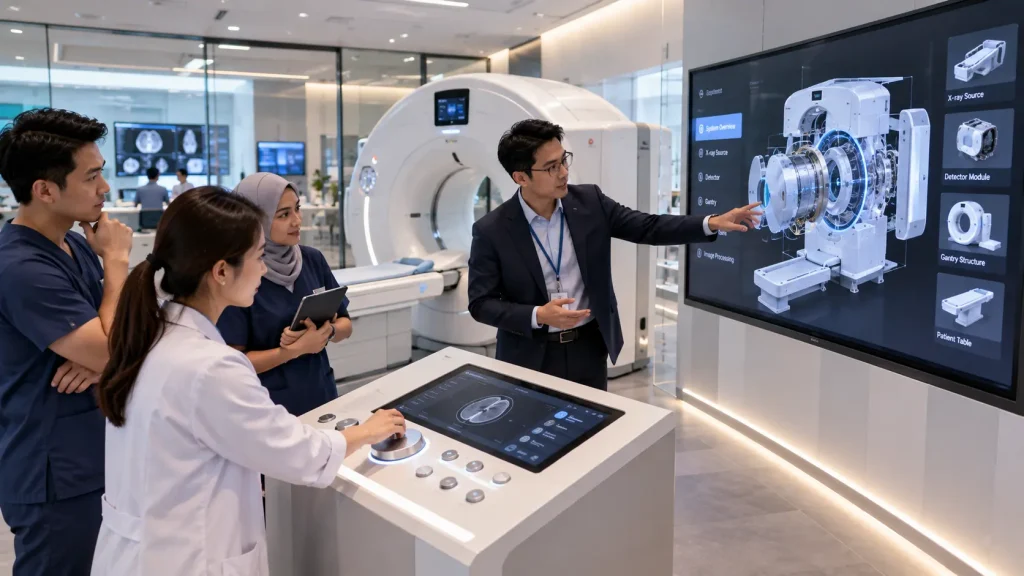
The appropriate interaction method depends on what visitors need to do.
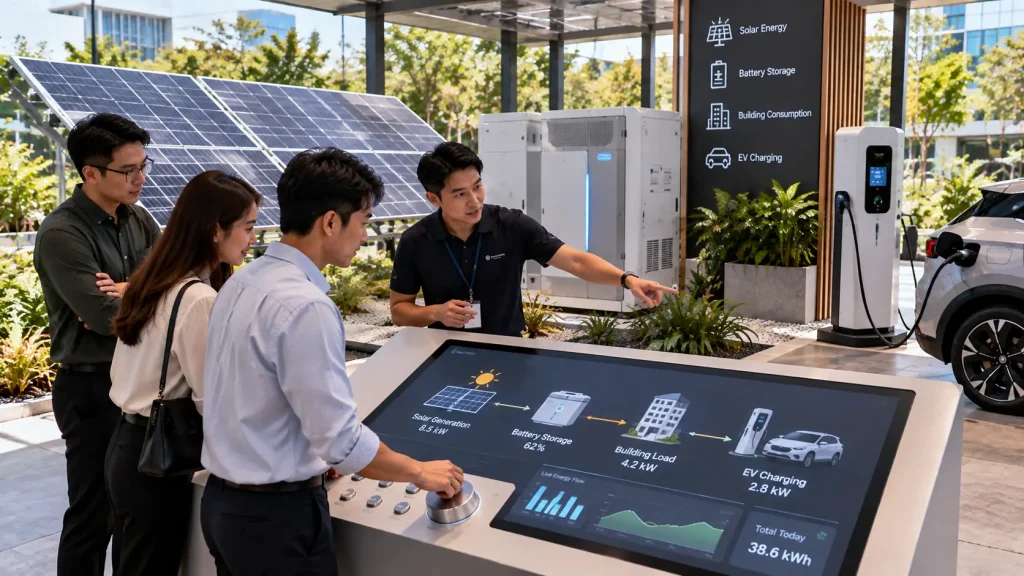
Touchscreens are useful for browsing, selecting, comparing and navigating information.
Physical buttons or controls can work well when the interaction is connected directly to a physical product or demonstration.
Sensors can create touch-free experiences or allow digital content to respond to visitor movement.
Some installations can combine several methods.
For example, a visitor could select a machine component on a touchscreen while lighting highlights the corresponding component on the physical product.
The interaction method should therefore be chosen according to the communication objective rather than simply selecting the newest technology.
Using Existing CAD and 3D Engineering Files
Engineering companies may already have detailed CAD, STEP, OBJ, FBX or other 3D files for their products.
These assets can potentially reduce the need to recreate the product from the beginning, but engineering models are not always ready for real-time interactive applications.
They may contain:
- Very high polygon counts
- Thousands of individual components
- Internal geometry that visitors never need to see
- Engineering naming structures
- Missing presentation materials
- Geometry that requires optimisation
The model may therefore need to be simplified, reorganised and prepared before it can run smoothly inside an interactive application.
The final level of detail should be determined by what visitors actually need to explore.
Connecting Physical Models With Digital Content
Interactive showrooms do not need to become completely screen-based.
Physical models can remain highly effective, especially when scale, layout or spatial relationships are important.
A digital system can add another layer of information to the model.
For example:
- A visitor selects a location or process on a touchscreen.
- The corresponding area on the physical model illuminates.
- The screen displays related information, animation or video.
- The visitor can continue exploring another area.
This approach can be used for factories, campuses, property developments, infrastructure, production lines and complex engineering systems.
Content Updates and Future Expansion
Corporate information changes over time.
New products are launched, specifications change, projects are completed and company information is updated.
For permanent installations, it is useful to decide early which content may need regular updates.
Depending on the project, updateable content could include:
- Product images
- Product descriptions
- Specifications
- Videos
- Project references
- Locations
- News or milestones
More complex interactive functions, 3D behaviour or interface changes may still require software development.
The content management approach should therefore be planned according to how frequently information is expected to change.
Can an Interactive Showroom Operate Offline?
Yes. Many showroom applications can be designed to operate locally without requiring a continuous internet connection.
This can improve reliability for permanent installations where the core product content does not depend on live online information.
An internet connection may still be required for functions such as:
- Cloud-based content
- Remote databases
- Live dashboards
- Web-based information
- Online lead submission
- Remote content synchronisation
Where internet connectivity is uncertain, the system architecture should determine which functions can continue operating locally.
Technical Requirements for a Permanent Interactive Showroom
| Technical Area | Planning Consideration |
|---|---|
| Display | Commercial operating hours, brightness, resolution and screen orientation |
| Touchscreen | Touch points, mounting height, viewing distance and durability |
| Computer | Performance requirements for video, 3D graphics and interactive software |
| 3D Content | Model optimisation, textures, animation and real-time performance |
| Sensors | Tracking range, mounting position and environmental conditions |
| Projection | Brightness, throw distance, ambient light and projection surface |
| Audio | Speaker positioning and interference between showroom zones |
| Network | Local network, internet dependency and remote content requirements |
| Fabrication | Equipment housing, ventilation, cable management and maintenance access |
Plan for Maintenance Access
A permanent showroom may operate for years, so equipment should not be installed in a way that makes future maintenance unnecessarily difficult.
Computers, power supplies, media players and other serviceable components should remain accessible.
Where equipment is built into custom cabinetry or walls, access panels and ventilation should be considered during fabrication.
The daily operating procedure can also be simplified through functions such as:
- Automatic application startup
- Scheduled display operation
- Automatic reset after inactivity
- Restricted access to operating system settings
- Simple restart procedures
This reduces the amount of technical knowledge required from showroom staff during normal operation.
How Should an Interactive Showroom Project Be Planned?
A practical development process can follow these steps:
- Define the showroom objective — Determine what visitors should understand or remember.
- Identify visitor groups — Consider customers, distributors, VIPs, employees and other audiences.
- Review the space — Study the floor plan, circulation, lighting and available infrastructure.
- Plan the visitor journey — Decide how the company story and products should be experienced.
- Identify physical exhibits — Determine which real products, samples or models will be displayed.
- Identify digital opportunities — Decide where interaction can reveal information that physical exhibits cannot.
- Select the technology — Choose appropriate displays, touchscreens, sensors, projection and computers.
- Develop the content — Prepare interface design, animation, 3D models, video and other media.
- Integrate with the interior — Coordinate technology with furniture, structures, power and lighting.
- Test and commission — Test the complete experience before final handover.
For a broader planning framework, see our interactive installation design guide.
What Affects Interactive Showroom Cost?
The cost of an interactive showroom depends on the number of experiences and the complexity behind each installation.
Typical cost factors include:
- Number and size of interactive displays
- Commercial touchscreen hardware
- Custom software development
- 3D model preparation
- 3D animation and visualisation
- Sensor systems
- Projection equipment
- Physical model integration
- Lighting control
- Custom fabrication
- Audio systems
- Installation and calibration
- Content management requirements
- Training and technical support
A showroom containing several information touchscreens will therefore have a very different scope from one containing real-time 3D products, physical model integration and an immersive presentation room.
See our interactive installation cost Malaysia guide for a more detailed explanation of budget factors.
What Should You Prepare Before Requesting a Proposal?
You do not need to determine every technology before contacting an interactive installation company.
Useful starting information includes:
- Showroom floor plan
- Photos or interior design renders
- Available installation dimensions
- Target visitor groups
- Products or services to be presented
- Existing physical exhibits
- Existing CAD or 3D files
- Corporate videos and presentation materials
- Required languages
- Expected opening date
- Approximate project budget, if established
If the showroom is still being designed, early coordination can also help integrate screens, sensors, computers, cabling and maintenance access more cleanly into the interior.
How MyDigital Asia Supports Interactive Showroom Projects
MyDigital Asia develops interactive technology and digital content for corporate showrooms, product galleries and experience centres in Malaysia.
Depending on the project requirements, the scope can include:
- Interactive showroom concept development
- Touchscreen applications
- Interactive product catalogues
- Real-time 3D product visualisation
- Engineering animation
- Interactive maps
- Physical model integration
- Sensor-based experiences
- Projection and immersive content
- Custom interactive software
- Hardware integration
- Installation and calibration
- Testing and operating guidance
The solution can be planned around the company’s products, visitor journey and available showroom space rather than forcing every project into the same technology format.
Frequently Asked Questions
What is an interactive corporate showroom?
An interactive corporate showroom combines physical products, company information and digital technology so visitors can actively explore products, processes, projects or other business information.
Can existing CAD files be used for interactive 3D?
Potentially. Engineering files can often provide a useful starting point, but they may require optimisation, restructuring, texturing or other preparation before they are suitable for real-time interactive use.
Can the showroom system run without internet?
Yes. Many interactive applications can operate locally. Internet access is only required when specific functions depend on online services, cloud databases or live information.
Can a physical product be connected to the digital display?
Yes. Depending on the concept, digital content can be coordinated with physical products, models, lighting or other hardware to create a connected experience.
Can showroom content be updated later?
Yes, if content updates are included in the system planning. The appropriate update method depends on what information needs to change and how frequently updates are expected.
Can one interactive system support multiple languages?
Yes. Language selection can be incorporated into the interface when multilingual content is required.
Planning an Interactive Showroom in Malaysia?
If you are developing a corporate showroom, product gallery, manufacturing experience centre or technology demonstration space, start by identifying what visitors need to understand that cannot be communicated effectively through physical displays alone.
Send MyDigital Asia your floor plan, interior renders, product information, existing 3D assets and project objectives. We can evaluate suitable interactive technologies and how they can be integrated into the visitor journey.
A strong interactive showroom does not replace the real product. It makes the product easier to understand.
Related Guides
- Interactive Installation Malaysia: Design, Technology & Applications
- Interactive Installations for Visitor Centres & Experience Centres
- Interactive Installation Cost in Malaysia
- Sensor-Based Interactive Installations: How They Work
- Permanent vs Temporary Interactive Installations
- How to Plan an Interactive Installation Project
Request a Free Consultation
Looking for Interactive Maps, Interactive Solutions or Event Technology?

LATEST POSTS