
Interactive Learning Installations for Universities & Education Spaces in Malaysia
Digital technology is becoming increasingly common in universities, schools and training environments.
However, adding more screens does not automatically create a better learning experience.
An interactive learning installation becomes valuable when students can actively explore, experiment with or visualise a subject that would otherwise be difficult to understand through conventional presentation alone.
This can include interactive walls, simulations, digital maps, educational games, immersive environments, physical controls, sensors and other forms of experiential technology.
The starting point should not be:
“What technology should we install?”
It should be:
“What should students be able to understand or do after using it?”
Interactive Learning Technology at a Glance
| Learning Requirement | Possible Interactive Approach |
|---|---|
| Explain a complex process | Interactive simulation or animation |
| Explore a physical system | 3D model or digital twin-style visualisation |
| Understand locations or infrastructure | Interactive map |
| Practise decision-making | Scenario-based simulation |
| Encourage participation | Educational game or group challenge |
| Visualise difficult environments | Immersive projection or VR |
| Connect movement with learning | Sensor-based interactive experience |
| Present campus information | Interactive campus directory or information wall |
Interactive Learning Is Different From Digital Presentation
A digital presentation delivers information to the learner.
An interactive experience requires the learner to make an input and observe what happens next.
The input might involve:
- Selecting an option
- Changing a variable
- Moving an object
- Answering a question
- Performing a physical action
- Making a decision
- Exploring a 3D environment
The system then responds through graphics, animation, sound, lighting, physical movement or another form of feedback.
This relationship between action and response is what makes the installation interactive.
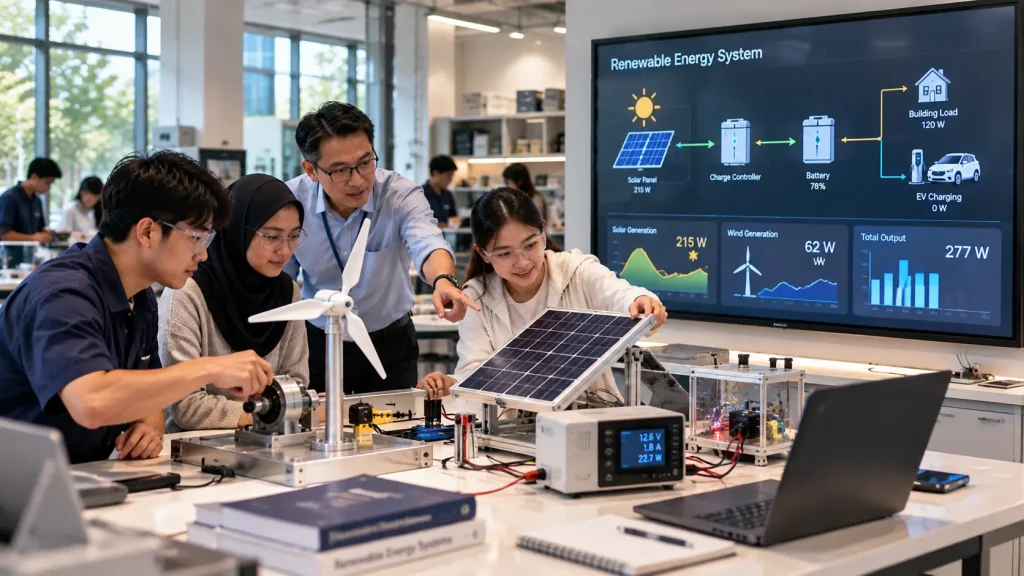
1. Interactive Engineering Simulations
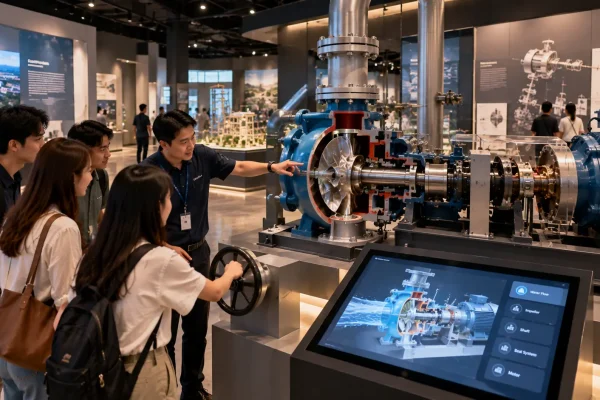
Engineering education frequently involves systems that are difficult to demonstrate at full scale inside a classroom.
An interactive simulation can allow students to change operating conditions and observe how the system responds.
For example, students could adjust:
- Pressure
- Temperature
- Flow rate
- Speed
- Load
- Energy input
- Material properties
The system can then visualise the resulting changes through diagrams, animation, graphs or a real-time 3D model.
The objective is not necessarily to replace physical laboratory equipment.
Digital simulation can instead help students understand the relationship between variables before, during or after practical laboratory work.
2. Interactive 3D Models for Technical Education
Some technical subjects involve objects that are too large, expensive, dangerous or inaccessible for students to examine directly.
Interactive 3D models can provide another way to explore them.
Students might be able to:
- Rotate the model
- Zoom into components
- Hide external structures
- Reveal internal systems
- Separate assemblies
- Trigger mechanical animation
- Select individual components
This approach can be applied to subjects such as:
- Mechanical engineering
- Automotive engineering
- Aerospace
- Architecture
- Manufacturing
- Medical equipment
- Building systems
Existing CAD or engineering models may potentially provide a starting point, although they usually require optimisation before real-time interactive use.
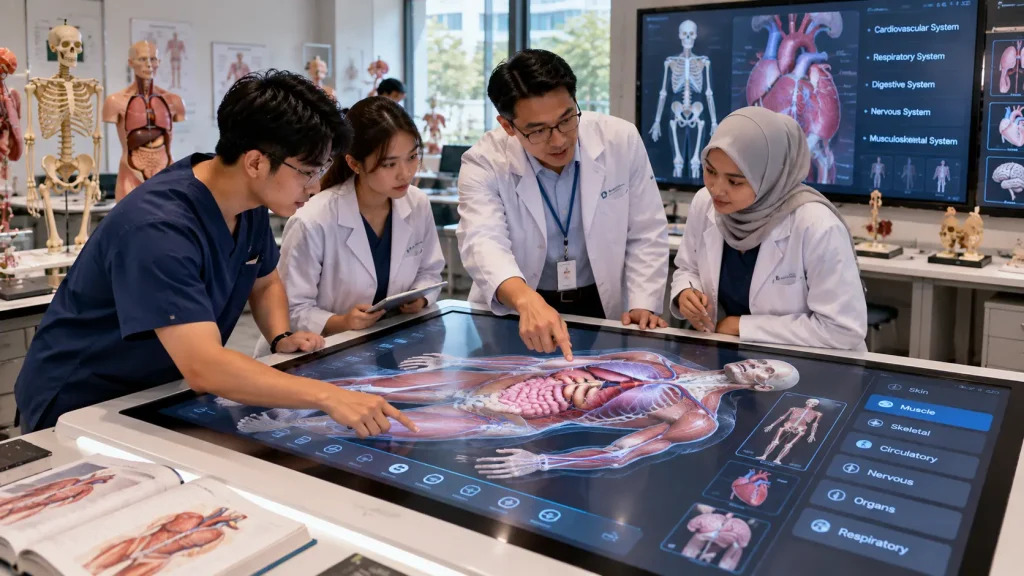
3. Interactive Anatomy & Medical Learning
Medical and healthcare education can also benefit from interactive visualisation.
A digital anatomy experience could allow students to explore body systems layer by layer.
For example, students could select:
- Skeletal system
- Muscular system
- Circulatory system
- Nervous system
- Individual organs
A 3D model could then be rotated, enlarged or separated to support explanation during teaching.
This type of installation can function as a supplementary educational tool alongside conventional teaching resources, physical models and supervised practical learning.
4. Interactive Maps for Campus Learning
Interactive maps are useful for more than navigation.
A university campus can itself become part of the learning experience.
For example, an interactive campus map could allow students to explore:
- Buildings
- Research facilities
- Sustainability systems
- Energy consumption
- Green spaces
- Transport routes
- Historical development
An engineering faculty might use an interactive map to explain campus infrastructure, while an environmental programme could use the same concept to visualise sustainability initiatives.
For larger mapping applications, see our interactive maps Malaysia guide.
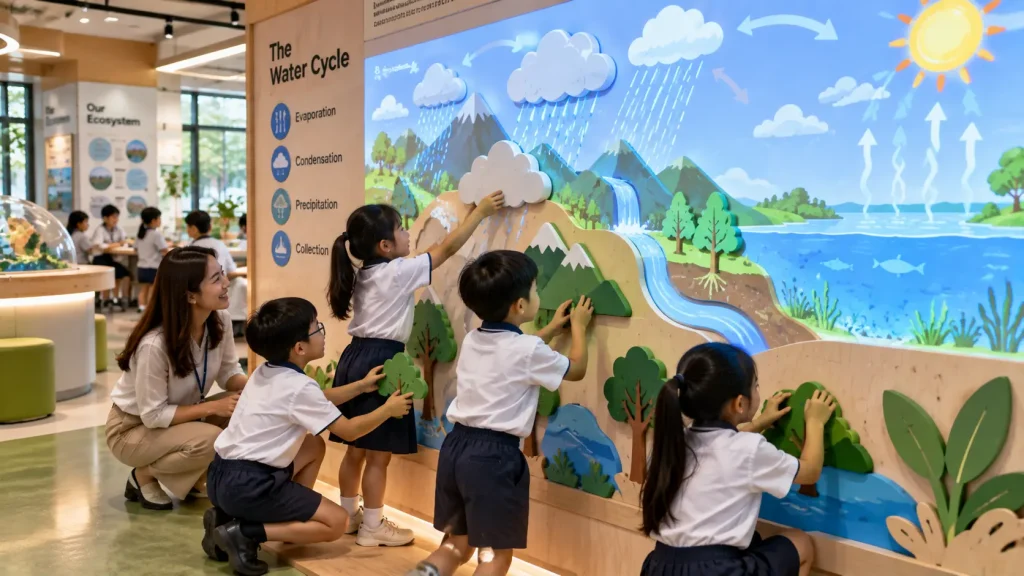
5. Educational Interactive Walls
A large interactive wall can support group learning in situations where a conventional single-user touchscreen is too restrictive.
The wall could respond to:
- Touch
- Body movement
- Gestures
- Physical objects
- Buttons or controllers
Multiple students may be able to participate at the same time depending on the tracking and software design.
Possible applications include:
- Collaborative problem solving
- Interactive timelines
- Language learning
- Geography
- Science activities
- Group quizzes
- Creative digital activities
The interaction should be designed around the expected group size rather than simply making a single-user interface larger.
6. Learning Through Physical Movement
Learning does not always need to happen while sitting in front of a screen.
Motion sensors and depth cameras can allow students to interact using their bodies.
For example, students might:
- Move to sort digital objects
- Use gestures to answer questions
- Walk through a projected environment
- Control a simulation through body movement
- Work together to complete a challenge
This can be particularly useful for younger learners, public education environments and subjects where movement is relevant to the learning objective.
For technical considerations, see our sensor-based interactive installation guide.
7. Scenario-Based Learning Simulations
Some subjects involve decision-making rather than memorising information.
An interactive scenario can present students with a situation and allow them to choose how to respond.
The system can then show the consequences of each decision.
This format could potentially support subjects such as:
- Business
- Emergency response
- Engineering operations
- Environmental management
- Hospitality
- Safety training
- Customer service
The value comes from allowing students to examine cause and effect within a controlled learning environment.
8. Immersive Learning Rooms
Some learning subjects benefit from environmental scale.
Instead of viewing content through a small display, an immersive room can use projection and sound to place students inside a larger visual environment.
Possible applications include:
- Space and astronomy
- Underwater environments
- Historical locations
- Architecture
- Geography
- Environmental science
- Industrial environments
For example, environmental science students could enter an immersive rainforest environment while the lecturer explains biodiversity, climate and ecosystem relationships.
The technology should still support a defined learning objective rather than functioning only as visual entertainment.
9. Interactive Learning Games
Game mechanics can be useful when they encourage students to apply knowledge rather than simply collect points.
An educational game could involve:
- Problem solving
- Classification
- Matching
- Timed challenges
- Team competition
- Knowledge quizzes
- Resource management
For example, engineering students could compete to identify faults in a virtual system, while younger students could classify animals into different ecosystems.
The game mechanic should reinforce the learning objective instead of distracting from it.
10. Interactive Campus Experience Centres
Universities may also use interactive technology outside formal teaching environments.
A campus experience centre can introduce prospective students, parents, industry partners and visitors to the institution.
The experience could include:
- Interactive campus maps
- Programme exploration
- Research projects
- Student achievements
- Virtual facility tours
- University history
- Industry collaborations
This type of space sits between an education environment and a visitor experience centre.
The interaction should therefore work for audiences who may have very different levels of familiarity with the university.
Designing the Learning Journey Before Choosing Technology
An education technology project should begin with the learning journey rather than a list of hardware.
A useful planning sequence is:
- Learning Objective — What should students understand, practise or discover?
- Learner — Who will use the installation and what level of knowledge do they already have?
- Activity — What should the learner physically or digitally do?
- Feedback — How should the system respond?
- Reflection — What should the learner understand after completing the interaction?
Only after these questions are clear should the project determine whether the experience requires a touchscreen, projector, sensor, physical controller, VR headset or another technology.
This helps prevent a common problem: installing impressive hardware without a clear educational purpose.
Individual vs Collaborative Learning
The number of students using an installation at the same time can significantly affect its design.
| Learning Format | Possible Approach |
|---|---|
| Individual | Touchscreen, VR, personal simulation or self-guided activity |
| Small Group | Interactive table, shared simulation or collaborative challenge |
| Class Group | Large interactive wall, projection or lecturer-controlled experience |
| Open Campus Space | Self-guided installation designed for continuous public access |
A system designed for one student should not simply be enlarged and assumed to work for twenty students.
Collaborative experiences need to consider how participants share control, see information and understand what other participants are doing.
Touchscreen, Projection, Sensor or VR?
Different technologies support different types of learning.
Touchscreens work well when students need to select, browse, compare or manipulate structured information.
Projection can create larger shared visual environments and is useful when a class needs to view the same content together.
Sensors and motion tracking are useful when physical movement forms part of the learning activity.
VR can be considered when students need an individual sense of presence inside an environment that is difficult to access physically.
Physical controls can make simulations more tangible when students need to adjust variables, operate equipment or understand cause and effect.
There is no single technology that is suitable for every education project.
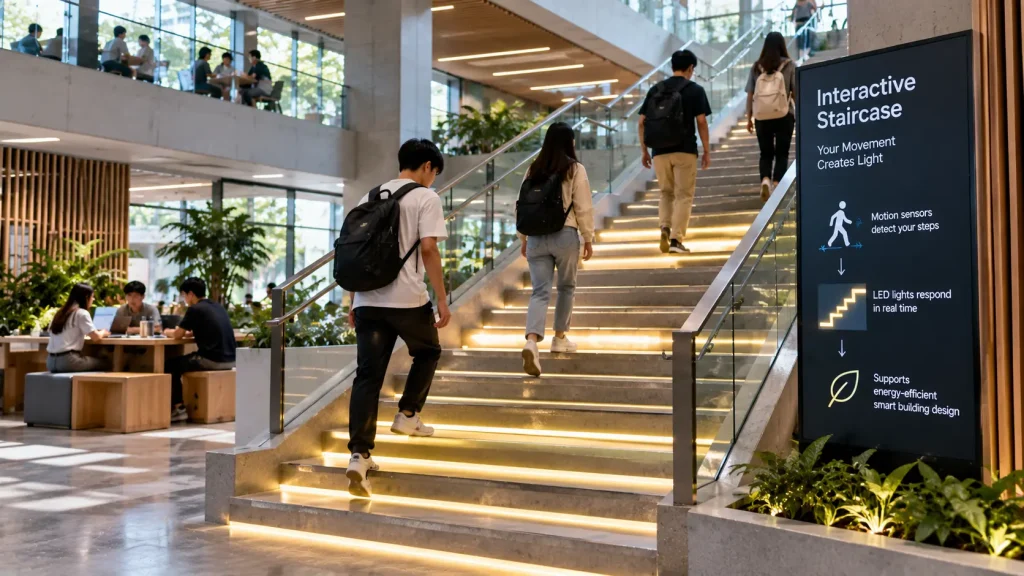
Interactive Staircases and Transitional Campus Spaces
Interactive learning does not need to be restricted to classrooms and laboratories.
Staircases, corridors, foyers and other transitional areas can also become part of the campus experience.
For example, a staircase installation could use sensors and programmable lighting so that student movement triggers different visual responses.
The experience might be connected to:
- Campus identity
- Scientific concepts
- Energy awareness
- Interactive art
- Faculty storytelling
- Student-generated content
For a science-related installation, individual steps could represent different values or stages of a process. As students move through the staircase, lighting or nearby digital content could respond to their progress.
In this type of project, safety and normal circulation remain the priority. Sensors, lighting and cabling should be integrated without obstructing the staircase or creating unnecessary distractions.
Connecting Physical Experiments With Digital Visualisation
One useful approach for education is to connect a real physical action with a digital explanation.
For example, students could turn a physical generator and immediately see:
- Energy generated
- Rotation speed
- Voltage
- Efficiency
- Energy required to power different devices
Another installation could allow students to adjust the angle of a physical solar panel while a digital display visualises how the change affects simulated energy generation.
The physical activity provides the experience, while the digital layer helps explain what is happening.
This relationship can be particularly effective for engineering, physics, sustainability and technical education.
Using Interactive Technology for Sustainability Education
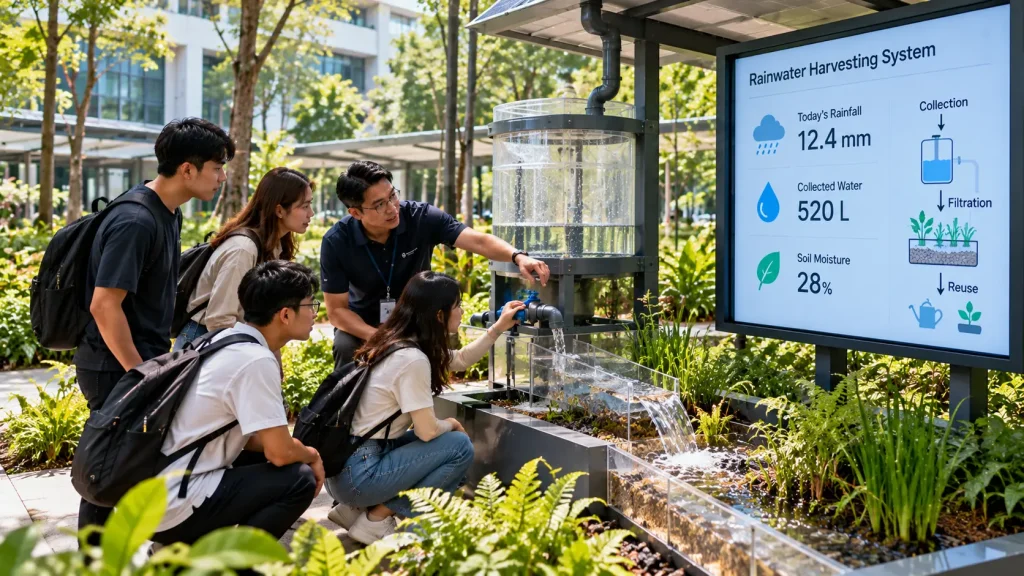
A campus can provide real-world data that supports sustainability education.
Depending on available systems and data access, an interactive installation could visualise information such as:
- Solar energy generation
- Building electricity consumption
- Water usage
- Waste reduction
- EV charging
- Campus biodiversity
Students could explore how different buildings or systems contribute to the overall campus performance.
Where live data is required, the project may need to connect to an existing database, API, building management system or another data source.
If live integration is not available, the experience can instead use prepared educational datasets or simulations.
What Is API Integration in an Interactive Campus Project?
An API allows one software system to request or exchange information with another system.
For an interactive campus installation, this could allow the experience to retrieve information from an existing university platform rather than storing every piece of information independently.
Potential examples include:
- Campus information
- Event schedules
- Facility data
- Environmental sensor data
- Energy information
- Approved student or programme information
Whether this is possible depends on what systems the institution already uses and whether those systems provide suitable access.
API documentation, authentication requirements, available data fields and update frequency should therefore be reviewed before development begins.
Understanding Latency in Interactive Experiences
Latency is the delay between an action and the system’s response.
For example:
Student moves → sensor detects movement → software processes input → visual responds.
If the delay is too noticeable, the interaction may feel disconnected from the student’s action.
Latency requirements depend on the experience.
A motion-controlled game may require a much faster response than an information display retrieving campus information from an online database.
Testing should therefore focus on the complete system rather than evaluating the sensor, computer or display independently.
What Does Maximum Simultaneous Users Mean?
Maximum simultaneous users refers to how many people the system is expected to support at the same time.
This can affect both physical and software design.
For example, an interactive wall intended for four students may require the system to identify and process several inputs simultaneously.
An online campus application may need to support many users accessing information at the same time.
During planning, it is useful to distinguish between:
- Total expected users per day
- Users physically standing at the installation
- Users interacting simultaneously
- Users accessing connected online services simultaneously
These are different requirements and can affect the technical architecture in different ways.
Designing Educational Content for Repeated Use
A permanent education installation may be used repeatedly by different student groups.
The content should therefore be designed for more than a one-time demonstration.
Depending on the project, this might involve:
- Different difficulty levels
- Multiple learning modules
- Randomised questions
- Different scenarios
- Lecturer-selected content
- Content that can be updated later
This can extend the useful life of the installation and allow it to support more than one teaching session.
Can Lecturers Control the Interactive Experience?
Yes. Some installations can include a separate presenter or lecturer control interface.
This could allow the lecturer to:
- Select a lesson or module
- Jump directly to a topic
- Start or pause an activity
- Reset the experience
- Reveal information gradually
- Trigger specific simulations
This can be useful when the installation needs to support both self-guided student exploration and structured classroom teaching.
Planning for Permanent Campus Operation
A permanent installation has different requirements from technology used for a short event.
The system may operate daily and be used by students with little or no technical supervision.
Planning should therefore consider:
- Commercial-grade display hardware
- Computer ventilation
- Automatic software startup
- Automatic reset after inactivity
- Secure equipment housing
- Cable management
- Maintenance access
- Content update procedures
- Network reliability
- Daily startup and shutdown
Hardware should also be positioned according to how students actually use the space rather than only according to architectural appearance.
For more information, see our permanent vs temporary interactive installation guide.
How Should an Interactive Education Project Be Planned?
A practical development process can follow these steps:
- Define the learning objective — Identify what students should understand, practise or experience.
- Identify the users — Determine age group, programme, knowledge level and expected number of participants.
- Review the environment — Study dimensions, lighting, circulation, power, network and installation conditions.
- Design the learning activity — Decide what students should actually do.
- Plan the feedback — Determine how the installation responds to student actions.
- Select suitable technology — Choose displays, projectors, sensors, physical controls or VR only after the interaction is defined.
- Develop the content — Prepare interface design, animation, 3D models, educational information and other media.
- Develop and integrate the software — Connect interaction, content and hardware into one system.
- Test with real users — Observe whether students understand the instructions and learning activity.
- Prepare for operation — Plan training, maintenance, content updates and technical support.
For a broader project framework, see our interactive installation design guide.
What Affects the Cost of an Interactive Learning Installation?
The cost depends on the size of the installation, technology required and complexity of the educational content.
Typical cost factors include:
- Number and size of displays
- Touchscreen hardware
- Projectors
- Motion or depth sensors
- VR equipment
- Physical controllers
- Custom software development
- Educational game development
- Real-time 3D content
- Animation
- API or data integration
- Custom fabrication
- Audio systems
- Installation and calibration
- Training
- Technical support
A single educational touchscreen and a multi-projector immersive learning room are therefore very different project scopes even if both are described as interactive education technology.
See our interactive installation cost Malaysia guide for more information on budget planning.
What Should a University Prepare Before Requesting a Proposal?
The technology does not need to be finalised before requesting a proposal.
Useful starting information includes:
- Project objective
- Target students or visitors
- Subjects or learning topics
- Floor plan and dimensions
- Photos of the proposed area
- Expected number of simultaneous users
- Existing screens or equipment
- Available power and network connection
- Existing data or API requirements
- Preferred content languages
- Expected completion date
- Approximate budget, if established
For projects involving renovation or a new campus space, early technical planning can help coordinate power points, network connections, equipment mounting, sensor positions and cable routes before interior works are completed.
How MyDigital Asia Supports Interactive Education Projects
MyDigital Asia develops interactive and immersive experiences for universities, schools, training centres and education spaces in Malaysia.
Depending on the project, the scope can include:
- Interactive experience concept development
- Educational touchscreen applications
- Interactive walls
- Interactive maps
- Real-time 3D applications
- Engineering visualisation
- Educational games
- Motion and sensor interaction
- Immersive projection
- VR experiences
- API and data integration
- Custom interactive software
- Hardware integration
- Installation and calibration
- Testing and training
The technology can be planned around the learning objective, available space and expected student journey rather than using the same interactive format for every education project.
Frequently Asked Questions
What is an interactive learning installation?
An interactive learning installation is a physical and digital experience that allows students to actively participate in learning through actions such as touch, movement, simulation, exploration or decision-making.
Can interactive installations be used for university engineering education?
Yes. Interactive 3D models, process simulations, physical controls and data visualisation can help explain engineering systems and relationships that may be difficult to demonstrate physically.
Can multiple students use an interactive installation together?
Yes, depending on the hardware and software design. Interactive walls, tables and group simulations can be developed for collaborative use, but the expected number of simultaneous participants should be defined during planning.
Can the system connect to university data?
Potentially. If the university provides suitable APIs or other approved data access, the interactive application may be able to retrieve information from existing systems.
Can the installation operate without internet?
Yes. Many interactive learning applications can operate locally. Internet access is mainly required when the experience depends on cloud services, online databases, live data or remote systems.
Can educational content be updated later?
Yes. If future updates are planned during development, selected text, images, videos, questions or learning modules can be structured for easier content updates.
Planning an Interactive Learning Space in Malaysia?
If you are developing an interactive university space, educational gallery, engineering learning centre, immersive classroom or campus experience centre, begin with the learning objective rather than the hardware.
Send MyDigital Asia your project brief, floor plan, site photos, learning objectives and available technical information. We can evaluate suitable interaction methods and how the technology can be integrated into the physical environment.
A successful interactive learning installation should not simply give students something to touch. It should give them something meaningful to discover.
Related Guides
- Interactive Installation Malaysia: Design, Technology & Applications
- Interactive Showroom Malaysia
- Interactive Maps Malaysia
- Sensor-Based Interactive Installations
- Interactive Installation Cost in Malaysia
- Permanent vs Temporary Interactive Installations
- How to Plan an Interactive Installation Project
Request a Free Consultation
Looking for Interactive Maps, Interactive Solutions or Event Technology?

LATEST POSTS