
10 Interactive Kiosk Ideas for Events, Retail & Public Spaces
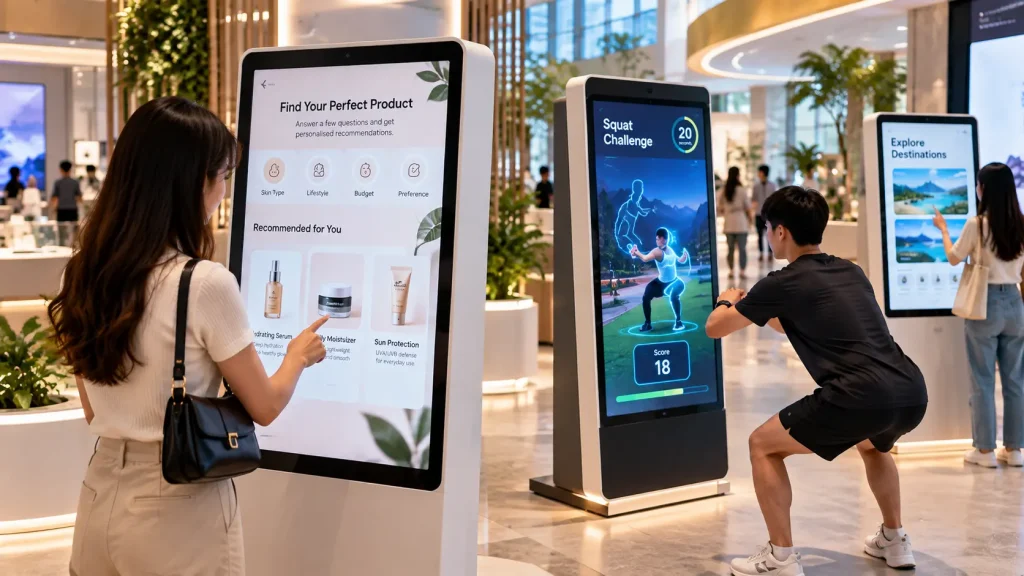
Looking for interactive kiosk ideas that go beyond ordinary information displays? Modern kiosks can offer personalised recommendations, virtual experiences, interactive games and self-service activities that encourage visitors to participate.
With the right combination of touchscreen software, cameras, sensors and system integration, an interactive kiosk can become a useful engagement tool for both temporary events and permanent installations.
Here are 10 interactive kiosk concepts for businesses and organisations in Malaysia.
1. AI Personalised Recommendation Kiosk
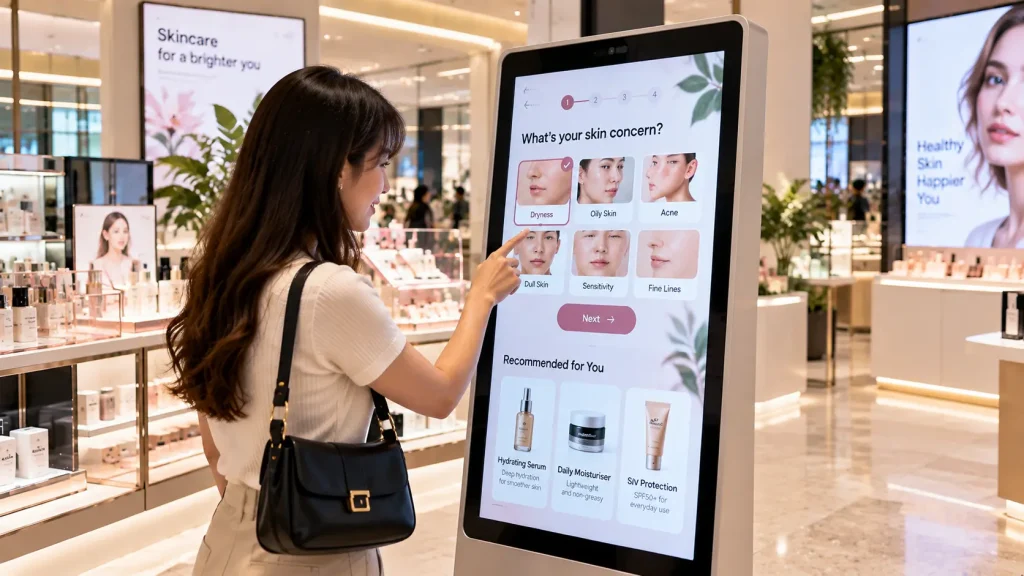
Help visitors discover suitable products through a short, personalised consultation instead of browsing an entire catalogue.
For example, a shopper answers questions about their preferences, budget and intended use. The kiosk then recommends several relevant products with explanations and comparisons.
How it works: Visitors complete a guided questionnaire on a touchscreen. A rules-based recommendation engine or AI-supported system generates suggestions based on the available product database.
Best for: Shopping malls, retail stores, consumer product roadshows and brand activations.
2. Virtual Try-On Kiosk
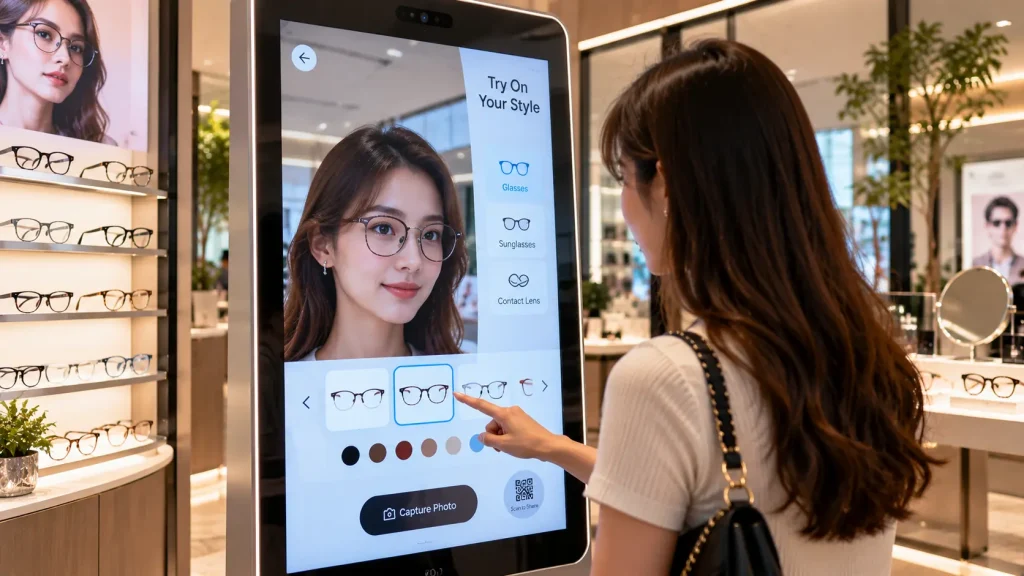
Allow customers to preview different styles without physically trying on every item.
A visitor stands in front of a camera-equipped kiosk and selects different eyewear, accessories or beauty looks. The selected items appear over their live camera image.
The experience can also include photo capture and QR sharing.
How it works: A camera and suitable face-tracking software position digital items over the visitor’s image. Accuracy depends on the tracking technology and content preparation.
Best for: Fashion boutiques, eyewear stores, beauty campaigns and shopping mall activations.
3. Interactive Fitness Challenge Kiosk
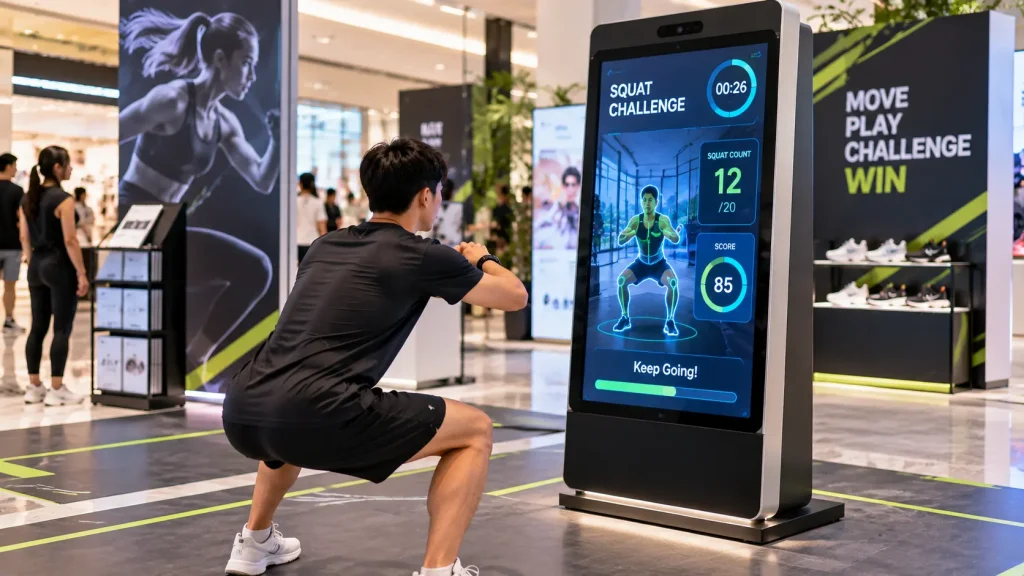
Turn a standard kiosk into a short physical challenge that attracts attention and encourages participation.
Visitors can complete activities such as squat challenges, arm movement games or timed fitness exercises while watching their progress on screen.
A leaderboard adds a competitive element for roadshows and promotional events.
How it works: A camera or motion-tracking sensor detects selected body movements. Custom software evaluates the actions, calculates scores and displays results.
Best for: Fitness centres, sports exhibitions, wellness campaigns and shopping mall roadshows.
4. Digital Memory Capsule Kiosk
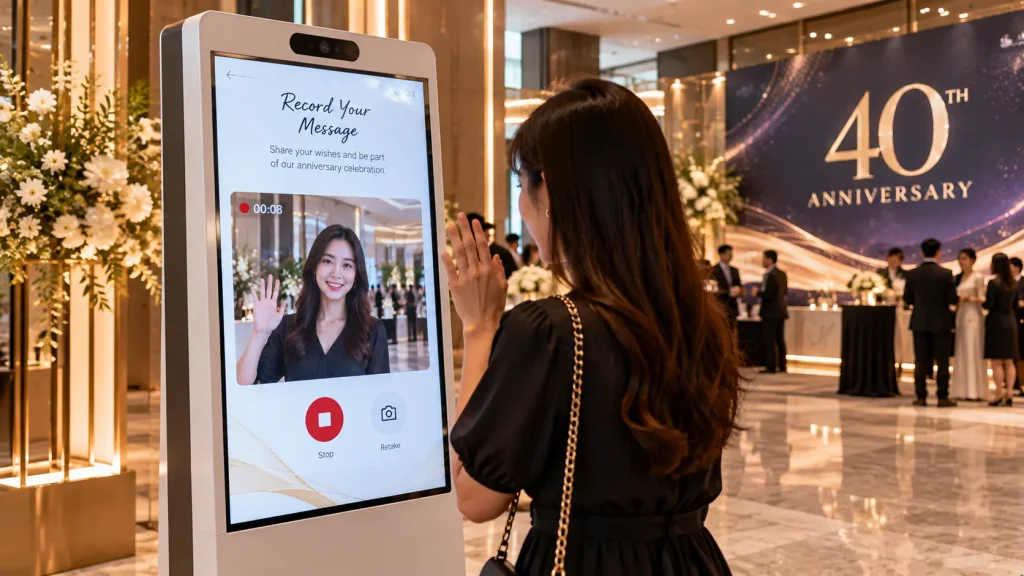
Create a memorable activity where guests contribute personal messages to a shared digital collection.
Visitors can record a short video greeting, take a photograph or write a message celebrating a company milestone.
Selected submissions can appear on a large event screen or become part of a commemorative video.
How it works: A touchscreen kiosk integrates a camera, microphone and message submission interface. Content is collected for moderation and display.
Best for: Company anniversaries, appreciation dinners, alumni events and community celebrations.
5. Interactive Healthcare Education Kiosk
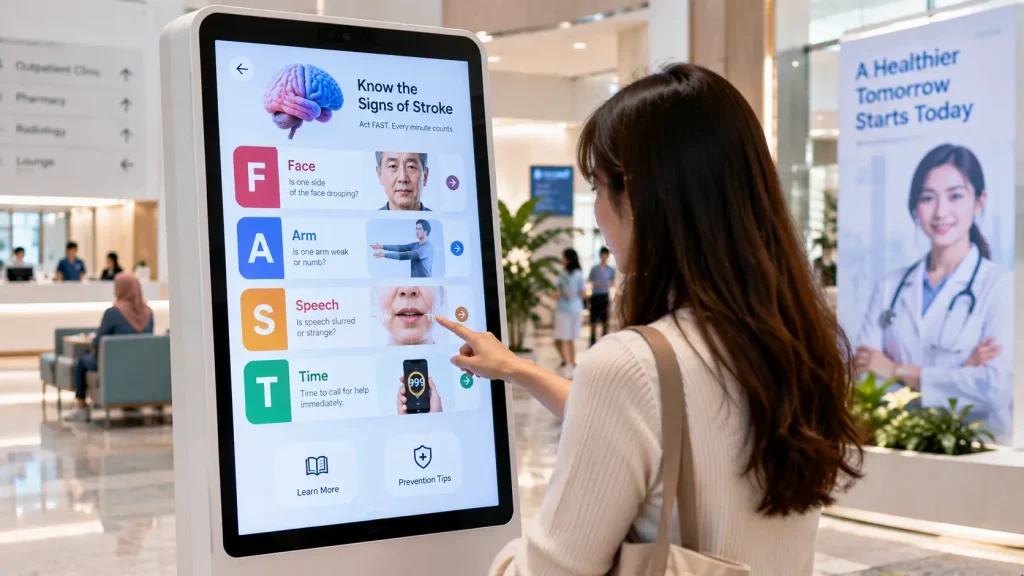
Make public health information easier to understand through short, interactive learning activities.
Visitors can explore topics such as stroke warning signs, heart health or healthy lifestyle habits through visual explanations and simple quizzes.
Rather than reading a long information panel, visitors receive immediate feedback after each selection.
How it works: A touchscreen application presents educational animations, questions and answer feedback using medically reviewed content.
Best for: Hospitals, health awareness campaigns, medical exhibitions and community wellness programmes.
6. Personalised Travel Planner Kiosk
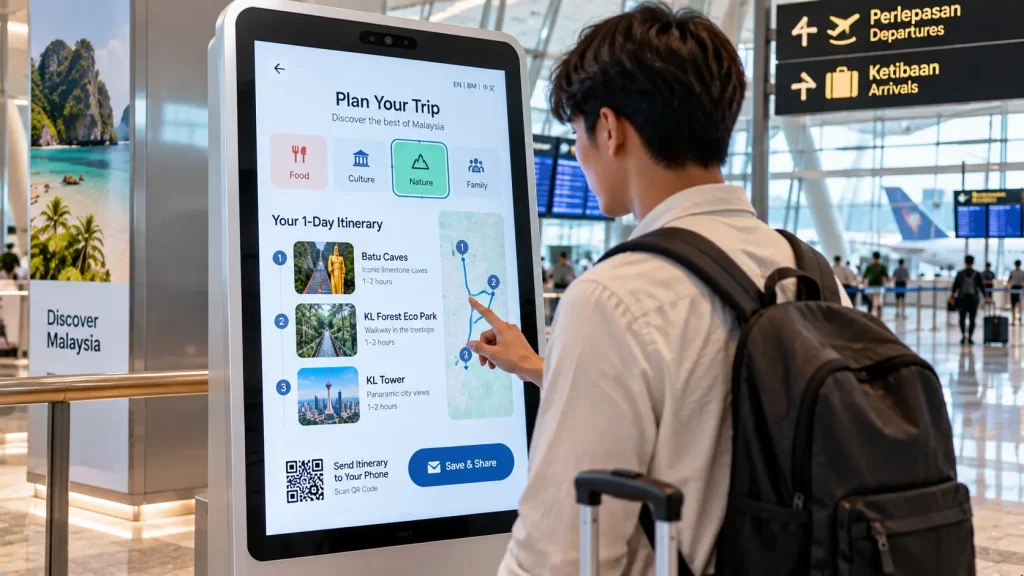
Help travellers discover destinations based on their available time and interests.
A visitor chooses preferences such as food, culture, nature or family activities, along with their preferred trip duration.
The kiosk then presents a suggested itinerary with attraction information, maps and a QR code to continue planning on a mobile device.
How it works: A touchscreen questionnaire connects visitor preferences to a curated destination database. Route planning can be integrated where supported.
Best for: Airports, tourism information centres, hotels and travel exhibitions.
7. AI Avatar Information Kiosk
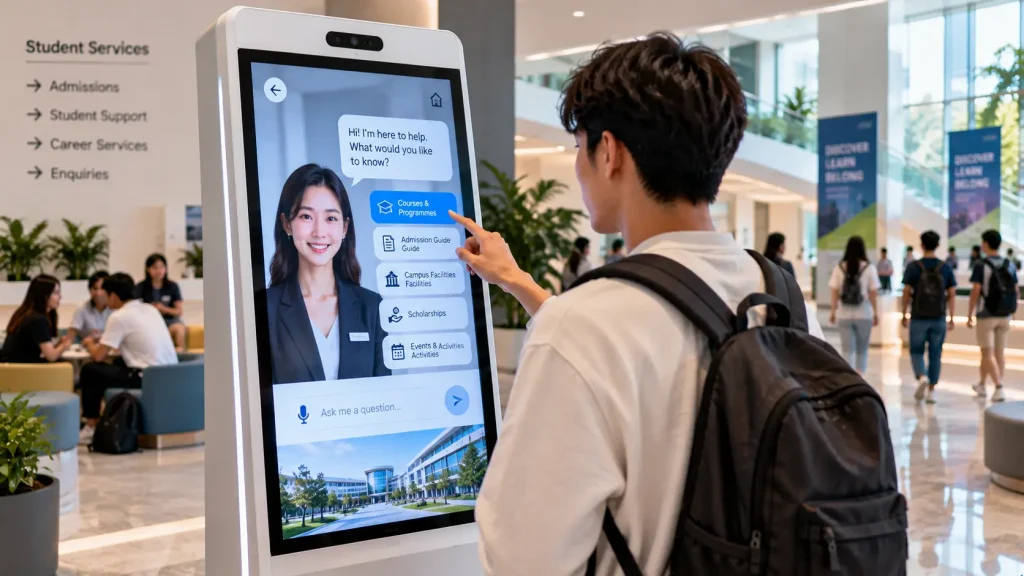
Introduce a digital assistant that visitors can interact with using natural language.
For example, visitors entering a university lobby can ask about available courses, campus facilities or upcoming events.
An on-screen avatar responds with spoken or written information, making the experience more conversational than a traditional menu-based directory.
How it works: The system combines a conversational AI service, an approved knowledge base, optional speech recognition and an animated avatar interface.
Best for: Universities, corporate reception areas, visitor centres and public information spaces.
8. Interactive Donation & Impact Kiosk
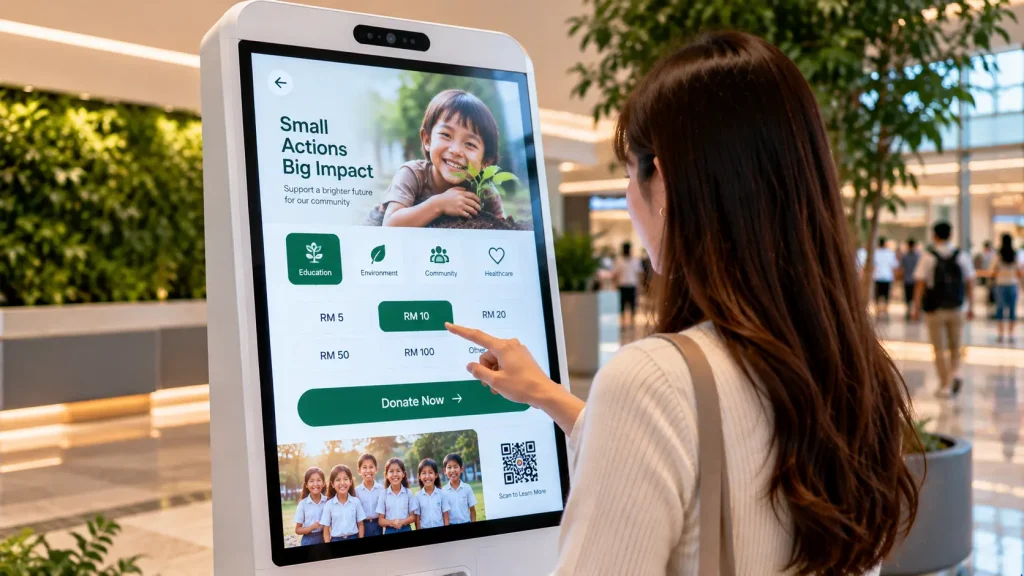
Help visitors understand how different charitable programmes support communities.
Users can explore causes such as education, food assistance or environmental conservation and discover the objectives of each initiative.
The kiosk may also provide a QR code linking to an organisation’s authorised donation platform.
How it works: An interactive interface displays project stories, images and verified impact information. Donation processing, if required, is handled through an appropriate payment integration.
Best for: Charity events, NGO exhibitions, fundraising campaigns and community programmes.
9. Interactive Career Discovery Kiosk
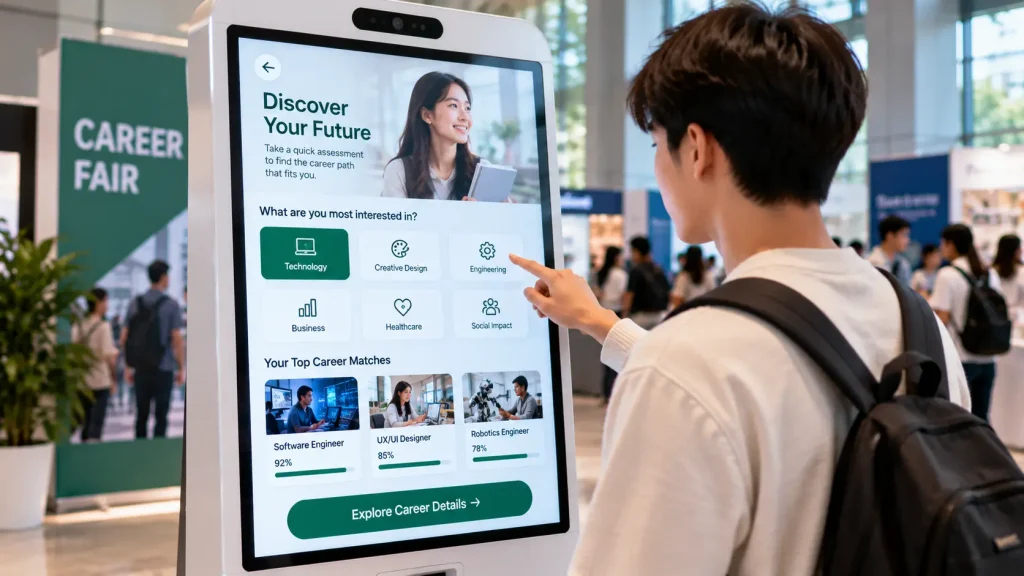
Help students and jobseekers explore potential career directions through an engaging self-assessment experience.
Visitors answer questions about their interests, preferred activities and working styles. The kiosk then suggests relevant career categories and learning pathways.
Results can be saved through a QR code for further exploration.
How it works: A guided questionnaire matches responses against a curated career information database. Results are presented as exploratory guidance rather than a definitive career assessment.
Best for: Career fairs, universities, education exhibitions and recruitment events.
10. Interactive Food Customisation Kiosk
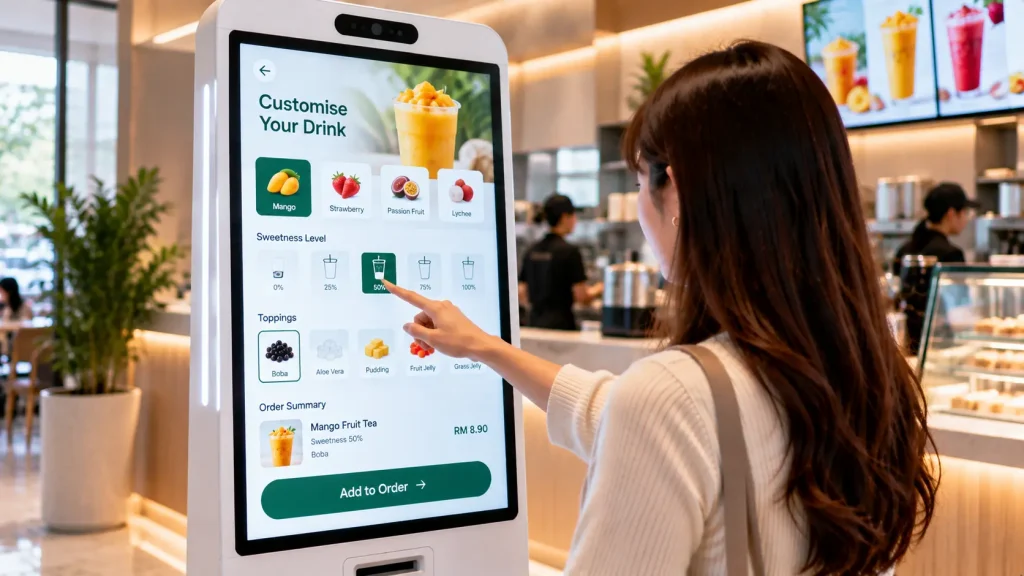
Let customers create their own food or beverage combinations through a visual touchscreen experience.
For example, visitors can choose a drink base, flavour, toppings and sweetness level while watching their customised beverage update on screen.
The completed selection can generate an order summary or QR code.
How it works: A touchscreen configurator combines available ingredients and displays the selected combination. Ordering and payment integrations can be added where required.
Best for: Food festivals, beverage brands, quick-service restaurants and F&B roadshows.
Which Interactive Kiosk Idea Is Right for Your Project?
| Project Goal | Recommended Kiosk Idea |
|---|---|
| Personalised shopping | AI Recommendation Kiosk |
| Virtual product experience | Virtual Try-On Kiosk |
| Physical engagement | Fitness Challenge Kiosk |
| Guest-generated content | Digital Memory Capsule |
| Public health awareness | Healthcare Education Kiosk |
| Tourism discovery | Travel Planner Kiosk |
| Conversational assistance | AI Avatar Information Kiosk |
| Fundraising awareness | Donation & Impact Kiosk |
| Education and career exploration | Career Discovery Kiosk |
| Custom product ordering | Food Customisation Kiosk |
What Technology Is Used in an Interactive Kiosk?
An interactive kiosk combines a touchscreen display, computer hardware and custom software to create a self-service experience.
Depending on the application, additional technologies may include:
- Touchscreen: Allows visitors to navigate content, select options and complete activities.
- Camera: Supports virtual try-on, photo capture and selected motion-tracking experiences.
- Microphone and Speakers: Enable voice interaction, video recording and audio guidance.
- QR Code Scanner: Supports registration, ticket verification and information retrieval.
- Printer: Produces registration badges, tickets or personalised results.
- AI Integration: Enables conversational assistance and personalised recommendations where appropriate.
The hardware configuration should be selected based on the intended interaction rather than adding unnecessary features.
What Screen Size Is Suitable for an Interactive Kiosk?
Common touchscreen sizes include 32-inch, 43-inch, 49-inch and 55-inch displays.
For compact exhibition booths or self-service information points, a 32-inch or 43-inch kiosk may be sufficient.
A 55-inch touchscreen provides more visual space for interactive games, product exploration and larger interface elements.
Screen size is only one consideration. The installation should also account for viewing distance, accessibility, screen orientation, available space and expected visitor traffic.
Can an Interactive Kiosk Use AI?
Yes. AI can support conversational information assistants, guided recommendations and other personalised experiences.
For example, an AI avatar kiosk may answer visitor questions using an approved company knowledge base.
However, AI integration requires additional planning for response accuracy, privacy, internet connectivity and ongoing service costs.
For applications with fixed questions and predictable outcomes, a conventional touchscreen application may be simpler and more reliable than an AI-based system.
Can Interactive Kiosks Work Without Internet?
Yes. Many kiosk applications can operate offline when their content and software are stored locally.
Examples include interactive quizzes, product catalogues, educational games and preloaded multimedia presentations.
Features such as cloud-based AI, live databases, remote administration and online payment processing generally require network connectivity.
For event installations, an offline-capable application can reduce operational risks caused by unstable venue internet connections.
Interactive Kiosk Rental vs Permanent Installation
Interactive kiosks can be deployed for temporary events or long-term operation.
| Consideration | Event Rental | Permanent Installation |
|---|---|---|
| Typical Use | Roadshows, exhibitions, launches | Retail, reception, public spaces |
| Hardware | Rental touchscreen kiosk | Commercial-grade kiosk |
| Software | Campaign-specific experience | Long-term application |
| Support | Event setup and technical support | Maintenance and updates |
| Planning Priority | Quick deployment and visitor flow | Durability and ongoing operation |
What Affects Interactive Kiosk Cost in Malaysia?
The cost of an interactive kiosk depends on the hardware, software complexity and deployment requirements.
Major cost factors include:
- Touchscreen size and specifications
- Standard or custom kiosk enclosure
- Camera, microphone, sensors and accessories
- Custom UI/UX design and software development
- AI services and third-party API integration
- Multimedia content and animation
- Rental duration or permanent installation
- Delivery, setup and technical support
- Software hosting, maintenance and updates
A basic information kiosk and a custom AI-powered interactive kiosk can have significantly different development requirements.
For accurate pricing, the project scope and intended functionality should be confirmed before preparing a quotation.
Frequently Asked Questions
Can an interactive kiosk be customised with our branding?
Yes. The interface can incorporate brand colours, logos, campaign visuals, customised content and interactive features.
Can one kiosk support multiple languages?
Yes. Applications can be developed with English, Bahasa Malaysia, Chinese and other required languages, subject to content preparation and software scope.
Can an interactive kiosk connect to a larger LED screen?
Yes. Selected kiosk content, scores or visitor submissions can be synchronised with external LED screens or other displays using a suitable connection and software setup.
Can visitor information be collected through a kiosk?
Yes. Registration details, survey responses and other permitted information can be collected with appropriate consent, access controls and data protection measures.
Custom Interactive Kiosk Solutions in Malaysia
MyDigital Asia develops interactive kiosk experiences for events, exhibitions, retail environments and public spaces across Malaysia.
Our solutions can include touchscreen applications, interactive games, AI assistants, camera-based experiences, registration systems and integration with external displays.
Planning an interactive kiosk project? Share your event date, location, preferred kiosk size, interaction concept and expected visitor volume with MyDigital Asia to discuss a suitable technical solution and quotation.
Related Interactive Technology Guides
- Interactive Installation Malaysia
- 10 Interactive Exhibition Booth Ideas
- 10 Interactive Table Ideas
- 10 Sensor-Based Interactive Installation Ideas
- 10 Physical-Digital Interactive Experience Ideas
Request a Free Consultation
Looking for Interactive Maps, Interactive Solutions or Event Technology?


LATEST POSTS