
10 Sensor-Based Interactive Installation Ideas That Respond to People
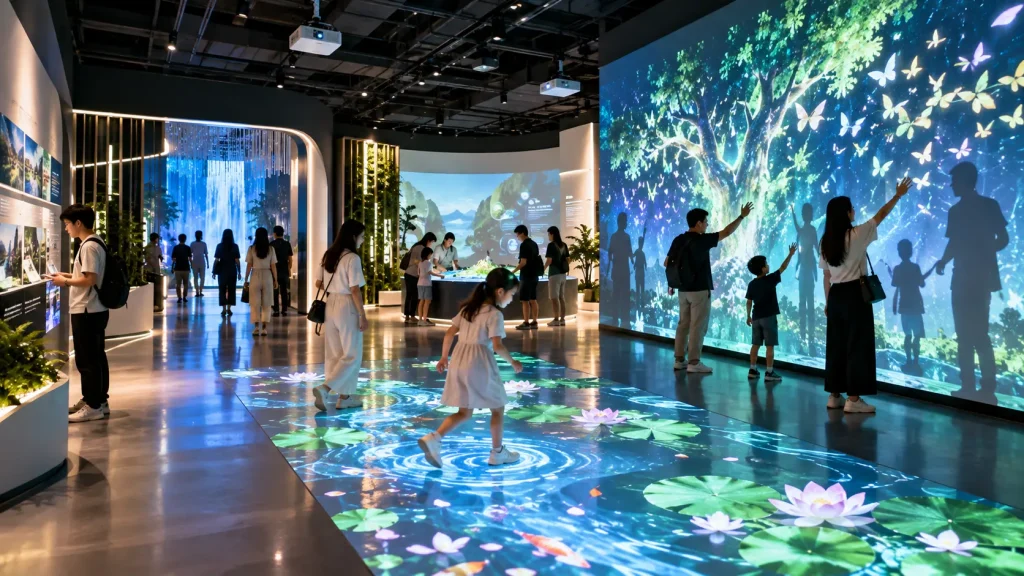
A sensor based interactive installation can transform an ordinary wall, floor, room or public space into an experience that responds to people automatically.
Instead of asking visitors to press a button or operate a touchscreen, sensors can detect presence, movement, distance, footsteps, sound, pressure and other physical inputs. The digital environment then reacts through projection, LED visuals, lighting, sound or physical effects.
This creates a different type of interaction: the technology can disappear into the environment, while the visitor’s body and behaviour become the interface.
Here are 10 sensor-based interactive installation ideas for museums, visitor centres, exhibitions, shopping malls, corporate spaces and branded experiences.
1. Shadow-to-Life Interactive Wall
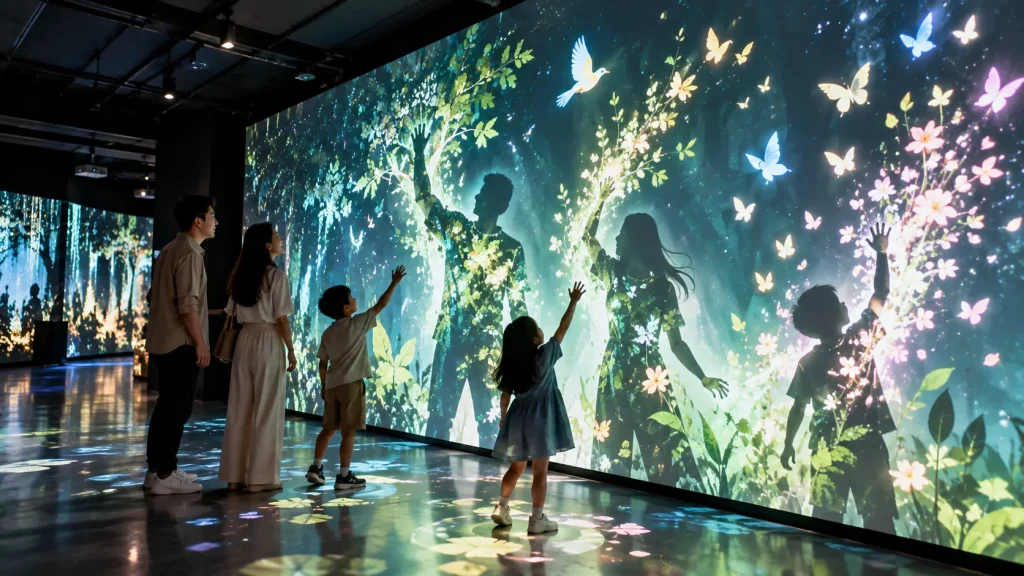
A Shadow-to-Life Wall transforms the visitor’s silhouette into part of a digital environment.
A depth camera or vision system detects people standing in front of the installation. Instead of simply reproducing their shadow, the system can reinterpret their body shape and movement creatively.
A visitor raising an arm might cause digital branches to grow from the silhouette. Children jumping could release animated birds. When two people move closer together, butterflies, particles or other visual elements could appear between them.
This makes the visitor feel as though they have physically entered the artwork rather than merely controlling something on a screen.
How it works:
Depth camera or computer vision detects the visitor’s silhouette and movement. Real-time graphics respond to body position, movement and interaction between participants.
Best for:
Museums, immersive exhibitions, shopping malls, children’s attractions, visitor centres and public installations.
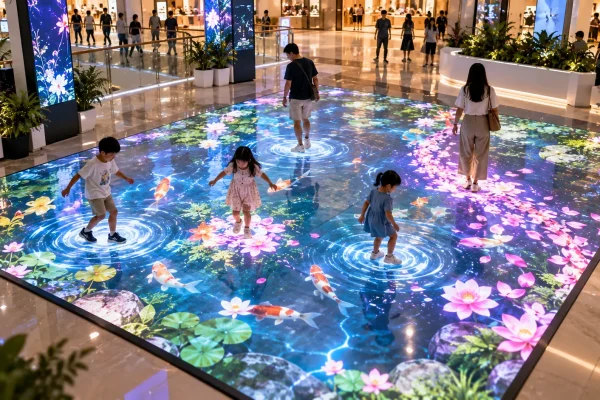
2. Footstep-Responsive Pathway
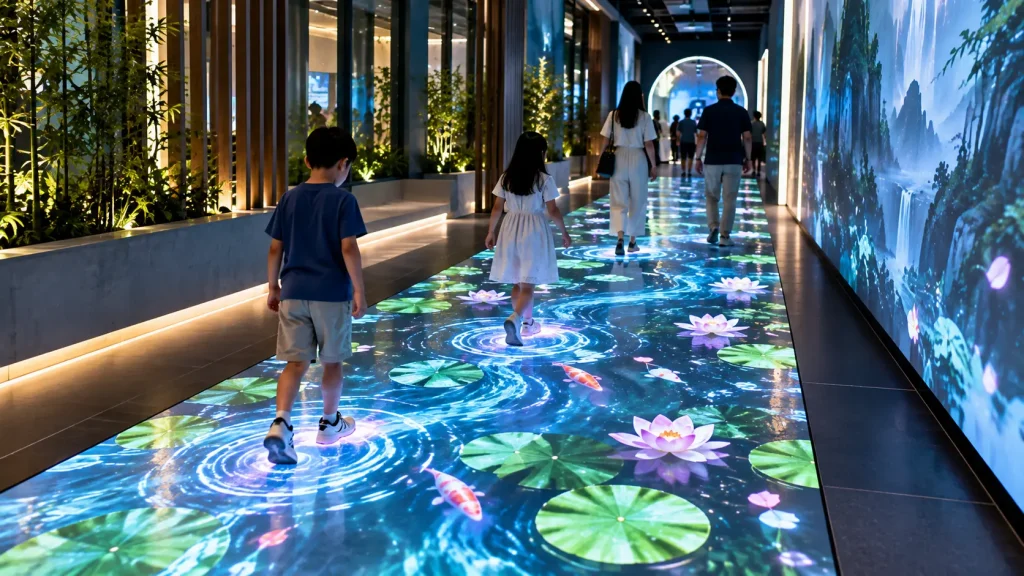
An interactive pathway can make every step part of the experience.
As visitors walk across the installation, sensors or overhead tracking detect their position and trigger visual, lighting or audio responses beneath and around them.
For a nature experience, flowers could grow behind each visitor’s footsteps. An ocean-themed pathway could create water ripples and swimming fish. A corporate journey could reveal milestones progressively as visitors walk through the space.
Unlike a conventional interactive floor game, the objective does not necessarily need to be scoring or competition. The pathway itself becomes a responsive environment.
How it works:
Overhead tracking, depth sensing, LiDAR or floor sensors identify where visitors are walking. The system maps those positions to projection, LED lighting, sound or other media.
Best for:
Experience centres, museums, brand galleries, mall activations, tourism attractions and entrance experiences.
3. Proximity-Activated Story Wall
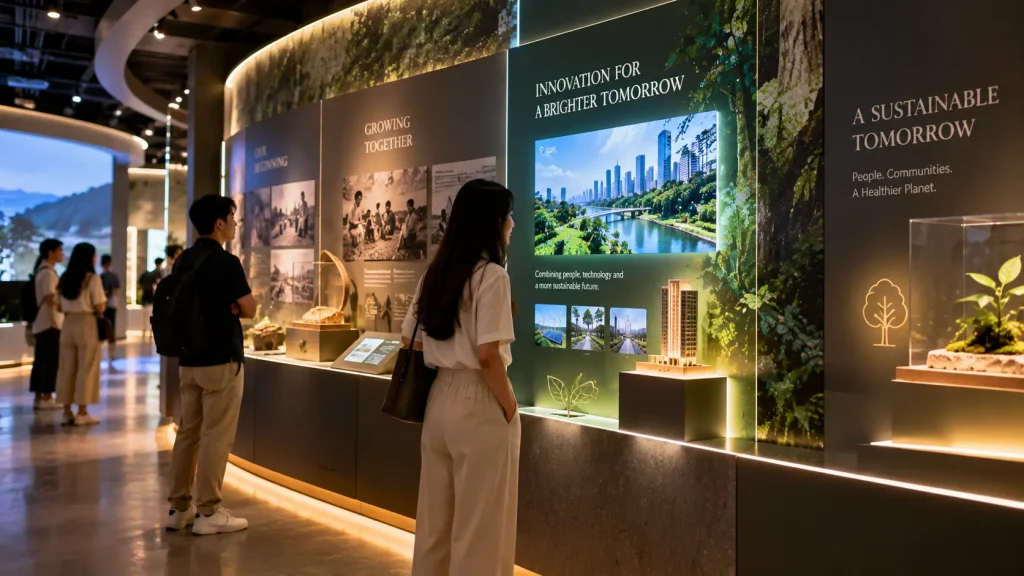
Not every interactive wall needs to be touched.
A proximity-based story wall can recognise when a visitor approaches a particular section and automatically activate the corresponding content.
For example, a corporate gallery could feature five physical products along a wall. Walking towards one product could illuminate that section, begin an animation and play a short audio story. When the visitor moves away, the content gradually returns to its idle state.
The same approach can be used for historical timelines, destinations, artefacts or different chapters of a brand story.
How it works:
Proximity sensors, depth cameras or LiDAR divide the space into interaction zones. Entering, leaving or moving between zones changes the content automatically.
Best for:
Corporate galleries, museums, visitor centres, showrooms and permanent exhibitions.
4. Sound-Reactive Environment
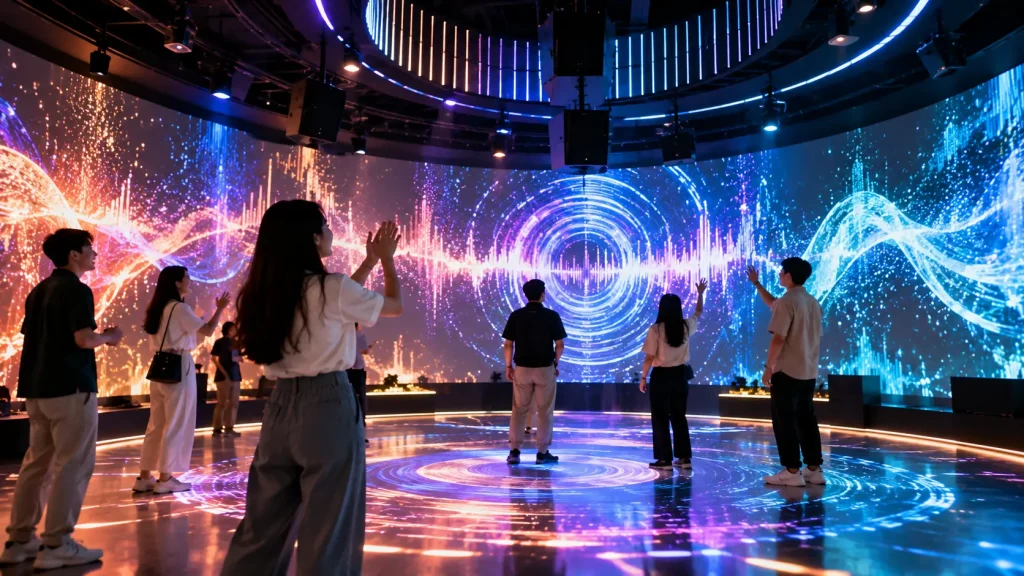
A sound-reactive installation turns voices, claps, music or ambient sound into visual movement.
Visitors might clap to create a burst of light, speak to generate particles or sing together to make an entire projected environment change colour and intensity.
For events or music-related installations, live audio can also influence projected graphics, LED surfaces or architectural lighting in real time.
The experience can be designed around volume, rhythm, frequency or specific audio events, depending on the concept.
How it works:
Microphones capture audio input while software analyses characteristics such as volume, frequency or rhythm. These values control real-time visual, lighting or sound parameters.
Best for:
Music experiences, festivals, exhibitions, youth spaces, brand activations and interactive art installations.
5. Heartbeat or Breathing Interactive Installation
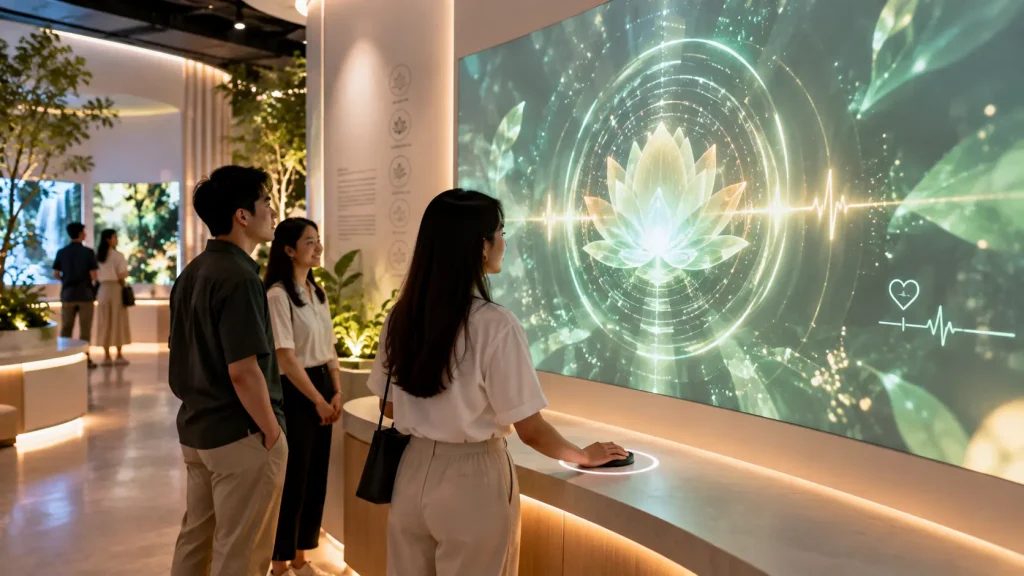
Biometric input can create an unusually personal interactive experience.
A visitor could place a finger or hand on a pulse sensor and watch the surrounding environment begin to move according to their heartbeat. Every pulse could generate a wave of light, a visual expansion or a spatial sound response.
A breathing-based installation could work differently: inhaling gradually expands a digital environment, while exhaling causes it to contract or settle.
Instead of simply displaying biometric numbers, the objective is to translate something happening inside the visitor’s body into an environmental experience.
How it works:
A pulse, breathing or other suitable sensor provides real-time input. Software converts the signal into parameters controlling projection, LED content, lighting or audio.
Best for:
Healthcare awareness, wellness experiences, museums, meditation spaces and experiential brand installations.
6. Physical Object Digital Trail
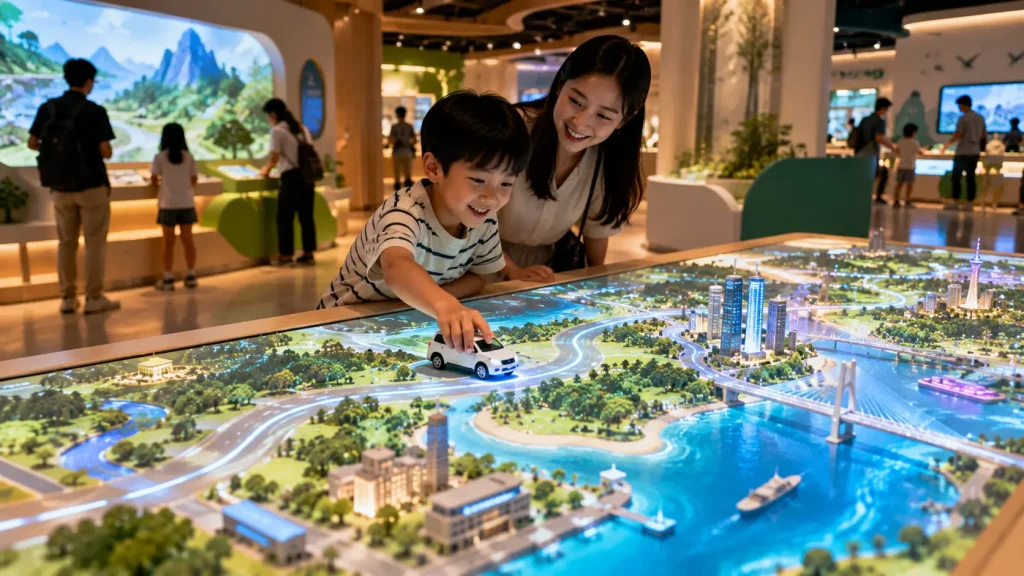
A physical object can become a controller without looking like a controller.
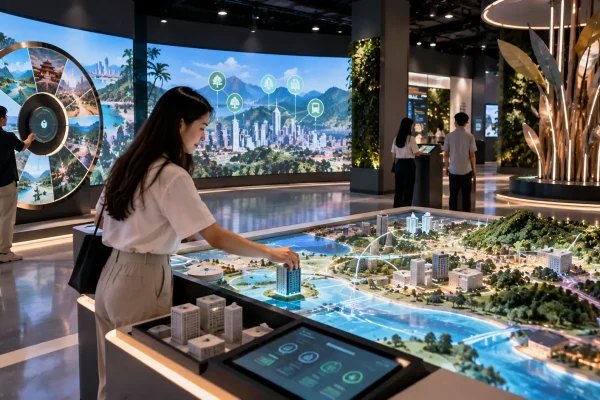
Imagine a visitor moving a miniature car across a physical table. As the car travels, a digital road develops around it and the landscape changes according to the route.
A tourism installation could use a physical boat that visitors move across a map while projected water, destinations and stories respond around it.
The important difference from a standard product information table is that the movement of the object becomes the interaction.
How it works:
Tracking technology identifies the object’s position, direction or movement. The software continuously maps that data to real-time graphics, projection or sound.
Best for:
Automotive experiences, tourism centres, museums, educational installations and product storytelling.
7. Crowd Energy Installation
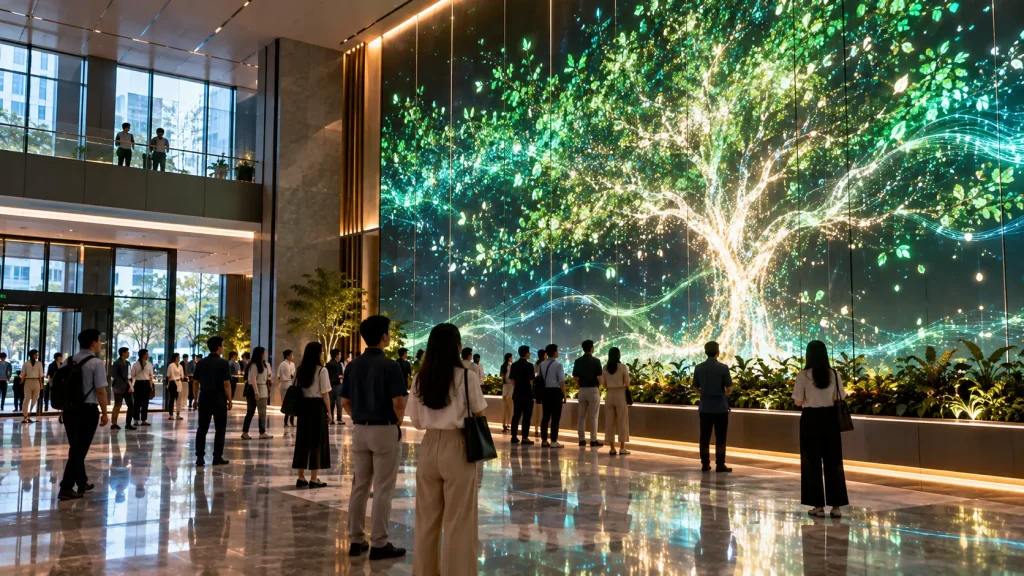
Most interactive systems focus on one visitor. A crowd-responsive installation treats the entire group as the input.
For example, a digital tree might remain small when only one or two people are present. As more visitors enter the space, branches grow, leaves appear and eventually an entire digital ecosystem comes alive.
A corporate installation could use the same principle to illuminate a building, complete a visual structure or unlock additional content as participation increases.
This creates an interesting social effect because visitors may realise that the experience becomes richer when more people participate together.
How it works:
People-counting, LiDAR, depth sensing or computer vision estimates visitor presence, position or group density. The environment changes according to the collective activity in the space.
Best for:
Corporate lobbies, public installations, conferences, shopping malls, festivals and large visitor experiences.
8. Pressure-Sensitive Interactive Surface
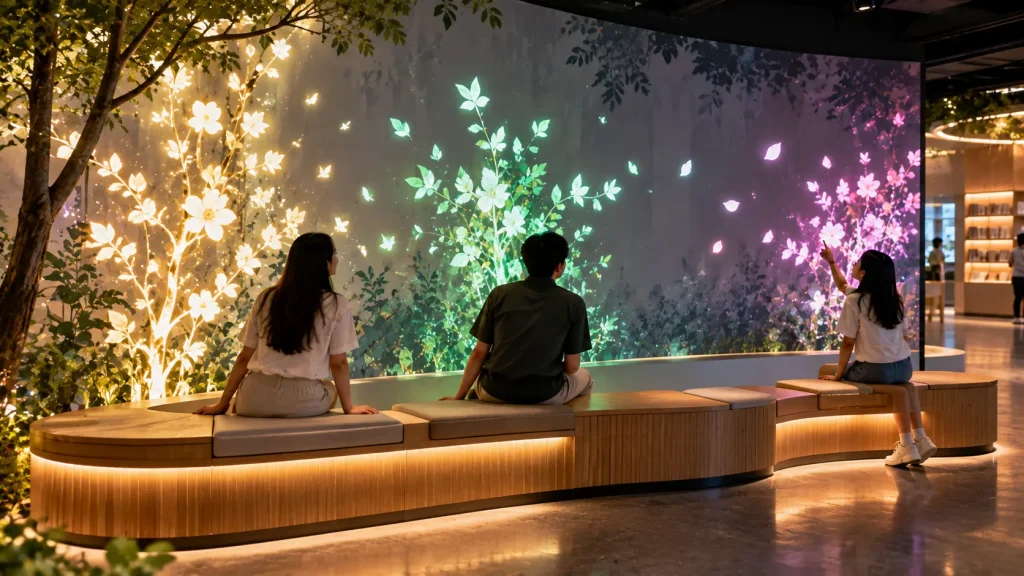
Pressure adds another dimension to interaction because the system can respond not only to where someone touches, steps or sits, but also to how much force is applied.
An interactive bench, for example, could cause a digital tree behind it to grow when someone sits down. Two visitors could create additional branches, while a full bench might complete the entire landscape.
A pressure-sensitive floor could create different visual responses depending on how visitors walk, jump or distribute their weight.
This can make an installation feel more physical than a conventional touchscreen experience.
How it works:
Pressure, load or force sensors detect physical input and send continuously changing values to the interactive software.
Best for:
Museums, children’s spaces, public installations, wellness experiences and experimental retail environments.
9. Environmental Data-Driven Installation
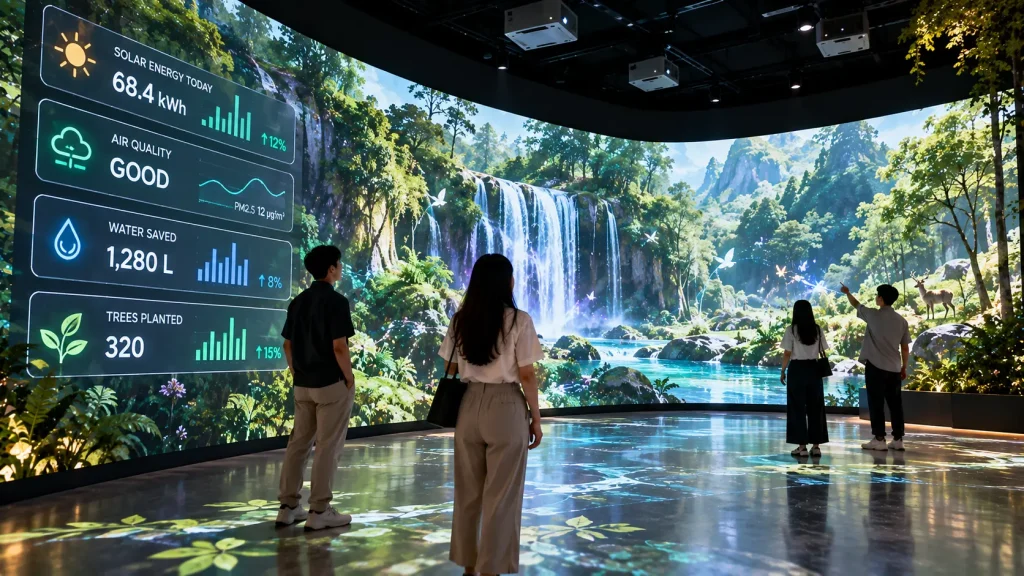
People do not always need to be the input. Real-world environmental data can continuously shape an interactive space.
A sustainability gallery could connect to building energy data. As solar energy generation increases, a digital forest becomes healthier and more active. Air-quality information could influence the colour and clarity of an ambient visual environment.
Other possibilities include weather, temperature, water consumption, visitor numbers or other live operational information.
This transforms data that would normally appear on a dashboard into an experience that people can understand visually and emotionally.
How it works:
Sensors, building systems, APIs or live data sources provide changing values. These values are translated into visual, lighting, audio or physical behaviours.
Best for:
ESG galleries, corporate headquarters, smart-city exhibitions, property galleries, sustainability centres and educational spaces.
10. Invisible Interactive Zone
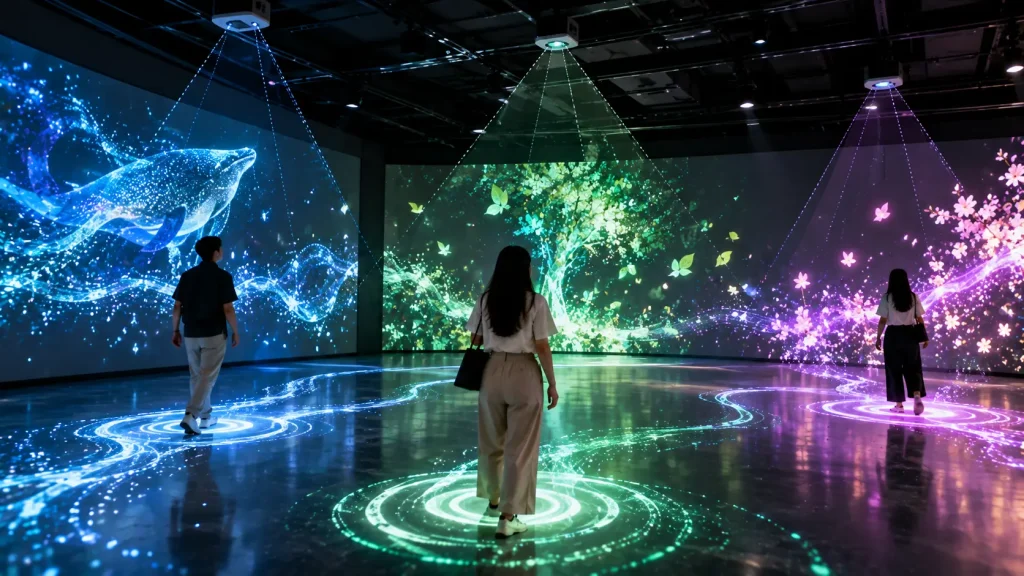
One of the most interesting interactive installations may not look interactive at all.
There may be no touchscreen, button or obvious control device. Instead, the room itself understands where visitors are.
Entering one zone could introduce a layer of ambient sound. Moving deeper into the room could change the lighting. Two people standing in different locations might create a visual or sonic connection between them. When a group gathers in the centre, the entire environment could activate.
The result is less like operating a digital device and more like entering a responsive space.
How it works:
LiDAR, depth cameras, presence sensors or spatial tracking divide the environment into invisible zones and continuously detect movement between them.
Best for:
Immersive rooms, museums, visitor centres, premium brand experiences, galleries and permanent interactive spaces.
Which Sensor-Based Interactive Installation Fits Your Space?
| Experience Goal | Suitable Concept |
|---|---|
| Turn visitors into part of the artwork | Shadow-to-Life Wall |
| Create an interactive visitor journey | Footstep-Responsive Pathway |
| Tell stories without touchscreens | Proximity Story Wall |
| Respond to voices or music | Sound-Reactive Environment |
| Create a personal emotional experience | Heartbeat / Breathing Installation |
| Connect physical objects with digital content | Physical Object Digital Trail |
| Encourage collective participation | Crowd Energy Installation |
| Create physical, force-based interaction | Pressure-Sensitive Surface |
| Visualise sustainability or live information | Environmental Data Installation |
| Create a seamless responsive room | Invisible Interactive Zone |
How Does a Sensor-Based Interactive Installation Work?
Most sensor-based interactive installations follow a simple process:
Visitor Behaviour → Sensor Detection → Interactive Software → Visual / Sound / Lighting Response
The sensor does not create the experience by itself. Its role is to detect what is happening in the physical environment and send that information to the interactive software.
The software then decides how the installation should respond.
For example, a depth camera may detect that a visitor has entered a particular area. The software can then trigger an animation, change the projection, activate a sound layer or adjust the lighting.
The right combination of sensor, software and output technology depends on what the visitor is expected to do.
What Sensors Can Be Used for Interactive Installations?
Different interactions require different sensing technologies. Choosing the sensor should normally come after defining the experience rather than before it.
| Sensor / Technology | What It Can Detect | Typical Application |
|---|---|---|
| Depth Camera | Body position, movement, silhouette and distance | Interactive walls, body tracking and gesture experiences |
| LiDAR | Position, distance, movement and spatial zones | Large spaces, responsive rooms and visitor tracking |
| Proximity Sensor | Whether someone or something is nearby | Automatic content activation and story displays |
| Pressure / Load Sensor | Touch, weight or physical force | Interactive floors, benches and physical installations |
| Microphone / Audio Input | Volume, frequency and sound characteristics | Sound-reactive visuals and music installations |
| Pulse / Biometric Sensor | Selected body signals such as pulse | Wellness and healthcare experiences |
| RFID / NFC | Identity of a tagged object or card | Physical product recognition and personalised experiences |
| Computer Vision | Selected visual events, movement or objects | Advanced camera-based interaction |
LiDAR vs Depth Camera: Which Is Better?
There is no single sensor that is best for every interactive installation.
A depth camera can be useful when the experience needs more detailed information about people relatively close to the interaction area, such as body movement, silhouettes or gesture-based interaction.
LiDAR can be useful when the installation needs reliable spatial information across a larger area, such as detecting where visitors are standing, tracking movement through zones or understanding how people move around a room.
For example:
- A Shadow-to-Life Wall may benefit from a depth camera.
- An Invisible Interactive Zone may be better suited to LiDAR or spatial tracking.
- A simple product display that activates when someone approaches may only require a proximity sensor.
Using a more advanced sensor than necessary can increase complexity without improving the visitor experience. The interaction concept should determine the technology.
How Much Space Is Needed?
The required space depends on the sensor, tracking range, number of participants and type of interaction.
A single-user proximity installation may only require a small area in front of a display. A body-tracking wall needs enough distance for the sensor to see the participant clearly, while a multi-user responsive room may require a much larger tracking zone.
When planning the installation, it is useful to consider:
- Interaction width and height
- Visitor viewing distance
- Sensor mounting position
- Expected number of simultaneous users
- Visitor traffic flow
- Projector or display position
- Available ceiling height
- Nearby physical obstacles
For permanent installations, these factors should ideally be considered before finalising interior construction, wall finishes and equipment mounting positions.
Does Lighting Affect Sensor Tracking?
It can, depending on the sensing technology being used.
Some camera and optical tracking systems are more sensitive to lighting conditions than others. Strong sunlight, reflections, highly reflective surfaces or unusual environmental conditions can affect certain installations.
Projection-based experiences also need additional consideration because excessive ambient light can reduce image contrast even when the tracking system itself is working correctly.
For this reason, sensor testing and projection testing should be treated as separate parts of the technical planning process.
Can Multiple Visitors Interact at the Same Time?
Yes. Many sensor-based installations can be designed for multi-user interaction.
However, the experience should be designed specifically for the expected number of participants.
A system tracking two people in front of an interactive wall has different requirements from an installation monitoring twenty people moving through a large space.
Multi-user projects should consider:
- Maximum tracking capacity
- Minimum distance between participants
- Overlapping bodies or objects
- How individual interactions are identified
- What happens when the space becomes crowded
In some concepts, identifying every visitor individually is unnecessary. A Crowd Energy Installation, for example, may only need to understand overall presence or activity within the space.
Projection, LED Screen or Physical Lighting?
The interactive system can control different types of visual output. The best choice depends on the environment and creative concept.
| Output | Best Used When |
|---|---|
| Projection | The experience needs large, flexible visuals across walls, floors or irregular surfaces |
| LED Display | High brightness and strong visual impact are important |
| LCD / Commercial Display | The interactive area is smaller and content needs to remain sharp and readable |
| LED Lighting | The response should become part of the architecture or physical environment |
| Spatial Audio | Sound direction and visitor position are part of the experience |
| Physical Mechanism | The concept requires movement of a real object or structure |
These technologies can also be combined. For example, a visitor’s movement could simultaneously change a projected environment, trigger directional audio and adjust architectural lighting.
Does a Sensor-Based Installation Need Internet?
Not necessarily.
Many interactive installations can operate completely offline using a local computer, sensors and locally stored media.
Internet connectivity becomes useful when the installation needs features such as:
- Live online data
- Cloud-based content
- Remote monitoring
- API integration
- Online dashboards
- Remote content updates
For exhibitions and events, an offline-capable system can be useful because the core experience does not need to depend on venue Wi-Fi.
Permanent Installation vs Temporary Event Setup
The same interactive concept may require a very different technical approach depending on whether it will operate for three days or several years.
| Temporary Installation | Permanent Installation |
|---|---|
| Designed for fast setup and dismantling | Designed for long-term operation |
| Portable mounting may be suitable | Permanent mounting and cable routing required |
| Short operating period | Daily repeated operation |
| On-site operator may be available | System should be simple for venue staff |
| Manual startup may be acceptable | Automatic startup and shutdown are preferable |
| Rental equipment may be practical | Commercial-grade equipment is usually more suitable |
Permanent installations should also consider ventilation, equipment access, maintenance, automatic recovery after power interruption and future content updates.
How Reliable Are Sensor-Based Interactive Installations?
Reliability depends heavily on how well the installation is designed for its actual environment.
A successful system should not only work during development. It should continue working when visitors stand in unexpected positions, several people enter together or the installation operates repeatedly throughout the day.
For public-facing installations, it is useful to design clear idle states, automatic reset behaviour and fallback conditions.
Whenever possible, the interaction should also be intuitive enough that visitors can understand what to do without requiring a staff member to explain every step.
What About Privacy?
Sensor-based interaction does not automatically mean that personal information needs to be collected.
For example, a spatial tracking installation may only need coordinates showing that someone is standing in a particular zone. It may not need to know who that person is.
Similarly, body tracking can sometimes be processed locally for interaction purposes without storing visitor images.
Privacy requirements should therefore be considered during the system design stage, particularly when cameras, analytics, registration systems or personal data are involved.
How Should You Plan a Sensor-Based Interactive Installation?
A useful starting point is:
Experience Goal → Visitor Behaviour → Sensor → Interactive Logic → Output → Physical Environment
Starting with the sensor is usually the wrong approach.
Instead of asking, “What can we do with LiDAR?”, start with a visitor experience question such as:
“We want visitors walking through this corridor to gradually bring the environment to life.”
From there, the technical team can determine whether LiDAR, depth tracking, pressure sensing or another technology is appropriate.
What Information Is Needed for a Quotation?
Sensor-based installations are highly dependent on the physical environment, so providing accurate site information helps determine a realistic technical solution.
Before requesting a quotation, prepare as much of the following information as possible:
- Project location
- Installation and launch date
- Temporary or permanent installation
- Floor plan and dimensions
- Wall and ceiling dimensions
- Photos or videos of the space
- Expected visitor flow
- Estimated simultaneous participants
- Preferred interaction concept
- Available LED screens, displays or projectors
- Lighting conditions
- Available power and network connection
- Required content or visual style
- Any required API or building-system integration
For more complex installations, a site survey may be required before the final sensor positions, projector positions and technical layout can be confirmed.
Frequently Asked Questions
Can sensor-based installations work without touching anything?
Yes. Technologies such as LiDAR, depth cameras, proximity sensors and computer vision can detect visitor presence or movement without requiring physical contact.
Can an interactive installation work without a screen?
Yes. The response can be created using lighting, sound, projection, mechanical movement or a combination of physical effects. A conventional screen is not always necessary.
Can the system track several people?
Yes, depending on the selected tracking technology, coverage area and interaction design. The expected number of simultaneous participants should be defined during planning.
Can it operate offline?
Yes. Many installations can run locally without internet access. Connectivity is mainly required when the experience depends on cloud services, online data, APIs or remote features.
Can sensor-based installations be used outdoors?
Potentially, but outdoor environments require additional assessment. Sunlight, weather, equipment protection, mounting conditions and sensor performance all need to be considered.
Can the same installation run automatically every day?
Yes. Permanent systems can be designed with scheduled startup, automatic application launch, idle modes and shutdown procedures to reduce daily manual operation.
Sensor-Based Interactive Installation in Malaysia
MyDigital Asia develops interactive experiences that combine physical environments with digital technology for events, exhibitions, visitor centres, showrooms and permanent installations in Malaysia.
Depending on the project, a solution may combine sensors, LiDAR or depth tracking, interactive software, projection, displays, lighting, physical interfaces and custom content into one integrated experience.
The objective is not simply to add more technology to a space. The interaction should help visitors understand, explore, participate or remember the experience.
Planning a Sensor-Based Interactive Experience?
If you already have a concept, floor plan or reference idea, the next step is to evaluate how visitors will interact with the space and which sensing technology is practical for the environment.
Share the location, dimensions, project date, visitor flow and preferred interaction with MyDigital Asia to begin planning the technical approach.
Related Interactive Experience Guides
- Sensor Interactive Installation Guide
- Interactive Installation Malaysia
- Interactive Installation Design Guide
- Interactive Wall Ideas
- Permanent vs Temporary Interactive Installation
Request a Free Consultation
Looking for Interactive Maps, Interactive Solutions or Event Technology?

LATEST POSTS