
10 Interactive Wall Ideas for Events, Exhibitions & Experience Centres
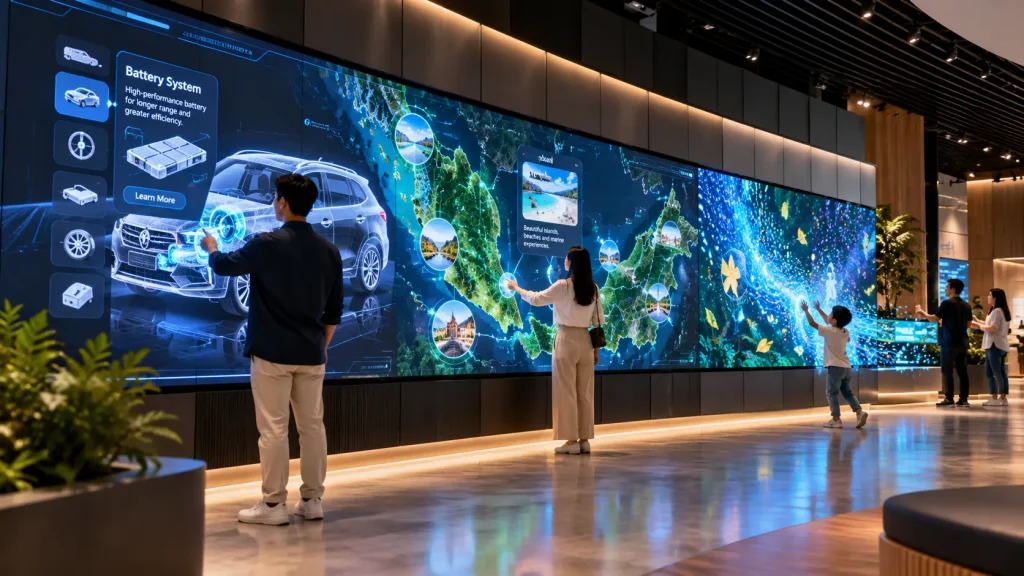
Looking for interactive wall ideas that go beyond a standard touchscreen?
An interactive wall can respond to touch, movement, physical objects, photos or other forms of participation. Depending on the concept, it can become a game, product explorer, storytelling display, visitor map or learning experience.
Here are 10 interactive wall concepts for events, exhibitions, showrooms, visitor centres, museums and permanent experience spaces.
1. Digital Graffiti Wall
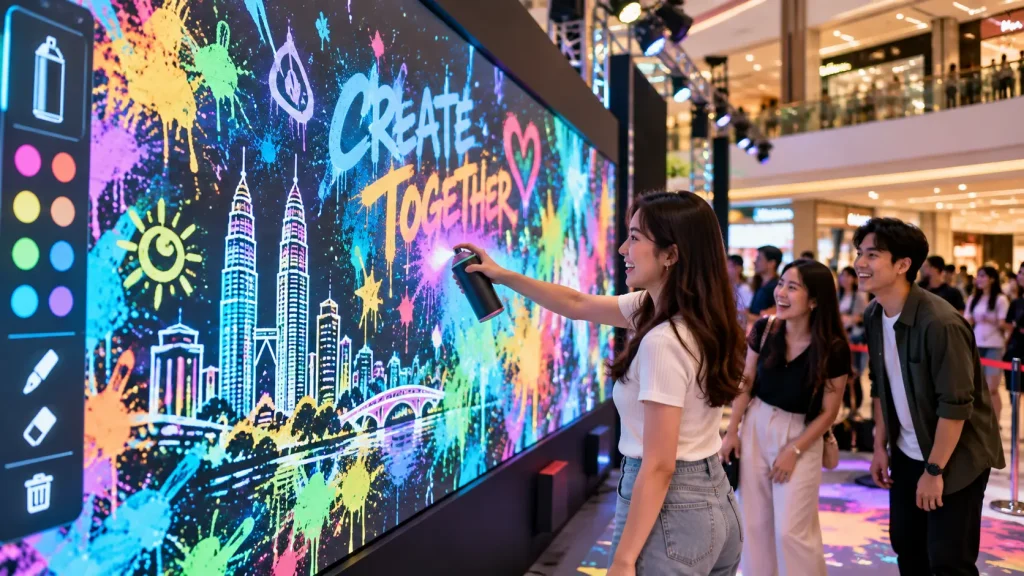
A digital graffiti wall lets visitors draw, write and create artwork on a large digital canvas without using real paint.
Participants can use a digital spray can, touch input or other tracking method to select colours and create their own artwork. The finished creation can also become part of a larger event or brand visual.
For events, organisers can provide themed backgrounds, stickers or branded graphic elements while still giving guests freedom to create.
How it works:
Select Tool → Draw on Wall → Digital Artwork Appears → Save / Display Creation
Best for: Brand activations, roadshows, youth events, exhibitions and creative corporate events.
2. Interactive Product Explorer Wall
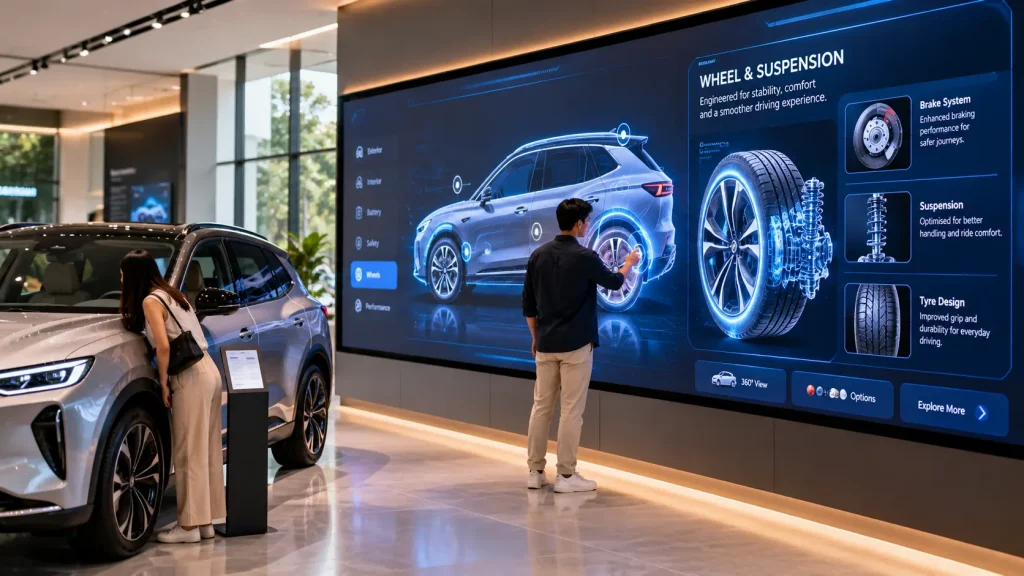
An interactive product wall turns a large display into a visual product catalogue that visitors can explore themselves.
Instead of showing every specification at once, visitors select a product or feature to reveal relevant information, videos, technical details or interactive 3D content.
For automotive, electronics or industrial products, different parts of the product can become interactive hotspots. Selecting a component can explain what it does without requiring a salesperson to present every detail.
How it works:
Choose Product → Select Feature → Explore Content → Compare / Discover More
Best for: Showrooms, exhibitions, product launches, sales galleries and experience centres.
3. Gesture-Controlled Particle Wall
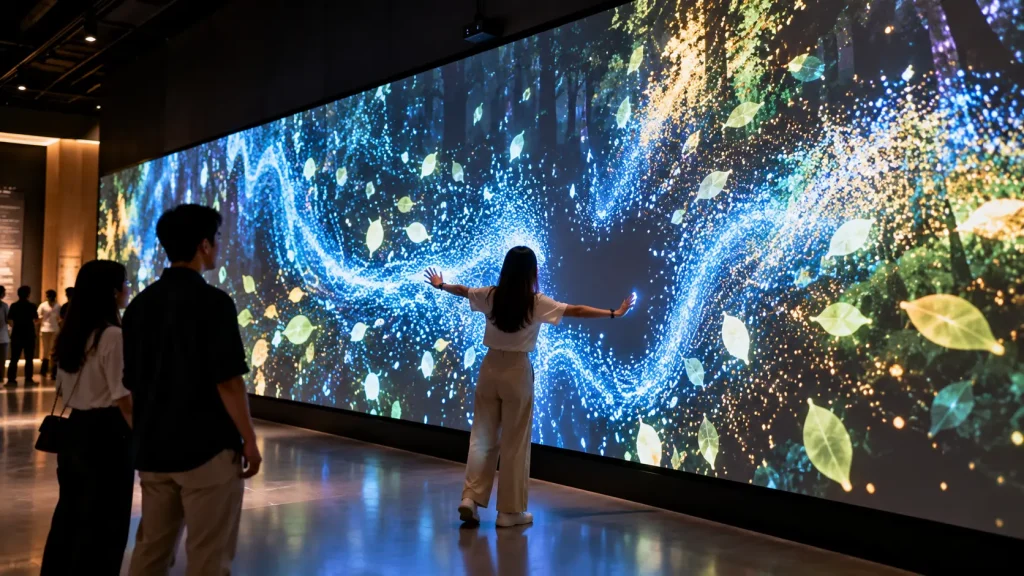
A gesture wall responds to visitors without requiring them to touch the display.
A depth camera or motion-tracking sensor detects body position and movement. Digital particles, light trails, leaves, water-like graphics or branded visual elements then react in real time.
For example, moving both arms outward could push thousands of particles away, while walking across the space could create a trail that follows the visitor.
This creates an interaction that people can understand simply by moving in front of the wall.
How it works:
Visitor Moves → Sensor Tracks Movement → Visual Responds → Real-Time Interaction
Best for: Museums, immersive galleries, brand activations, visitor centres and experiential spaces.
4. Digital Mosaic Photo Wall
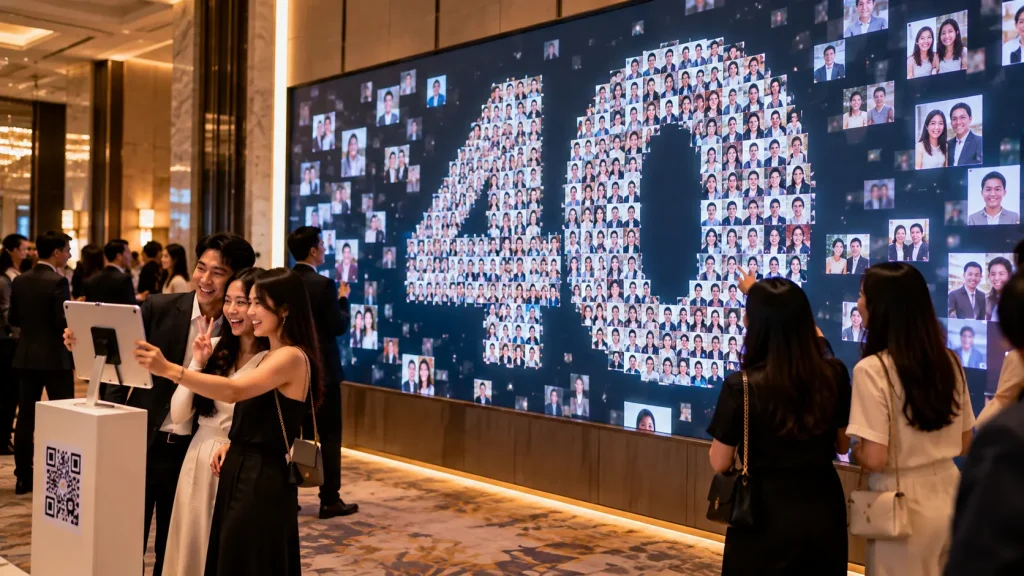
A digital mosaic wall grows as more people participate.
Visitors take a photo through a QR page, tablet or photo station. Each portrait is added to the main display as an individual image.
As more photos are collected, they can gradually form a larger company logo, anniversary number, campaign artwork or other key visual.
Unlike a conventional photo booth, the content contributed by each visitor becomes part of a shared installation that continues developing throughout the event.
How it works:
Take Photo → Upload → Photo Appears on Wall → Photos Accumulate → Mosaic Forms
Best for: Corporate anniversaries, conferences, employee events, launches and large brand activations.
5. Interactive Timeline Wall
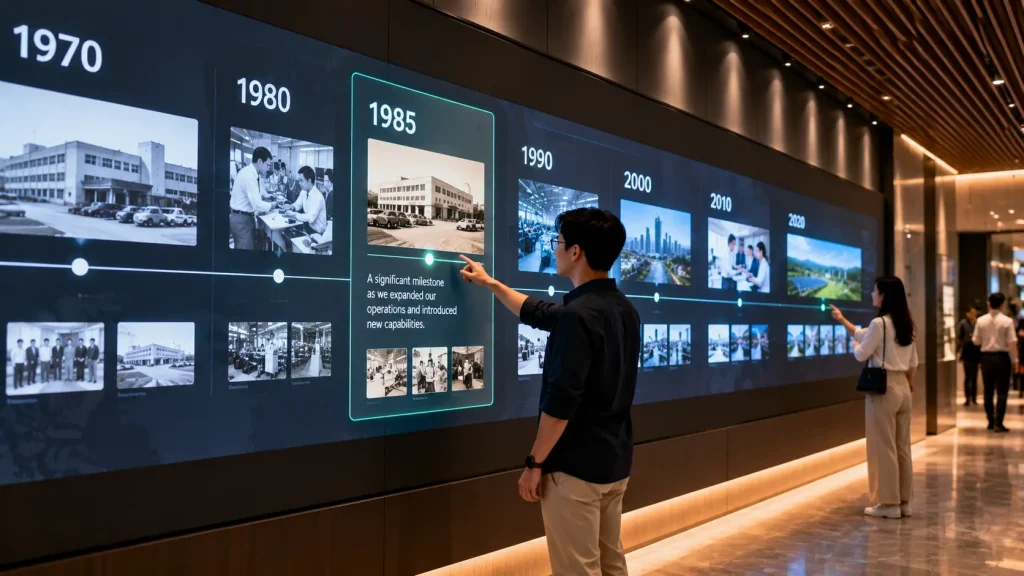
A company history does not need to be presented as a long row of printed dates.
An interactive timeline allows visitors to explore different years, milestones, products and achievements at their own pace.
Touching a year can open photographs, videos, project stories or archived material. A long panoramic wall can also allow several sections of the timeline to remain visible at once.
This is particularly useful when there is too much historical content for a conventional information panel.
How it works:
Select Year → Open Milestone → Explore Photos / Video / Story → Continue Timeline
Best for: Corporate headquarters, heritage galleries, museums, anniversary exhibitions and visitor centres.
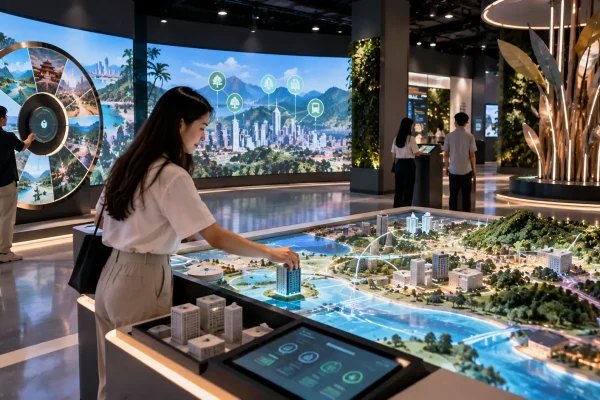
6. Interactive Map & Discovery Wall
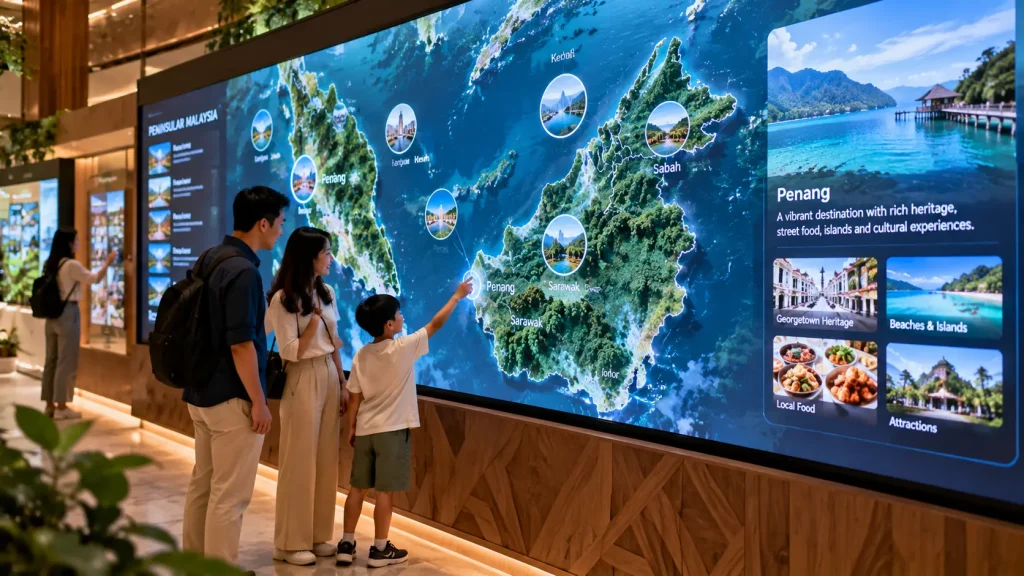
An interactive map wall helps visitors explore information according to location.
The wall might show Malaysia, Southeast Asia, a city, a development masterplan or even the layout of a large facility.
Visitors select different locations to reveal projects, branches, facilities, destinations, videos or other location-specific information.
For organisations with operations across many regions, this can make a large amount of information easier to understand than a conventional list.
How it works:
Explore Map → Select Location → Reveal Information → Open Related Content
Best for: Visitor centres, corporate headquarters, property galleries, tourism experiences and exhibitions.
7. Multiplayer Reaction Wall
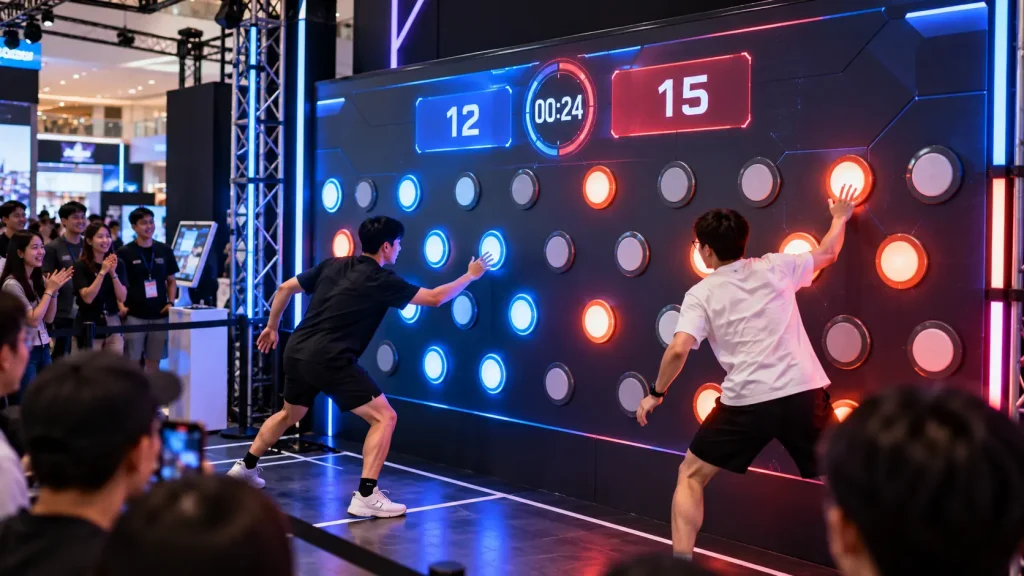
An interactive wall can also become a fast multiplayer game.
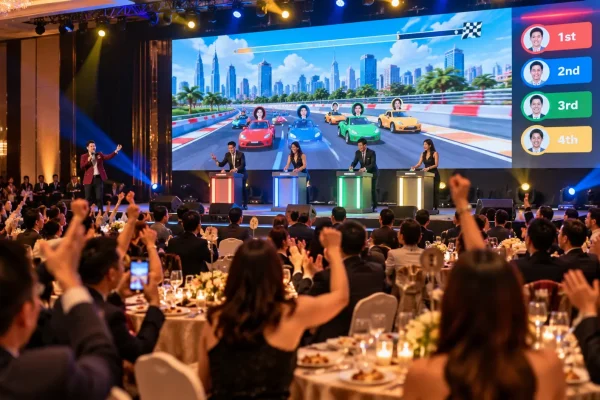
Two or more players stand in front of the wall and react to targets appearing in different positions. They may need to touch, tap or hit the correct targets before time runs out.
The system records points and can display the final scores or a leaderboard, making the experience suitable for repeat participation and friendly competition.
The visual theme can be customised around a campaign, product or event rather than looking like a generic arcade game.
How it works:
Players Start → Targets Appear → Hit / Touch Targets → Score Calculated → Leaderboard
Best for: Roadshows, mall activations, exhibitions, sports campaigns and corporate events.
8. Touch-to-Reveal Story Wall
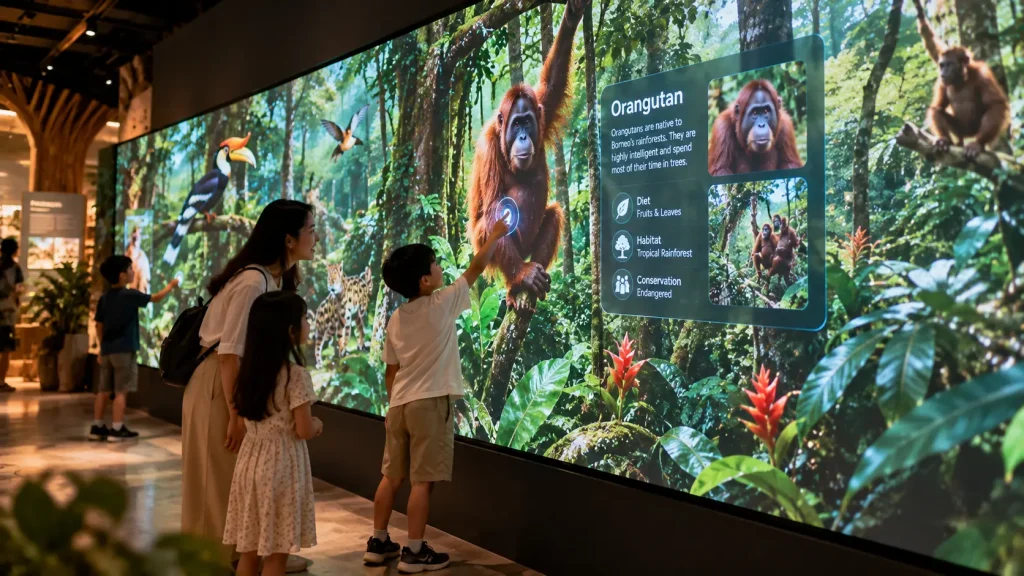
A touch-to-reveal wall encourages visitors to discover information rather than presenting everything immediately.
The wall begins with a complete visual scene. When someone touches a particular object or area, another layer of content appears.
For example, touching an animal in a rainforest scene could reveal information about the species, while touching part of a machine could show how the internal component works.
This format is useful when learning and storytelling are more important than menus and conventional interface buttons.
How it works:
Explore Scene → Touch Object → Reveal Hidden Content → Continue Discovery
Best for: Museums, educational galleries, visitor centres, science exhibits and themed attractions.
9. Physical Object-to-Digital Wall
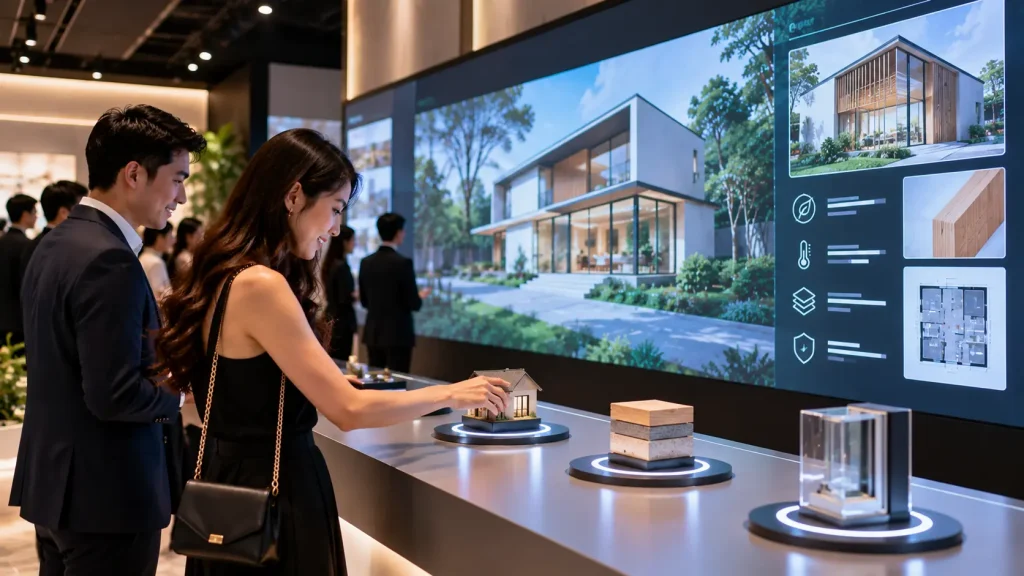
Not every interactive wall needs to begin with touching the screen.
Visitors can interact with a real product, sample, token or physical object placed in front of the display. When the system detects the selected object, corresponding digital content appears on the wall.
For example, placing one product sample on a sensing area could display its ingredients, specifications or story. Replacing it with another sample immediately changes the content.
This creates a stronger connection between something visitors can physically handle and the digital information behind it.
How it works:
Pick Up Object → Place / Move Object → System Identifies It → Related Content Appears
Best for: Product exhibitions, retail experiences, showrooms, museums and experience centres.
10. Interactive Learning & Play Wall
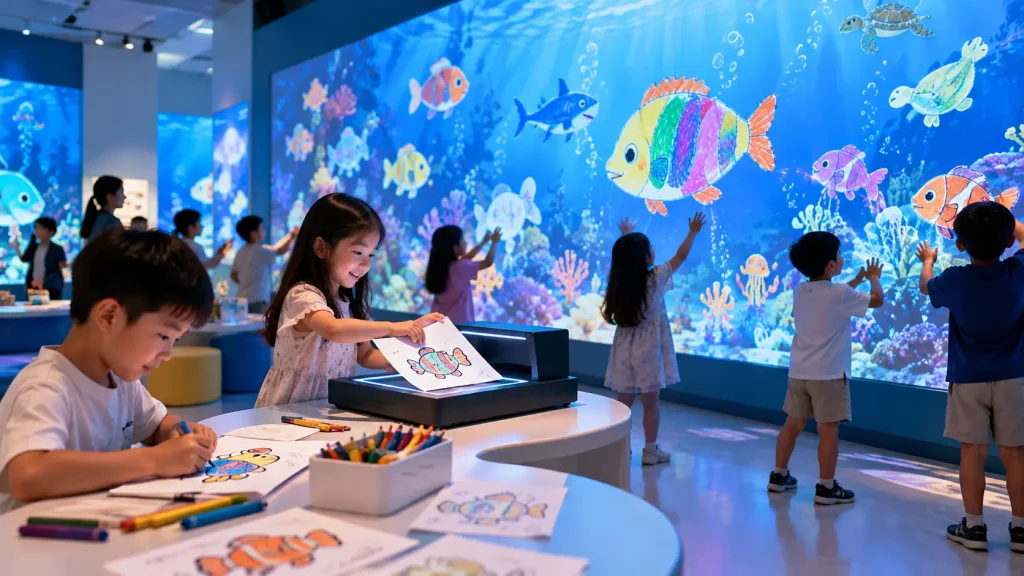
An interactive wall can turn a children’s space into an active learning and play environment.
Children can touch characters, move their bodies, hit digital targets or create artwork that becomes part of the wall experience.
Possible concepts include alphabet and number games, colour matching, interactive animals, digital oceans, jungle environments, soft-ball target games and drawing-to-life experiences where children’s artwork enters the digital scene.
The interaction can be designed around entertainment, education or a combination of both.
How it works:
Touch / Move / Draw / Play → Sensor Detects Action → Wall Responds → Learning or Game Feedback
Best for: Indoor playgrounds, children’s libraries, learning centres, museums, family attractions and kids experience centres.
Which Interactive Wall Concept Is Suitable for Your Space?
| If You Want… | Consider… |
|---|---|
| Creative participation | Digital Graffiti Wall |
| Product presentation | Interactive Product Explorer |
| Touch-free interaction | Gesture-Controlled Wall |
| Audience-generated content | Digital Mosaic Wall |
| Company or heritage storytelling | Interactive Timeline |
| Location-based information | Interactive Map |
| Competition and high-energy engagement | Multiplayer Reaction Wall |
| Educational storytelling | Touch-to-Reveal Wall |
| Physical + digital interaction | Object-to-Digital Wall |
| Children’s learning and play | Interactive Learning & Play Wall |
Touch, Gesture or Sensor: Which Interaction Method Should You Use?
The interaction method should match what visitors are expected to do.
Touch works well when visitors need to select information, explore products or navigate detailed content. Gesture and motion tracking are useful for larger visual experiences where visitors interact from a distance. Physical sensors can connect real objects, buttons or products with digital content.
| Interaction | Suitable For |
|---|---|
| Touch | Product explorers, maps, timelines and educational content |
| Gesture / Motion | Particle walls, immersive visuals and touch-free experiences |
| Physical Objects | Product displays, exhibitions and hands-on discovery |
| Camera / QR | Photo walls, digital mosaics and audience-generated content |
| Game Sensors | Reaction games, multiplayer activities and active play |
Should an Interactive Wall Use LED, Display Screens or Projection?
There is no single display technology that works for every interactive wall.
LED walls are useful for large and bright event environments. Commercial displays or touchscreen screens can be suitable for smaller permanent installations where visitors interact at close range.
Projection is useful when the experience needs to cover a large wall, unusual surface or immersive environment without installing a physical display across the entire area.
The decision should consider viewing distance, ambient light, interaction distance, wall size, installation duration and available space for hardware.
Temporary Event Wall vs Permanent Interactive Installation
The same interactive wall concept can be designed very differently depending on how long it needs to operate.
| Temporary Event | Permanent Installation |
|---|---|
| Designed for quick setup and dismantling | Designed for long-term daily operation |
| Often uses rental hardware | Usually uses dedicated installed hardware |
| Content focuses on a campaign or event | Content may require long-term updates |
| Short operating period | Reliability and maintenance become more important |
| On-site crew may operate the system | System should normally be simple for venue staff to operate |
For permanent installations, planning should also consider ventilation, cable access, equipment servicing, startup and shutdown procedures, content management and future software updates.
Can Several People Use an Interactive Wall at the Same Time?
Yes, but the experience needs to be designed for multi-user interaction from the beginning.
A reaction game may intentionally support two to four players simultaneously, while an interactive timeline might divide a long wall into several independent exploration areas.
For gesture-based installations, the tracking area and sensor coverage also affect how many people can interact reliably at once.
More users do not automatically create a better experience. The interface should make it obvious which content belongs to each participant.
Does an Interactive Wall Need Internet?
Not necessarily. Many interactive wall installations can run locally from a dedicated computer.
Touchscreen applications, games, interactive maps, timelines, sensor experiences and learning activities can often operate offline after installation.
Internet access may be required when the experience uses online submissions, cloud services, remote databases or real-time external information.
For permanent installations, an offline fallback can also be considered when uninterrupted operation is important.
What Hardware Is Used for an Interactive Wall?
The hardware depends on the concept rather than the term “interactive wall” itself.
A system may include:
- LED wall, commercial display or projector
- Touchscreen or infrared touch frame
- Depth camera or motion sensor
- Tracking camera
- Physical buttons or object sensors
- Computer or media server
- Speakers
- Network equipment
- Custom fabricated structure
For example, a gesture-controlled wall may require a projector, computer and depth camera, while an interactive product explorer may use a large touchscreen with a dedicated PC.
How Large Can an Interactive Wall Be?
An interactive wall is not limited to the size of a single touchscreen.
Large experiences can use multiple displays, LED modules or projection to create a wider interactive surface. The interaction system can then be designed around the required active area.
However, increasing the wall size also affects viewing distance, resolution, sensor coverage, computer performance and how visitors physically move through the space.
The wall dimensions should therefore be planned together with the interaction concept rather than decided independently.
How to Plan an Interactive Wall
Before deciding on hardware, start with what visitors should actually do.
A useful planning sequence is:
Visitor → Action → System Response → Content → Outcome.
For example:
Child → Touches an animal → Animal animates → Short learning content appears → Child continues exploring.
Or:
Exhibition Visitor → Places a product sample → Sensor identifies product → Wall displays specifications → Visitor compares another product.
Once the interaction flow is clear, the appropriate screen, sensor and software can be selected.
Interactive Wall Planning Checklist
If you are requesting an interactive wall proposal, prepare the following information where possible:
- Venue and installation location
- Available wall dimensions
- Event dates or required installation period
- Temporary or permanent installation
- Expected visitor type
- Number of simultaneous users
- Preferred interaction concept
- Indoor or outdoor environment
- Existing LED, display or projection equipment
- Available content and brand assets
- Internet availability
- Required data collection or system integration
Photos, floor plans and measurements of the actual space can help determine which interactive wall ideas are technically practical.
Frequently Asked Questions About Interactive Walls
What is an interactive wall?
An interactive wall is a digital or physical-digital installation that responds to visitor actions such as touch, movement, gestures, photos or physical objects. It can be used for games, storytelling, product exploration, education and visitor engagement.
Can an existing wall be turned into an interactive wall?
In some cases, yes. Projection, cameras and sensors can add interaction to an existing suitable surface without covering the entire wall with a physical display. The wall material, lighting conditions and available installation space need to be assessed first.
Can interactive walls be customised for different brands?
Yes. The interface, visual style, game mechanics, product information and visitor journey can be developed around a brand, campaign or exhibition theme.
Are interactive walls only suitable for events?
No. Interactive walls can also be developed as permanent installations for showrooms, visitor centres, museums, corporate headquarters, galleries, libraries and learning spaces.
Can an interactive wall collect visitor data?
Yes, if data collection is part of the system design. Depending on the experience, this could include registrations, game scores, selected content, survey responses or other interaction data. Appropriate consent and data-handling requirements should be considered when personal information is collected.
Can interactive walls be designed for children?
Yes. Interactive learning and play walls can use simple touch, movement, drawing and game interactions for children’s libraries, museums, learning centres, indoor playgrounds and family attractions.
Interactive Wall Solutions by MyDigital Asia
MyDigital Asia develops custom interactive experiences for events, exhibitions, showrooms, visitor centres and permanent installations in Malaysia.
Depending on the concept, an interactive wall solution can combine:
- Touch interaction
- Gesture and motion tracking
- Interactive games
- Digital graffiti
- Interactive maps and timelines
- Product exploration
- Physical object sensing
- Photo and mosaic experiences
- Interactive learning activities
- Projection and large-format displays
- Custom software and content
The interaction method, display technology and hardware can be planned around the actual visitor experience rather than forcing every project into the same touchscreen setup.
Planning an Interactive Wall in Malaysia?
Send MyDigital Asia your venue, wall dimensions, installation period, target audience and preferred interactive wall idea.
If the concept has not been decided yet, the experience can be planned around what you want visitors to learn, explore, play or discover.
Related Interactive Experience Guides
- Interactive Experience
- Interactive Touchscreen Kiosk
- Interactive Event Technology Malaysia
- Interactive Event Ideas Malaysia
Request a Free Consultation
Looking for Interactive Maps, Interactive Solutions or Event Technology?

LATEST POSTS