
Interactive Projection Mapping Malaysia
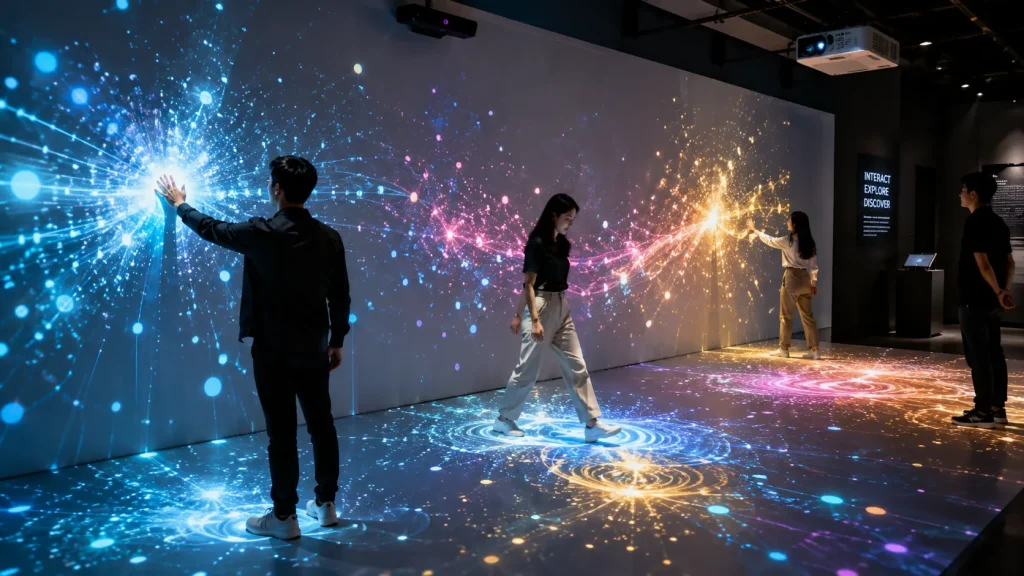
Interactive projection mapping transforms projected visuals from something people simply watch into an experience they can actively control, explore and influence.
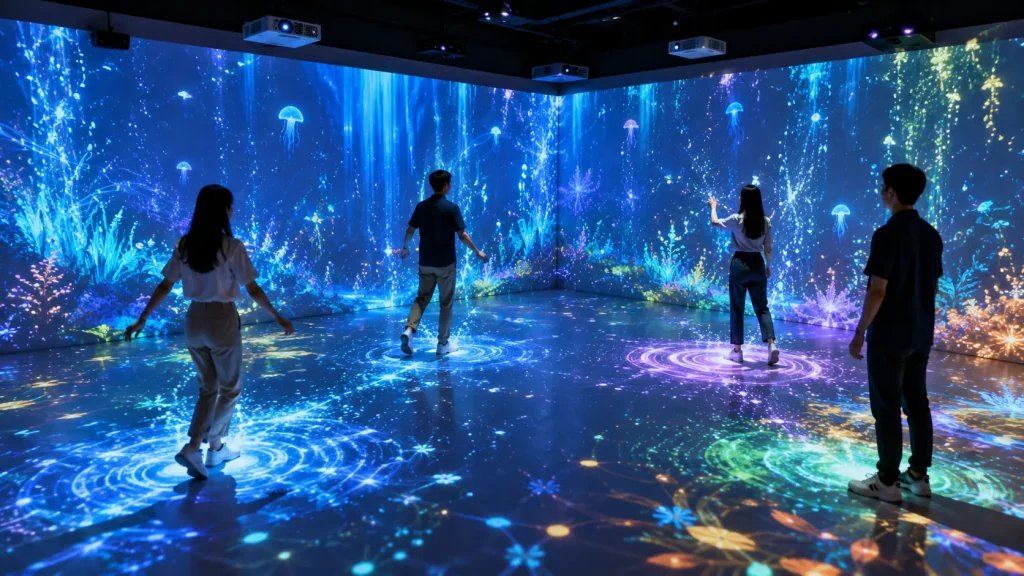
Instead of playing a fixed animation on a wall, floor or physical surface, an interactive projection mapping system can respond to movement, touch, gestures, objects or other real-time inputs. A visitor may walk across a projected floor and create ripples beneath their feet, move a hand across a wall to reveal digital content, or interact with projected graphics that react instantly to their actions.
In Malaysia, interactive projection can be used for corporate events, exhibitions, museums, visitor centres, product launches, brand activations and immersive installations where organisations want audiences to participate rather than only observe.
Key Takeaways
- Interactive projection mapping combines projection, tracking technology and real-time software.
- Visitors can interact through body movement, gestures, touch, position or physical objects.
- The projection can be applied to walls, floors, tables and customised physical surfaces.
- Interactive projection is particularly effective for events, exhibitions, museums and experiential brand activations.
- The correct sensor, projector and software setup depends on the interaction area, environment and visitor behaviour.
What Is Interactive Projection Mapping?
Traditional projection mapping aligns visual content with the shape and geometry of a physical surface. The content may be animated and visually dynamic, but it normally follows a predetermined timeline.
Interactive projection mapping adds another layer: real-time input.
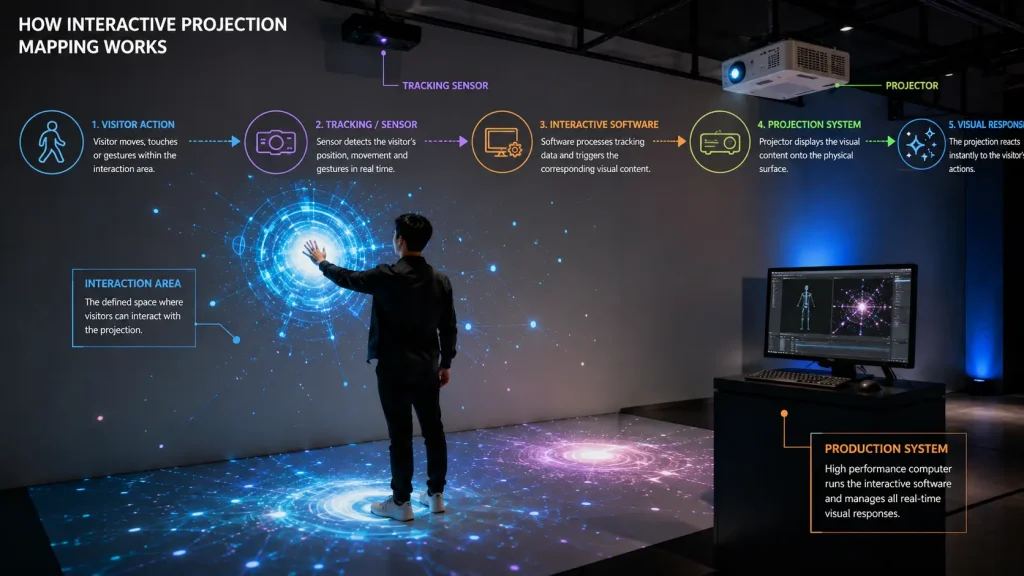
A tracking device or sensor detects what a visitor is doing. Interactive software processes that information and changes the projected content accordingly.
The basic system can be understood as:
Visitor Action → Sensor / Tracking → Interactive Software → Visual Response → Projector
For example, when a visitor steps onto a projected floor, a tracking sensor can detect the position of the person’s feet. The software then generates particles, waves, graphics or other visual effects at that location before the projector displays the response on the floor.
The entire process can happen almost instantly, creating the impression that the projected environment is reacting directly to the visitor.
How Does Interactive Projection Mapping Work?
An interactive projection installation usually combines several components rather than relying on the projector alone.
1. Projection Surface
The experience begins with a physical surface such as a wall, floor, table, scenic structure or customised installation.
The surface should provide suitable visibility for projected content while supporting the intended interaction area.
2. Projector
One or more projectors display the visual environment onto the physical surface.
Projector brightness, resolution, lens selection, throw distance and installation position must be planned according to the size of the interactive area and the surrounding lighting conditions.
For larger installations, multiple projectors may be combined using edge blending to create one continuous interactive canvas.
3. Sensor or Tracking Device
The sensor detects the visitor’s movement or interaction.
Depending on the experience, this may involve depth sensing, camera-based tracking, infrared technology, motion tracking or other suitable detection methods.
The objective is not simply to detect that somebody is present. The system may need to understand where the visitor is standing, where they are moving or which area they are attempting to interact with.
4. Interactive Software
The software receives tracking data and determines how the visual content should respond.
This may be developed as a customised real-time application depending on the project requirements.
For example, the system could:
- Generate particles around a visitor’s footsteps
- Reveal information when someone approaches a particular area
- Move digital objects according to hand or body movement
- Trigger animations when a visitor enters a zone
- Allow multiple visitors to interact simultaneously
- Turn projected content into a simple interactive game
5. Real-Time Visual Response
The most important part of the experience is the response.
Visitors should immediately understand that their actions are affecting the projection. If the response is too subtle, delayed or visually disconnected from their movement, the experience may feel passive even though interactive technology is being used.
Good interactive projection therefore requires both technical tracking and clear interaction design.
What Can Visitors Use to Control the Projection?
There is no single interaction method that suits every installation. The best method depends on the physical environment, number of visitors and intended experience.
Body Movement
Body tracking can allow visitors to influence projected content simply by moving through an area.
This works well when the experience needs to feel intuitive because visitors do not need to hold a controller or learn complicated instructions.
For example, projected graphics can follow a visitor, move away from them, surround their silhouette or react according to their position.
Foot Movement
Foot tracking is commonly used for interactive floor projection.
Visitors may create ripples, move objects, reveal graphics or trigger effects as they walk across the projected area.
This format is suitable for event entrances, exhibitions, shopping environments, museums and other spaces where guests naturally move through the installation.
Hand Gestures
Gesture interaction allows visitors to control projected graphics through hand or arm movement without physically touching a display.
Depending on the tracking system, gestures can be used to select objects, move content, trigger effects or explore information.
Touch Interaction
Some projection installations can be designed around touch-style interaction on suitable physical surfaces.
The tracking technology detects the visitor’s interaction position while the projected interface provides the visual feedback.
This can create a large-format interactive experience without relying on a conventional touchscreen display.
Position and Proximity
An interaction does not always require a deliberate gesture.
The system can respond when visitors enter specific zones, stand in certain positions or approach an installation.
This is useful for experiences where the interaction should feel natural rather than instructional.
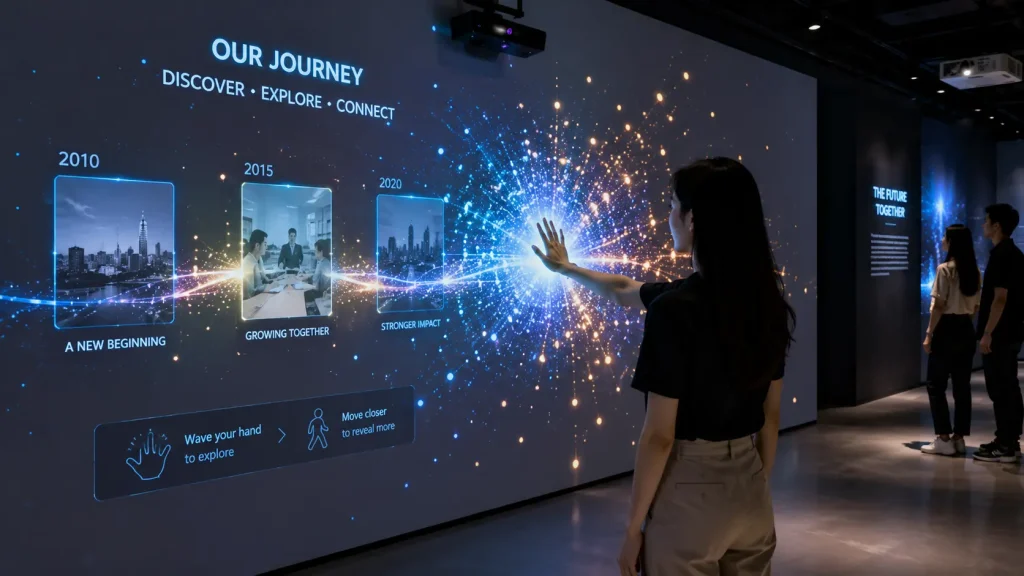
Interactive Wall Projection
Interactive wall projection turns a wall or large vertical surface into a responsive digital environment.
Unlike a touchscreen, visitors do not necessarily need to physically touch the surface. Depending on the tracking method, the system may respond to hand movement, body position or proximity.
Interactive walls can be used for:
- Digital storytelling
- Interactive timelines
- Educational experiences
- Brand exploration
- Product information
- Interactive games
- Visitor participation
- Data visualisation
For exhibitions and museums, an interactive wall can transform a large amount of information into an experience that visitors actively explore rather than read from static panels.
Interactive Floor Projection
Interactive floor projection uses tracking technology to detect visitors moving across a projected floor area.
The visual content responds around their feet or body position in real time.
Examples include:
- Water ripples appearing beneath footsteps
- Digital leaves moving away from visitors
- Particles following movement
- Interactive pathways
- Floor-based games
- Branded visual effects
- Educational activities
Because people already understand how to walk through a space, the interaction can be extremely intuitive.
Our dedicated Interactive Floor Projection Malaysia guide explores this application in greater detail.
Interactive Projection for Corporate Events
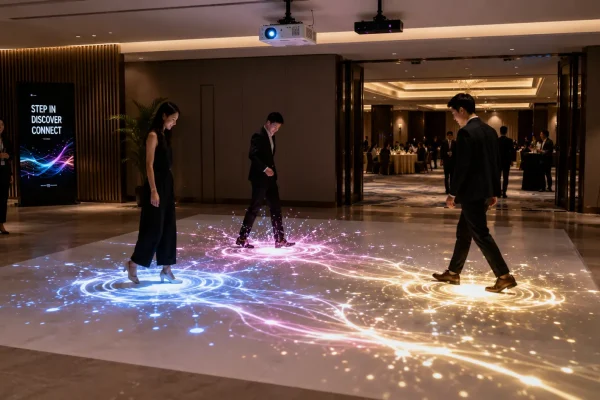
At corporate events, interactive projection can be used beyond the main stage to create guest engagement before and during the programme.
For example, an interactive projected floor can be installed near an entrance, while a responsive wall experience can become part of a foyer activation.
The technology can also be integrated with a themed event environment so that guests become part of the visual experience.
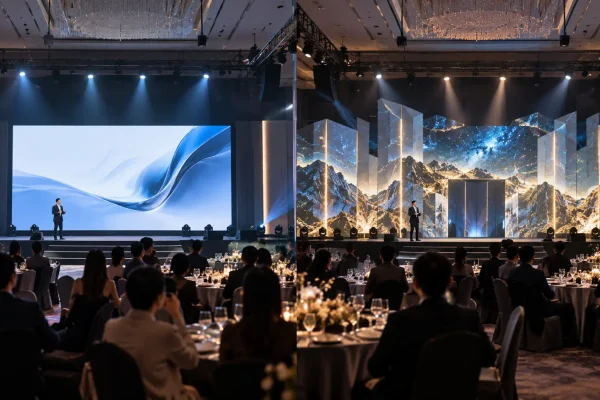
For annual dinners, this can complement stage-based projection mapping by extending the experience into guest arrival and engagement areas.
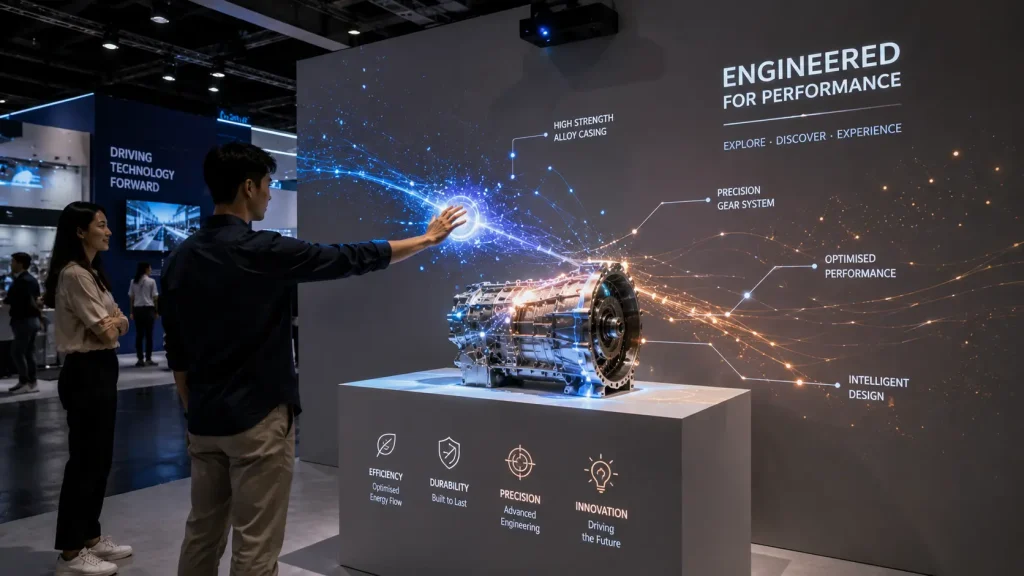
Interactive Projection for Exhibitions
Exhibition visitors often have only a few seconds to decide whether to stop at a booth or installation.
An interactive projection experience can create movement and visible visitor participation that attracts attention from a distance.
Instead of presenting information entirely through printed graphics or standard displays, exhibitors can allow visitors to physically explore content.
For example, visitors could move around a projected environment to reveal different information, interact with a large projected product visualisation or participate in a short branded experience.
Interactive Projection for Museums and Visitor Centres
Museums and visitor centres can use interactive projection to make stories, historical information and educational content more experiential.
A conventional exhibit may ask visitors to read information from a panel. Interactive projection can allow the same visitor to discover content through movement and exploration.
Applications may include:
- Interactive historical timelines
- Projected maps
- Environmental simulations
- Interactive storytelling
- Educational games
- Digital artefact exploration
- Immersive learning environments
When combined with immersive projection, the entire room can become part of the visitor experience rather than functioning only as a display area.
Interactive Projection for Brand Activations
Brand activations benefit from experiences that are easy to understand, visually noticeable and enjoyable to participate in.
Interactive projection can turn visitor movement into branded visual effects without requiring every participant to use a phone or physical controller.
A visitor might walk through projected graphics, trigger product-related animations or participate in a short interactive challenge.
The experience can also be designed to create visually interesting moments that guests naturally photograph or record.
Can Multiple People Interact at the Same Time?
Yes, depending on the tracking technology, software design and size of the interactive area.
A multi-user system can detect several visitors and generate different responses around each person.
However, more users do not automatically create a better experience.
The interaction should be designed so visitors can understand what is responding to them without the projected content becoming visually chaotic.
For public events and exhibitions, visitor flow should therefore be considered during both technical planning and experience design.
What Sensors Are Used for Interactive Projection Mapping?
The sensor is one of the most important components of an interactive projection system because it determines how accurately the installation can detect visitors and their movements.
There is no single sensor that is suitable for every project. The correct technology depends on the interaction method, installation environment, coverage area, number of users and required tracking accuracy.
Depth Cameras
Depth cameras can detect the distance and position of people within a defined area, allowing the software to understand more than a conventional video image.
They can be useful for body tracking, movement detection, interactive walls, interactive floors and installations where visitors need to influence content without holding a controller.
Camera-Based Tracking
Camera-based systems can analyse movement within a defined interaction zone.
Depending on the application, this may be used to detect visitor position, movement patterns or specific areas of interaction.
Infrared and Other Tracking Technologies
Infrared and other specialised tracking technologies may also be considered where the installation requires a particular detection range, interaction method or environmental setup.
The technology should always be selected according to the experience rather than choosing a sensor first and designing the experience around its limitations.
How Do We Choose the Right Tracking Technology?
Before selecting the hardware, it is important to define exactly what visitors are expected to do.
For example:
- Will visitors walk across a projected floor?
- Will they move their hands in front of a wall?
- Do they need to physically touch a surface?
- Should the system detect the entire body?
- Will several visitors interact simultaneously?
- How large is the interaction area?
- How close can the sensor be installed?
These questions determine the tracking requirements and help avoid unnecessary hardware complexity.
A simple interaction does not always require the most advanced sensor. The objective is to create a system that is reliable, responsive and appropriate for the actual visitor experience.
Where Should the Projector Be Installed?
Projector positioning is particularly important for interactive installations because visitors may physically enter the projected area.
If the projector is positioned directly behind or in front of visitors at an unsuitable angle, their bodies can block the projection and create large shadows.
Depending on the installation, projectors may be positioned:
- Overhead
- At a high angle
- Behind the interaction area
- Using suitable short-throw configurations
- Across multiple positions for larger surfaces
The final position depends on the projection surface, ceiling height, available rigging points, visitor movement and projector lens requirements.
How Do You Reduce Shadows in Interactive Projection?
Shadows are a natural consideration whenever people move between a projector and its projection surface.
Good system design aims to minimise situations where visitors block important visual content.
This can involve using a higher projector position, changing the projection angle, adjusting the interaction zone or designing content so important information is not placed in areas that are frequently obstructed.
For some larger installations, multiple projectors can also be considered to improve coverage.
The objective is not necessarily to eliminate every possible shadow. It is to ensure that shadows do not interfere with the interaction or make the experience difficult to understand.
Does Interactive Projection Work in Bright Environments?
Projection works best when ambient lighting can be controlled.
In a dark or moderately controlled environment, projected colours can appear more vibrant and the interactive response becomes easier to see.
Bright exhibition halls, hotel foyers and shopping environments require more careful planning.
Factors such as projector brightness, projection surface, installation size and nearby lighting should be evaluated before confirming the system.
Where possible, direct lighting onto the projection surface should be reduced.
How Fast Should an Interactive Projection Respond?
Response time has a major impact on how natural an interactive experience feels.
When a visitor moves and the visual response appears immediately, the brain naturally connects the action with the projected effect.
If there is a noticeable delay, visitors may become uncertain about whether the system is responding to them.
This is why interactive projection requires more than attractive animation. Tracking, software performance, computer hardware and visual rendering must work together as one real-time system.
What Makes a Good Interactive Projection Experience?
The best interactive experiences are usually easy to understand without lengthy instructions.
A visitor should be able to approach the installation, try something and quickly discover how the environment responds.
Good interaction design typically focuses on:
- Immediate visual feedback
- Simple and intuitive actions
- Clear interaction zones
- Strong visual contrast
- Appropriate response speed
- Enough space for visitors to move naturally
- A clear purpose for the interaction
Technology should support the experience rather than become the experience itself.
Interactive Experience vs Interactive Game
Not every interactive projection installation needs to become a game.
An interactive experience may simply respond beautifully to movement. Visitors can explore the environment freely without scores, winners or instructions.
An interactive game introduces additional mechanics such as objectives, scores, timers, challenges or competition.
For example, a projected floor could create visual particles around footsteps as an ambient interactive experience.
The same floor could also become a timed challenge where visitors need to step on specific projected targets to earn points.
The correct approach depends on the objective of the event or installation.
Can Interactive Projection Be Customised to a Brand?
Yes. Interactive projection can be designed around a company’s campaign, product, theme or visual identity.
Instead of applying a logo to a generic interactive effect, the interaction itself can be designed around the brand story.
For example, a sustainability campaign could allow visitors to move through a projected environment where plants grow around their footsteps. A technology brand could use movement to activate digital particles or reveal different layers of product information.
This creates a stronger connection between the technology and the communication objective.
Can Interactive Projection Display Product Information?
Yes. Interactive projection can combine experiential visuals with informational content.
A visitor could approach a projected product, activate different information zones or reveal specifications through movement or interaction.
However, if the project requires visitors to browse large amounts of detailed information, a conventional touchscreen may sometimes provide a more practical interface.
Interactive projection is strongest when information is combined with spatial storytelling, movement and visual discovery.
Interactive Projection vs Touchscreen
Both technologies can create interactive experiences, but they serve different purposes.
A touchscreen provides precise interface control and is particularly effective for menus, product catalogues, directories, forms and detailed information.
Interactive projection provides a larger and more spatial experience. Visitors can interact using their bodies and movement rather than standing directly in front of a screen.
In some projects, both technologies can be combined.
For example, a touchscreen could allow visitors to select content while projection mapping transforms a nearby wall, floor, table or physical installation in response.
Can Interactive Projection Be Combined with Projection Mapping?
Yes. This is where interactive projection becomes particularly powerful.
The projection does not need to remain on a simple rectangular wall. Content can be mapped precisely across architectural features, scenic structures or customised physical installations while the interactive system changes the mapped visuals in real time.
This combines the spatial transformation of projection mapping with visitor participation.
For example, a visitor could move in front of a physical installation and cause different sections of the mapped structure to illuminate, animate or reveal information.
Can Interactive Projection Be Part of an Immersive Room?
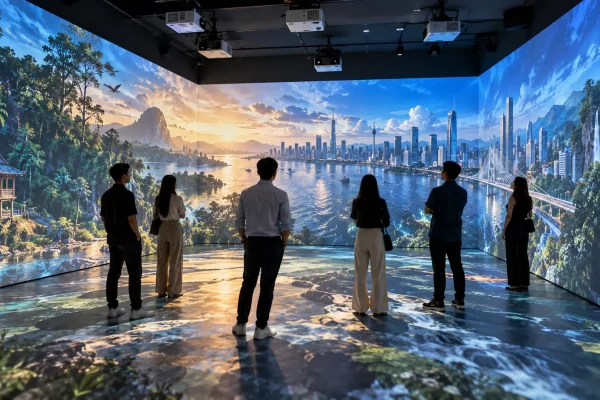
Yes. Interactive technology can be integrated into a larger immersive projection environment.
Instead of displaying the same pre-rendered content continuously, selected parts of the environment can react to visitors.
For example, a projected landscape could respond as visitors move through the room, or different areas could trigger changes in sound and visuals.
This can make an immersive environment feel more personal because visitors are influencing the experience rather than only watching it.
What Content Is Required?
Interactive projection content is different from producing a normal video.
A conventional video has a fixed beginning and end. Interactive content must be designed to respond dynamically to input from the tracking system.
The project may therefore include:
- Visual concept development
- Interaction design
- 2D or 3D asset creation
- Real-time animation
- Interactive software development
- Sensor integration
- Projection mapping and calibration
- Testing and optimisation
Some pre-rendered video elements can still be incorporated, but the interactive portions generally need to operate in real time.
Do We Need 3D Content?
Not necessarily.
Many effective interactive projection experiences can be created using 2D graphics, particles, motion design, images and other real-time visual elements.
3D content becomes useful when the concept requires depth, spatial objects, product visualisation or more complex environments.
The decision should be based on the creative concept rather than assuming that every interactive installation needs 3D graphics.
What Computer Is Required?
The computer requirements depend on the complexity of the interactive software, number of projectors, output resolution, tracking system and real-time graphics.
A relatively simple single-projector installation may have very different hardware requirements from a multi-projector immersive environment with real-time 3D graphics and multiple tracked visitors.
The playback and processing system should therefore be specified after the interactive concept and technical configuration are defined.
Why Is a Site Survey Important?
A site survey helps determine whether the proposed interactive experience can operate reliably in the actual venue.
Important considerations may include:
- Projection surface dimensions
- Available projector positions
- Throw distance
- Ceiling height
- Sensor mounting positions
- Visitor circulation
- Ambient lighting
- Power availability
- Rigging restrictions
- Installation and dismantling access
For permanent installations, additional considerations such as equipment access, ventilation, maintenance and long-term operating conditions may also need to be reviewed.
What Is the Project Workflow?
A typical interactive projection mapping project can be developed through the following stages:
- Project Brief – Define the objective, audience, venue and desired interaction.
- Experience Concept – Determine what visitors will see and how they will interact.
- Technical Planning – Select the projection, tracking and computing approach.
- Content and Software Development – Create the visual assets and real-time interaction.
- Testing – Test tracking behaviour, response speed and user interaction.
- On-Site Installation – Install projectors, sensors, computers and supporting equipment.
- Calibration – Align projection surfaces and tracking zones.
- User Testing – Test the experience under realistic visitor conditions.
- Operation – Run the installation for the event, exhibition or permanent experience.
How Much Does Interactive Projection Mapping Cost in Malaysia?
The cost of interactive projection mapping varies significantly because each installation can require a different combination of projection hardware, sensors, software and customised content.
Key cost factors include:
- Size of the projection area
- Number and brightness of projectors
- Tracking technology
- Number of simultaneous users
- Complexity of the interaction
- 2D or 3D content requirements
- Custom software development
- Computer and media system requirements
- Installation duration
- Venue conditions
- Event duration or permanent installation requirements
A simple interactive floor activation and a large multi-projector interactive environment should therefore not be expected to have the same budget.
For a broader understanding of projection-related budget considerations, see our Projection Mapping Cost Malaysia guide.
How Can the Project Budget Be Controlled?
The most effective way to control the budget is to define one strong interaction rather than adding unnecessary technical complexity.
For example, a focused single-surface experience with one clear visitor action may create greater engagement than a complicated installation containing many interactions that visitors do not understand.
Budget can also be managed by:
- Keeping the interaction area focused
- Using an appropriate number of projectors
- Selecting tracking technology according to actual requirements
- Using 2D real-time visuals where 3D is unnecessary
- Reusing suitable existing venue equipment where technically possible
- Designing content around the physical environment from the beginning
What Information Is Needed for a Quotation?
To prepare an initial proposal for an interactive projection project, it is useful to provide:
- Event or installation type
- Venue and location
- Event dates
- Projection surface dimensions
- Photos or videos of the space
- Expected number of visitors
- Desired interaction
- Operating duration
- Available equipment, if any
- Content requirements
- Estimated budget range, if available
For projects that are still at the concept stage, the interaction does not need to be fully defined. The experience can be developed after understanding the objective, audience and physical environment.
How Early Should Interactive Projection Mapping Be Planned?
Interactive projection should ideally be planned earlier than a conventional video playback installation because both software and physical setup need to work together.
Development time depends on the complexity of the experience.
A relatively straightforward interactive activation may require less preparation, while a customised multi-user installation with original real-time content, specialised tracking and multiple projection surfaces will require more development and testing.
Early planning also provides more time to test the experience with real users before deployment.
Why Work with MyDigital Asia?
MyDigital Asia develops interactive and immersive experiences for events, exhibitions, visitor environments and branded installations in Malaysia.
Rather than treating projection, sensors, software and content as separate components, we plan them as one integrated experience.
Our approach can include:
- Interactive experience concept development
- Projection mapping planning
- Interactive software development
- Sensor and tracking integration
- 2D and 3D content production
- Projector and technical system planning
- On-site installation and calibration
- Testing and event operation
This allows the creative concept to be developed around what is technically achievable within the venue, audience requirements and project budget.
Frequently Asked Questions
Can interactive projection detect several people?
Yes. Multi-user interaction can be developed depending on the tracking system, interaction area and software design.
Do visitors need to download an app?
Not necessarily. Many interactive projection experiences use on-site sensors to detect movement, allowing visitors to participate without installing an application or using their own phone.
Can interactive projection work on a floor?
Yes. Floor-based interaction is one of the most intuitive applications because projected graphics can respond directly to visitor movement and footsteps. See our Interactive Floor Projection Malaysia guide for more details.
Can it work on a wall?
Yes. Walls can become interactive surfaces for games, storytelling, information exploration and branded experiences.
Can interactive projection be used outdoors?
It is possible in suitable environments, but outdoor installations require additional consideration for ambient light, weather, equipment protection, tracking conditions and installation safety.
Can it be used for permanent installations?
Yes. Interactive projection can be designed for museums, galleries, visitor centres, showrooms and other permanent environments. Long-term installations require additional planning for equipment access, maintenance and reliable daily operation.
Is interactive projection the same as a touchscreen?
No. A touchscreen detects interaction directly on a display surface, while interactive projection typically combines a projector with external tracking technology and software. Each approach has different strengths and can also be combined within the same experience.
Can existing projectors be used?
Potentially. Existing projectors can be evaluated based on brightness, resolution, lens, installation position and compatibility with the required projection area.
Create an Interactive Projection Experience in Malaysia
Interactive projection mapping can transform walls, floors and physical environments into responsive digital experiences that visitors can explore through movement, gestures and participation.
The most successful installations are not necessarily the most technically complicated. They combine a clear interaction idea with reliable tracking, suitable projection, responsive software and content designed specifically for the physical space.
If you are planning an interactive projection mapping project in Malaysia for an event, exhibition, museum, visitor centre or brand activation, MyDigital Asia can develop the experience from concept and technical planning through content, software development, installation and on-site calibration.
Contact MyDigital Asia to discuss your interactive projection mapping concept, venue and project requirements.
Related Projection Mapping Guides
- Projection Mapping Malaysia
- Projection Mapping Cost Malaysia
- Projection Mapping for Corporate Events
- Building Projection Mapping Malaysia
- Projection Mapping for Product Launches
- Projection Mapping for Annual Dinners
- Interactive Floor Projection Malaysia
- Immersive Projection Malaysia
- Projection Mapping vs LED Screen
Request a Free Consultation
Looking for Interactive Maps, Interactive Solutions or Event Technology?

LATEST POSTS