
Interactive Museum Malaysia: Technology for Museums, Galleries & Cultural Exhibitions
Museums contain objects, stories and information that visitors may only have a few minutes to understand.
A historical artefact may sit inside a display case, but the visitor cannot necessarily see how it was originally used.
A map may show where an event happened, but not how the location changed over time.
A photograph may capture one moment, but not the wider story surrounding it.
This is where an interactive museum experience can add value.
Digital technology can help visitors explore information, visualise the past, compare different perspectives and discover details that cannot be communicated through the physical exhibit alone.
The objective is not to turn every museum into a room full of screens.
The technology should support the story and the collection, not compete with them.
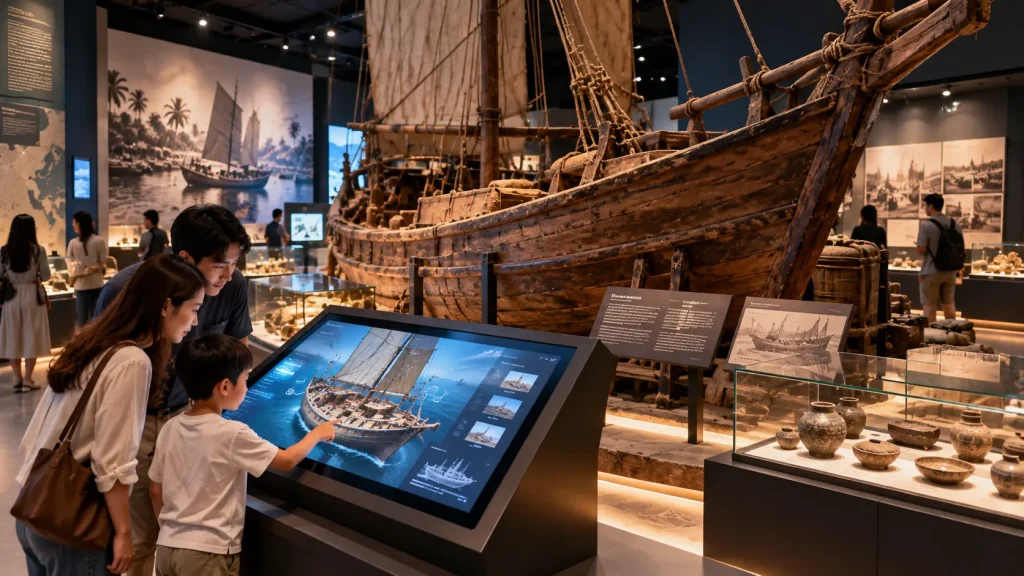
Interactive Museum Technology at a Glance
| Museum Requirement | Possible Interactive Solution |
|---|---|
| Explain an artefact | Interactive object explorer |
| Show historical change | Interactive timeline |
| Explore locations | Interactive map |
| Reconstruct missing environments | 3D visualisation |
| Present large amounts of archive material | Digital archive browser |
| Create environmental storytelling | Projection or immersive room |
| Encourage physical participation | Sensor-based interaction |
| Engage younger visitors | Interactive educational game |
Start With the Story, Not the Screen
One of the most important questions in museum experience design is:
What does the visitor need to understand here?
The answer may be:
- How an object was used
- Why an event was important
- How a place changed
- Who was involved
- How something was made
- What happened before and after
- How different objects are connected
Once the communication objective is clear, the appropriate interaction can be selected.
Sometimes that may be a touchscreen.
In another gallery, projection, physical controls, sound or a simple mechanical interaction may communicate the story more effectively.
1. Interactive Artefact Explorer
Museum visitors are often unable to physically handle original artefacts.
A digital object explorer can provide another way to examine them.
Visitors could potentially:
- Rotate a 3D object
- Zoom into surface details
- View the object from different angles
- Reveal internal components
- Select specific features
- Read contextual information
- Compare related objects
This can be particularly useful for fragile, rare or small objects that need to remain protected inside display cases.
The digital representation does not replace the original artefact.
Instead, it provides a layer of exploration that would otherwise be impossible.
2. Connecting Physical Artefacts With Digital Information
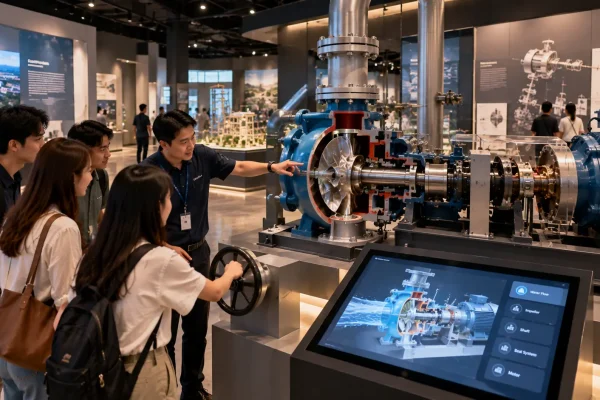
An interactive system can also be positioned beside a real museum object.
For example, a visitor might select a specific part of an old machine on a digital interface.
The system could then:
- Highlight the corresponding component digitally.
- Show what the component was used for.
- Play an animation demonstrating its movement.
- Display historical photographs of the machine in operation.
Lighting could potentially be coordinated with the physical exhibit where appropriate, although conservation and exhibition requirements should always be considered.
This creates a relationship between:
Real object → selected detail → historical explanation.
3. Interactive Historical Timelines
Traditional timelines can become difficult to read when they contain many events, photographs and documents.
An interactive timeline allows visitors to explore information progressively.
The visitor might select:
- Year
- Period
- Person
- Theme
- Location
The system can then reveal related photographs, documents, videos, maps or stories.
This can help visitors explore a subject according to their own interests without displaying every piece of information at the same time.
4. Interactive Maps for Museums & Heritage Galleries
Many museum stories are connected to geography.
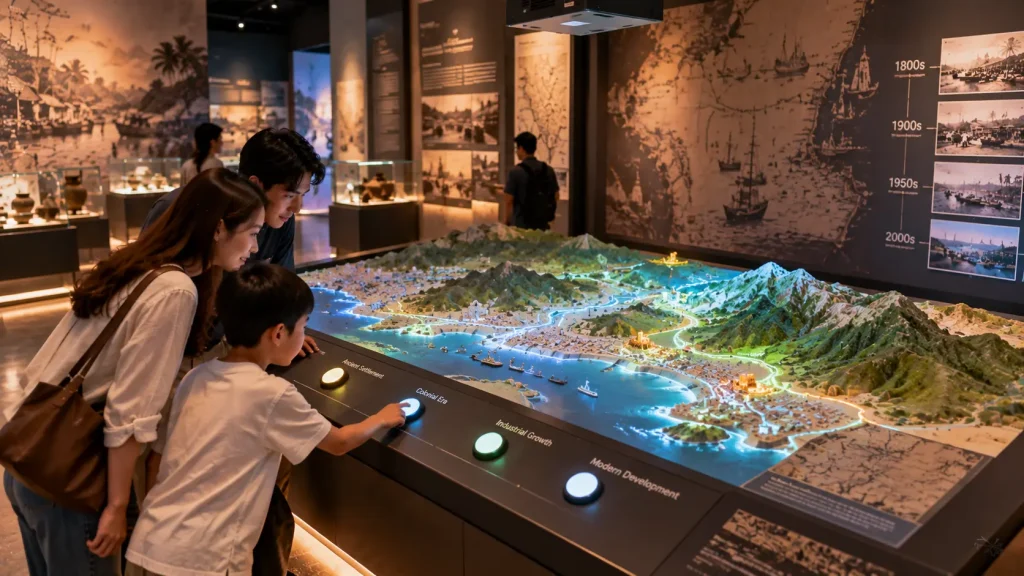
An interactive map can help visitors understand where events occurred and how different places relate to each other.
Applications could include:
- Historical migration
- Trade routes
- Military history
- Local heritage
- Archaeological sites
- Transportation history
- Cultural communities
- Urban development
Visitors could select locations or move through different time periods to see how the map changes.
For more information on map-based experiences, see our interactive maps Malaysia guide.
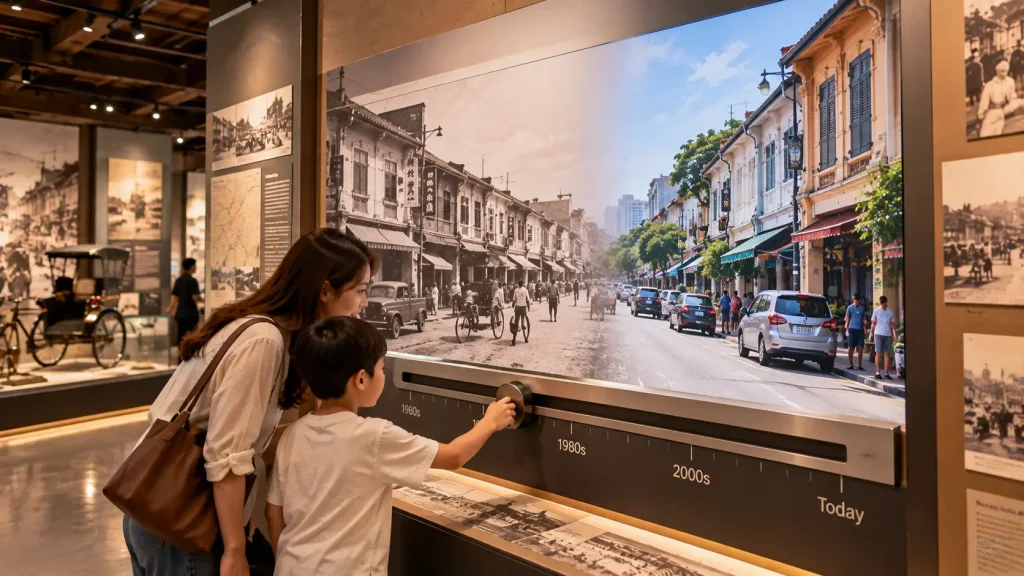
5. Before-and-After Historical Visualisation
One effective way to communicate change is to allow visitors to compare the same location across different periods.
For example, an exhibition about the development of a Malaysian city could allow visitors to compare:
- Historical street photographs
- Present-day photographs
- Old maps
- Current maps
- Past building uses
- Modern development
A slider or physical control could allow visitors to move between past and present.
This simple interaction can make historical change immediately understandable without requiring a long explanation.
6. 3D Reconstruction of Historical Environments
Some historical environments no longer exist or cannot be visited easily.
3D visualisation can help reconstruct these environments based on available reference material.
Depending on the project, this could include:
- Historical buildings
- Traditional settlements
- Ships
- Industrial facilities
- Archaeological sites
- Old streets
- Interior spaces
The visitor could explore the reconstruction through a touchscreen, interactive display or larger projected environment.
Where historical information is incomplete, the distinction between documented information and interpretive reconstruction should be considered during content development.
7. Digital Archive Browsers
Museums and cultural institutions may hold far more material than can physically be displayed inside a gallery.
A digital archive browser can provide access to additional approved content.
This could include:
- Historical photographs
- Documents
- Newspaper material
- Audio recordings
- Oral histories
- Videos
- Artwork
- Collection information
Visitors could browse the archive by theme, year, location or collection.
The interface should prioritise discovery rather than presenting the visitor with an overwhelming database structure.
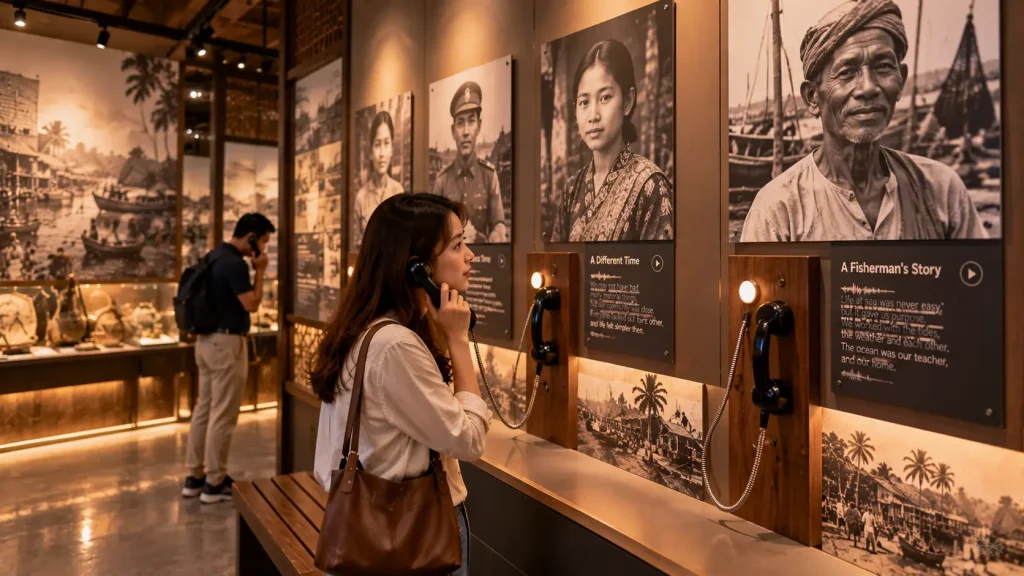
8. Oral History Listening Stations
Not every museum interaction needs to be visual.
Recorded voices can add a human dimension to historical exhibitions.
An oral history station could allow visitors to select a person, location or topic and listen to a short recorded story.
Depending on the exhibition, the station could use:
- Directional speakers
- Headphones
- Telephone-style handsets
- Physical selection buttons
- A simple touchscreen interface
Subtitles or transcripts can also be provided where appropriate.
This format can be particularly effective when personal experience is an important part of the exhibition narrative.
9. Projection Mapping for Museum Storytelling
Projection can add movement and context to physical surfaces without permanently covering them with a digital display.
For example, projection could be applied to:
- A replica object
- A relief map
- A sculptural surface
- A purpose-built exhibition structure
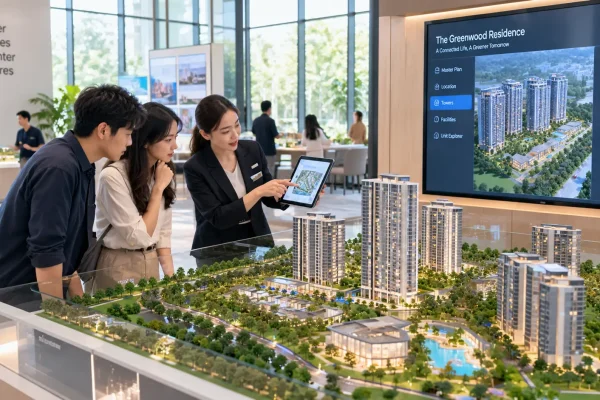
- An architectural model
A static physical map could become animated to show changing boundaries, transportation routes or historical events.
A replica machine could be enhanced with projected animation showing how different components operate.
The projection surface, ambient lighting and visitor viewing position should be considered during technical planning.
10. Immersive Historical Environments
Some museum stories benefit from being presented at environmental scale.
Instead of looking at a small image of a historical location, visitors can enter a room where projection and sound create a larger visual environment.
An immersive experience could potentially recreate:
- A historical street
- A rainforest environment
- An old port
- An industrial site
- An archaeological environment
- A cultural celebration
- A natural landscape
The experience might run as a continuous short programme or respond to visitor interaction.
Immersion should support the narrative rather than becoming a visual effect disconnected from the exhibition.
See our immersive experience Malaysia guide for more information.
11. Sensor-Based Museum Experiences
Sensors can allow museum content to respond without requiring visitors to touch a screen.
For example:
- Approaching an exhibit could trigger content.
- Standing in a particular location could activate audio.
- Hand movement could reveal digital information.
- Body movement could control an educational activity.
- Several visitors could participate in a shared experience.
Possible technologies include proximity sensors, depth cameras, motion tracking and other input systems.
The appropriate sensor depends on the required tracking range, visitor behaviour and physical environment.
See our sensor-based interactive installation guide for a more detailed explanation.
12. Interactive Museum Games
Games can encourage visitors to apply what they have learned rather than simply read information.
Possible formats include:
- Matching artefacts to their historical use
- Building a timeline
- Identifying locations on a map
- Reconstructing an object
- Solving historical clues
- Classification challenges
- Team quizzes
For younger audiences, the interaction can use simple physical actions, large visual targets or collaborative play.
The game should still connect directly to the exhibition content.
A visitor should ideally leave the activity understanding something about the subject, not only remembering the score.
13. Designing for Different Visitor Ages
Museums often serve a much wider audience than a corporate showroom or classroom.
The same gallery may be visited by:
- Children
- Students
- Families
- Tourists
- Researchers
- Senior visitors
- School groups
This affects interface design, interaction time, text size, language and physical accessibility.
One approach is to structure content in layers.
The first layer communicates the essential story quickly.
Visitors who want more information can then explore deeper layers containing additional documents, technical details or historical context.
This allows the same installation to support both casual visitors and people who want to spend more time with the subject.
Multilingual Interactive Museum Experiences
Museums in Malaysia may receive local visitors, international tourists, school groups and visitors from different language backgrounds.
Interactive systems can make multilingual content easier to manage because visitors can select their preferred language before exploring the experience.
Depending on the exhibition, languages might include:
- Bahasa Malaysia
- English
- Chinese
- Tamil
- Other languages relevant to the visitor profile
The interface should be designed for multilingual content from the beginning.
Different languages can require different amounts of screen space, so buttons, navigation and text areas should not be designed around only one language and adapted later.
Accessibility in Interactive Museum Design
An interactive installation should consider how different visitors physically access and understand the experience.
Depending on the project, accessibility considerations may include:
- Touchscreen mounting height
- Readable text sizes
- Clear visual contrast
- Simple navigation
- Subtitles for video content
- Transcripts for audio content
- Alternative interaction methods
- Sufficient space around interactive stations
- Clear instructions
Not every visitor will interact with technology in the same way.
Where possible, important exhibition information should not depend entirely on one interaction method.
Designing for Individual Visitors and Groups
A museum installation may be used very differently depending on visitor traffic.
| Visitor Situation | Design Consideration |
|---|---|
| Individual Visitor | Self-guided exploration and clear navigation |
| Family | Content visible to several people around the installation |
| School Group | Short activities, group participation and fast visitor turnover |
| Guided Tour | Presenter or guide may need to access specific content quickly |
| High-Traffic Gallery | Short interaction cycles and multiple participation points |
A touchscreen designed for one person may create congestion if twenty students arrive at the same time.
For busy galleries, the experience may need multiple interaction points or a larger shared installation that allows several visitors to participate together.
Visitor Flow Around Interactive Exhibits
The physical position of an interactive installation is as important as its software.
A popular interactive exhibit can cause visitors to stop for several minutes.
If it is positioned directly inside a narrow circulation route, queues may interfere with the rest of the gallery.
Planning should consider:
- Expected interaction time
- Number of simultaneous users
- Waiting visitors
- Viewing distance
- Wheelchair access
- School group circulation
- Emergency routes
- Relationship with nearby exhibits
For large museum projects, interactive technology should therefore be coordinated with the overall exhibition and spatial design rather than added after the gallery layout is finalised.
How Long Should a Museum Interaction Take?
There is no single ideal duration for every museum interactive.
A simple before-and-after comparison might communicate its idea within seconds, while an archive browser may encourage visitors to spend considerably longer exploring content.
The appropriate duration depends on:
- Amount of content
- Visitor traffic
- Target audience
- Position within the exhibition
- Number of available stations
- Whether the experience is individual or shared
The visitor should also be able to understand what to do quickly.
If the interaction requires a long explanation before it can begin, many casual visitors may simply walk past it.
Designing an Interface That Does Not Distract From the Collection
Museum interfaces do not always need to look highly technological.
The visual design can follow the exhibition’s historical, cultural or scientific identity.
For example, a heritage gallery may use restrained typography, archival imagery and subtle motion rather than bright futuristic graphics.
The interface can also become visually quieter when it is positioned beside an important physical artefact.
The objective is to maintain a clear hierarchy:
Exhibit → Story → Interaction → Additional Information.
The visitor should understand why the technology is there rather than focusing only on the device itself.
Content Management for Permanent Museum Installations
Museum content may continue to develop after an exhibition opens.
New photographs may become available, translations may be revised and new archive material may need to be added.
For permanent installations, it is useful to identify which content should be updateable.
This might include:
- Text
- Images
- Videos
- Audio recordings
- Archive items
- Translations
- Timeline entries
- Map locations
Depending on the project, this content could be structured through a content management system or another approved update workflow.
More substantial changes to interaction logic, 3D environments or custom animations may still require software development.
Can an Interactive Museum System Work Offline?
Yes. Many permanent museum installations can be designed to operate locally without depending on a continuous internet connection.
Content such as images, videos, audio, 3D models and interactive applications can be stored on a local computer or media system.
This can be useful for installations that need to operate reliably throughout museum opening hours.
An internet or network connection may still be required for functions such as:
- Cloud-based content
- Remote databases
- Online archives
- Remote content updates
- Live information
- Analytics
A hybrid system can also be considered, where the core visitor experience continues operating locally even if an online connection becomes temporarily unavailable.
Projection Planning for Museum Environments
Projection can create experiences that conventional displays cannot, but the physical environment has a significant effect on the result.
Technical planning should consider:
- Projection surface size
- Ambient lighting
- Projector brightness
- Throw distance
- Visitor shadows
- Projector mounting position
- Viewing distance
- Image resolution
- Multiple-projector alignment
- Equipment ventilation
Short-throw projection can reduce some shadow issues where visitors need to stand close to the projected surface, although the appropriate projector depends on the installation geometry.
For multi-projector environments, geometry correction and edge blending may also be required to create a continuous visual composition.
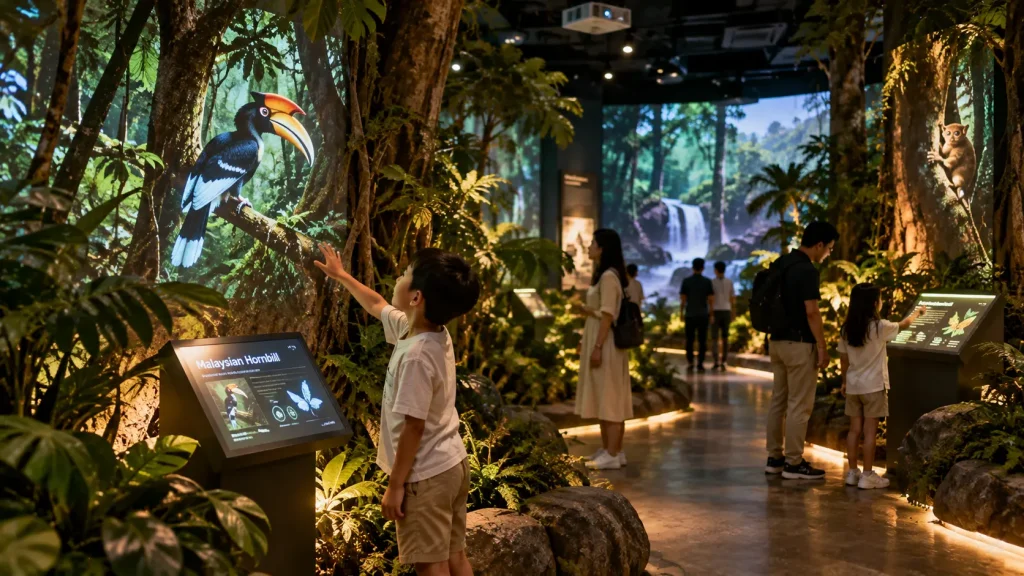
Interactive Projection and Visitor Tracking
Projection can also respond to visitor movement.
A depth camera, motion sensor or other tracking system can detect visitor activity and send that information to the interactive application.
For example, visitors could:
- Move virtual objects across a projected wall
- Reveal hidden historical content
- Trigger environmental animation
- Interact with projected animals or characters
- Explore a map using body movement
The tracking technology should be selected according to the number of expected users, interaction distance, lighting conditions and required accuracy.
Testing with real visitors is particularly important because actual museum behaviour can be less predictable than controlled development testing.
Audio Planning for Interactive Galleries
Audio can strengthen storytelling, but several audio experiences operating in the same gallery can quickly interfere with each other.
Possible approaches include:
- Directional speakers
- Headphones
- Telephone-style handsets
- Localized speakers
- Lower-volume ambient sound
The appropriate solution depends on whether the audio is intended for one visitor, a small group or the entire room.
Audio planning should therefore consider neighbouring exhibits rather than treating each installation independently.
Permanent Museum Hardware Requirements
Museum technology may operate for long hours every day and be used by thousands of visitors.
Permanent installations should therefore be planned differently from temporary event equipment.
| Component | Planning Consideration |
|---|---|
| Touchscreen | Durability, touch performance, mounting and accessibility |
| Display | Commercial operating hours, brightness and ventilation |
| Computer | Performance, cooling, automatic startup and maintenance access |
| Projector | Brightness, operating hours, mounting and calibration |
| Sensor | Tracking range, mounting position and environmental conditions |
| Audio | Coverage, volume and interference with nearby exhibits |
| Network | Internet dependency, local network and remote update requirements |
| Fabrication | Equipment protection, ventilation and service access |
Daily Operation and Automatic Startup
Museum staff should not need to manually configure every interactive installation each morning.
Depending on the system, daily operation can potentially include:
- Scheduled power-on
- Automatic computer startup
- Automatic application launch
- Automatic projector or display operation
- Return to the home screen after inactivity
- Scheduled shutdown
Staff should also have a simple recovery procedure if an application or device needs to be restarted.
For permanent installations, maintenance access should be planned into the exhibition structure rather than hiding equipment permanently behind finished walls.
See our permanent vs temporary interactive installation guide for more information.
How Should an Interactive Museum Project Be Planned?
A practical museum interactive development process can follow these steps:
- Define the story — Determine what visitors should understand.
- Identify the audience — Consider age, language, accessibility and expected visitor behaviour.
- Review the collection — Identify artefacts, photographs, documents, audio and other available material.
- Plan the visitor journey — Determine where interaction supports the exhibition narrative.
- Design the activity — Decide what the visitor actually does.
- Select suitable technology — Choose touchscreens, projection, sensors, physical controls or other systems only after the interaction is defined.
- Develop the content — Prepare interface design, animation, 3D reconstruction, maps, audio and other media.
- Develop and integrate the software — Connect the content, interaction and hardware.
- Test with users — Observe whether visitors understand the interaction without extensive explanation.
- Prepare for operation — Plan content updates, staff training, maintenance and technical support.
For a broader framework, see our interactive installation design guide.
What Affects Interactive Museum Installation Cost?
The cost of an interactive museum installation depends on the number of experiences, hardware requirements and complexity of the content.
Typical cost factors include:
- Number and size of displays
- Touchscreen hardware
- Projectors
- Projection mapping systems
- Motion and depth sensors
- Custom software development
- Interactive games
- 3D modelling and reconstruction
- Animation
- Interactive maps
- Audio systems
- Multilingual content
- Content management requirements
- Custom fabrication
- Installation and calibration
- Testing and training
- Technical support
A single digital archive touchscreen and a multi-projector immersive historical gallery therefore represent very different project scopes.
See our interactive installation cost Malaysia guide for a broader explanation of budget factors.
What Should a Museum Prepare Before Requesting a Proposal?
The museum does not need to determine every technology before approaching an interactive installation company.
Useful starting information includes:
- Exhibition objective
- Target visitors
- Gallery floor plan
- Site photographs
- Exhibition design or renders
- Artefact information
- Historical photographs and documents
- Available video and audio
- Existing 3D assets
- Required languages
- Expected visitor capacity
- Opening date
- Approximate project budget, if established
If the gallery is still under construction, early technical coordination can help integrate power, network points, projector mounting, speakers, sensors, computers and cable routes into the exhibition design.
How MyDigital Asia Supports Interactive Museum Projects
MyDigital Asia develops interactive and immersive technology for museums, galleries, heritage centres, visitor attractions and cultural exhibitions in Malaysia.
Depending on the project requirements, the scope can include:
- Interactive experience concept development
- Museum touchscreen applications
- Interactive maps
- Interactive timelines
- Digital archive experiences
- Interactive educational games
- Real-time 3D applications
- 3D reconstruction and animation
- Sensor-based interaction
- Projection mapping
- Immersive projection environments
- Audio-visual integration
- Custom interactive software
- Hardware integration
- Installation and calibration
- Testing and operating guidance
The solution can be designed around the museum’s story, collection, visitor journey and physical environment rather than applying the same technology format to every exhibition.
Frequently Asked Questions
What is an interactive museum installation?
An interactive museum installation allows visitors to actively explore exhibition content through actions such as touch, movement, physical controls, digital exploration or other forms of participation.
Can interactive technology be added beside original museum artefacts?
Yes. Digital experiences can provide additional information, 3D exploration, animation or historical context while the original artefact remains the main physical exhibit. Installation planning should still follow the museum’s conservation and exhibition requirements.
Can a museum interactive support multiple languages?
Yes. Multilingual interfaces can allow visitors to select different languages, provided the content and interface are structured for those languages during development.
Can projection mapping be used inside a museum?
Yes. Projection mapping can be applied to suitable replica objects, relief maps, models or purpose-built surfaces. Ambient light, projection distance, surface characteristics and visitor position should be evaluated before installation.
Can museum interactive systems operate without internet?
Yes. Core applications and media can be stored locally. Internet access is mainly required when the installation depends on cloud services, online databases, live information or remote content systems.
Can several visitors interact at the same time?
Yes, depending on the interaction design and tracking technology. Multi-touch displays, large interactive walls and sensor-based installations can potentially support multiple participants.
Can museum content be updated after opening?
Yes. If content updates are considered during development, selected text, images, video, audio, archive items or translations can be structured for future updates.
Planning an Interactive Museum in Malaysia?
If you are developing a museum, heritage gallery, cultural centre, science exhibition, visitor attraction or corporate museum, begin with the story rather than the technology.
Send MyDigital Asia your exhibition brief, floor plan, site photographs, available content and visitor objectives. We can evaluate suitable interaction methods and how digital technology can be integrated into the physical exhibition.
A successful museum interactive should not make visitors remember the screen. It should help them remember the story.
Related Guides
- Interactive Installation Malaysia: Design, Technology & Applications
- Immersive Experience Malaysia
- Interactive Maps Malaysia
- Sensor-Based Interactive Installations
- Interactive Learning Installations for Universities & Education Spaces
- Interactive Installation Cost in Malaysia
- Permanent vs Temporary Interactive Installations
- How to Plan an Interactive Installation Project
Request a Free Consultation
Looking for Interactive Maps, Interactive Solutions or Event Technology?

LATEST POSTS