
Interactive Visitor Experience Centre Malaysia: How to Design the Visitor Journey
A visitor experience centre can contain impressive technology and still provide a confusing experience.
Large screens, touchscreens, projection, sensors and immersive rooms do not automatically create a meaningful visitor journey.
The first question should be:
What should visitors understand, experience or remember by the time they leave?
An interactive visitor experience centre uses physical space, storytelling, digital content and interaction together to guide visitors through a structured experience.
The technology may include touchscreens, interactive maps, real-time 3D, projection mapping, sensors, physical controls, immersive environments and other systems.
However, these technologies should be selected according to the visitor journey rather than treated as a checklist of equipment.
Interactive Visitor Experience Centre at a Glance
| Visitor Journey | Possible Experience |
|---|---|
| Attract | Large-format visual, kinetic content or responsive entrance |
| Introduce | Opening film, digital storytelling or interactive overview |
| Explore | Interactive map, timeline or information explorer |
| Understand | 3D visualisation, simulation or physical-digital exhibit |
| Participate | Interactive game, sensor experience or physical challenge |
| Immerse | Projection environment, spatial audio or immersive room |
| Remember | Personalised output, photo experience or digital takeaway |
What Is a Visitor Experience Centre?
A visitor experience centre is a physical environment designed to help an audience understand an organisation, place, industry, development or subject through a structured visitor journey.
Depending on the project, the audience could include:
- Customers
- Students
- Tourists
- Government visitors
- Business partners
- Employees
- School groups
- Members of the public
The centre may combine conventional exhibition elements with digital and interactive technology.
Unlike a single interactive kiosk, the experience should be considered as a sequence of connected moments across the physical space.
Where Can Interactive Visitor Centres Be Used?
The same visitor experience principles can be adapted to many industries.
Possible applications include:
- Corporate experience centres
- Industrial visitor centres
- Manufacturing galleries
- Tourism visitor centres
- Property experience centres
- University experience centres
- Museums and heritage galleries
- Sustainability centres
- Government galleries
- Science and discovery centres
The technology may be similar across some of these environments, but the visitor objective can be very different.
A manufacturing company may need to explain a complex production process, while a tourism centre may need to encourage visitors to discover different destinations.
Start With the Visitor Journey
Before deciding how many screens or projectors are required, map what happens from the moment a visitor enters until they leave.
A useful framework is:
Attract → Introduce → Explore → Understand → Participate → Immerse → Remember.
Not every project requires all seven stages.
The framework is useful because it separates the visitor’s experience from the technology used to deliver it.
1. Attract — Give Visitors a Reason to Enter
The first experience should establish curiosity and communicate that there is something worth exploring.
This does not necessarily require interaction.
Possible entrance experiences include:
- Large-format digital content
- Projection on an architectural surface
- Animated brand storytelling
- Responsive lighting
- Physical installation combined with digital content
- Motion-responsive visuals
The entrance should communicate the identity of the experience without revealing everything immediately.
In an industrial experience centre, for example, a physical product or machine may be more effective as the hero element than a large digital screen.
2. Introduce — Establish the Story
Once visitors enter, they need enough context to understand what they are about to explore.
An introductory experience might explain:
- Who the organisation is
- Why the subject matters
- What the visitor will discover
- How different parts of the centre are connected
This could be communicated through a short film, interactive overview, physical exhibit or guided presentation.
The introduction should normally be concise enough that visitors remain interested in exploring the rest of the centre.
3. Explore — Allow Visitors to Choose What Interests Them
After the introduction, visitors can be given more freedom to explore.
This is where interactive technology can become particularly useful.
Visitors might explore:
- Locations
- Products
- Projects
- Historical milestones
- People
- Research
- Facilities
- Processes
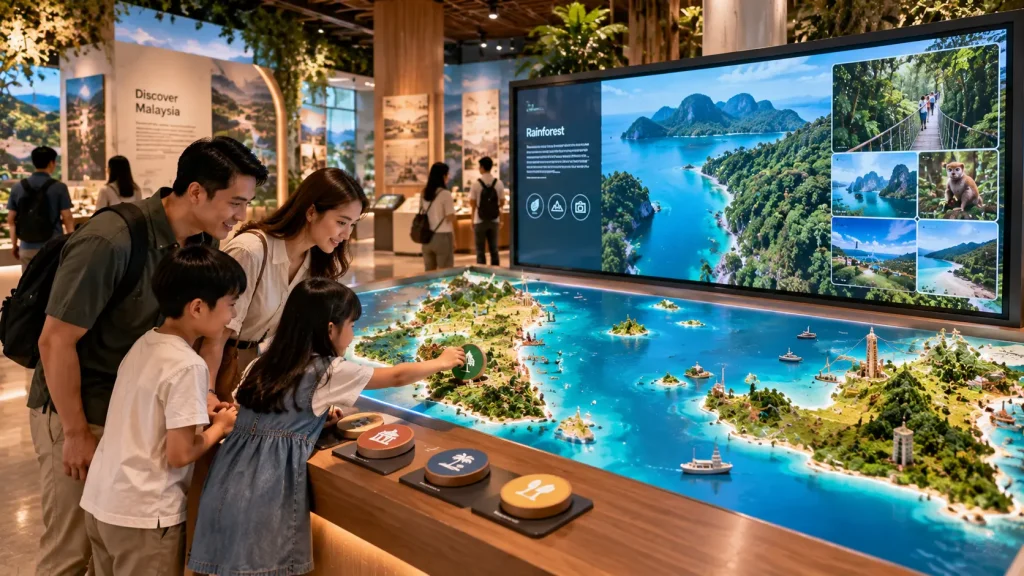
Possible formats include interactive maps, timelines, touchscreens, digital tables and searchable content experiences.
The interface should help visitors narrow information rather than presenting everything simultaneously.
4. Understand — Explain Something That Is Difficult to See
One of the strongest uses of interactive technology is explaining something that visitors cannot easily observe directly.
This might include:
- The inside of a machine
- An underground system
- A manufacturing process
- A future development
- A scientific process
- A building system
- A historical environment
Real-time 3D, animation, simulation and interactive diagrams can help make these subjects easier to understand.
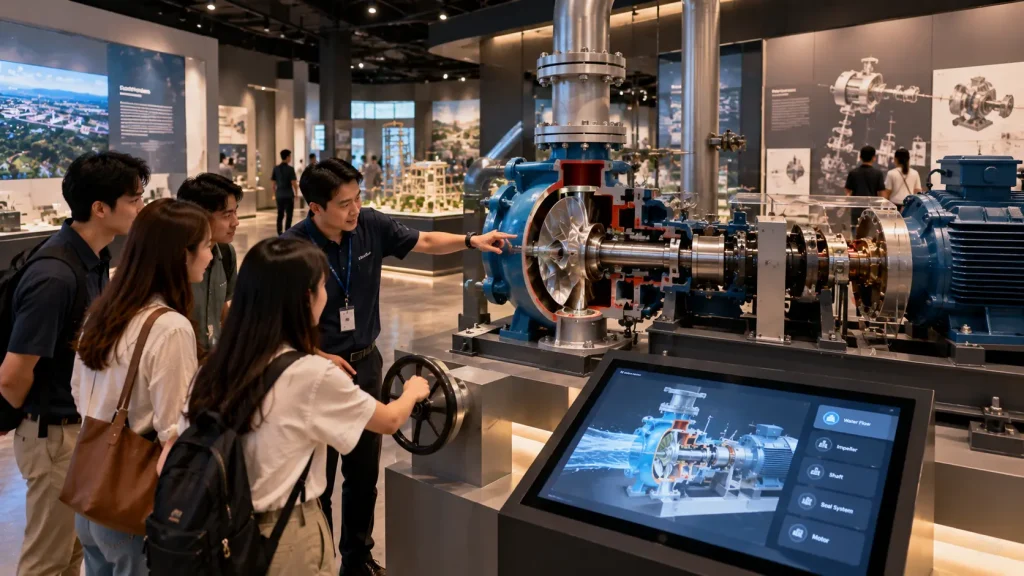
For example, visitors to an industrial experience centre could select a physical machine component and view an animated cutaway showing how the internal mechanism operates.
5. Connect Physical Objects With Digital Content
A visitor centre does not need to choose between physical exhibits and digital technology.
Some of the strongest experiences connect both.
A visitor might:
- Select a physical object.
- Place it on an interactive table.
- Trigger related digital content.
- Explore additional information.
- Compare it with another object.
Another installation might use buttons, rotary controls or model lighting to connect a physical exhibit with a digital visualisation.
This gives visitors something tangible to interact with while digital content provides additional depth.
6. Interactive Maps for Visitor Centres
Maps are particularly useful when the story involves locations, infrastructure or geographic relationships.
An interactive map could allow visitors to explore:
- Project locations
- Tourism destinations
- Facilities
- Transport networks
- International operations
- Historical locations
- Development zones
- Environmental information
Visitors can filter information according to category rather than viewing every location at once.
The map can also connect to photographs, video, 3D content or project information.
See our interactive maps Malaysia guide for more information.
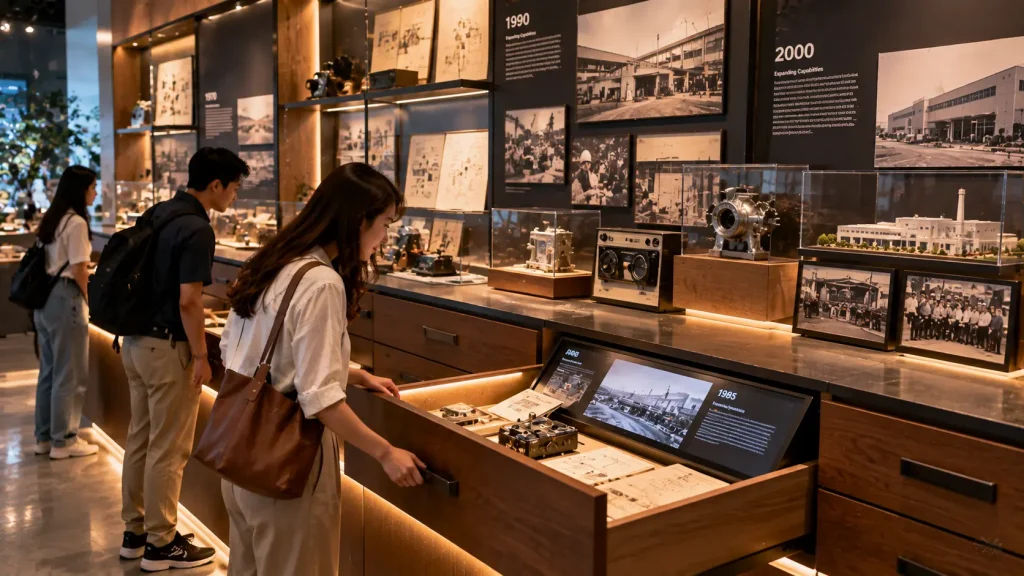
7. Interactive Timelines & Organisational Stories
Companies and institutions often have decades of history that cannot be communicated effectively through a wall filled with text.
An interactive timeline allows visitors to explore milestones progressively.
Visitors could select:
- Year
- Decade
- Project
- Product
- Person
- Theme
The selected milestone could then reveal photographs, documents, video or additional stories.
Physical artefacts can also be positioned beside the timeline to connect digital history with real objects.
8. Real-Time 3D Exploration
Real-time 3D can be useful when visitors need to explore a complex environment or object from different viewpoints.
Depending on the project, visitors could:
- Rotate a product
- Reveal internal components
- Explore a building
- Navigate a facility
- Examine infrastructure
- Switch between different operating states
- Trigger animation
Unlike a fixed video, the visitor can decide what to examine and in what order.
Existing CAD or architectural models may provide a starting point, although optimisation is normally required before they can be used efficiently in a real-time interactive application.
9. Participate — Turn Visitors Into Active Participants
At some point in the journey, the visitor may benefit from doing something rather than only exploring information.
Participation could involve:
- Making a decision
- Completing a challenge
- Operating a simulation
- Answering questions
- Controlling a physical mechanism
- Using body movement
- Working with another visitor
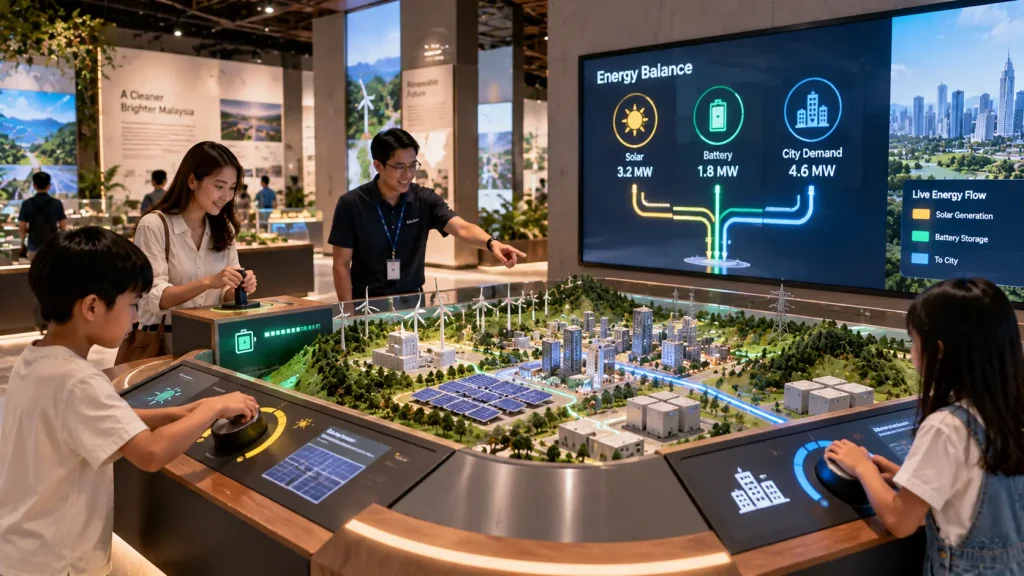
For example, a sustainability centre could challenge visitors to balance energy generation and consumption across a simulated city.
An industrial centre could allow visitors to adjust operating variables and observe how the system responds.
The activity should reinforce the story rather than functioning as an unrelated game.
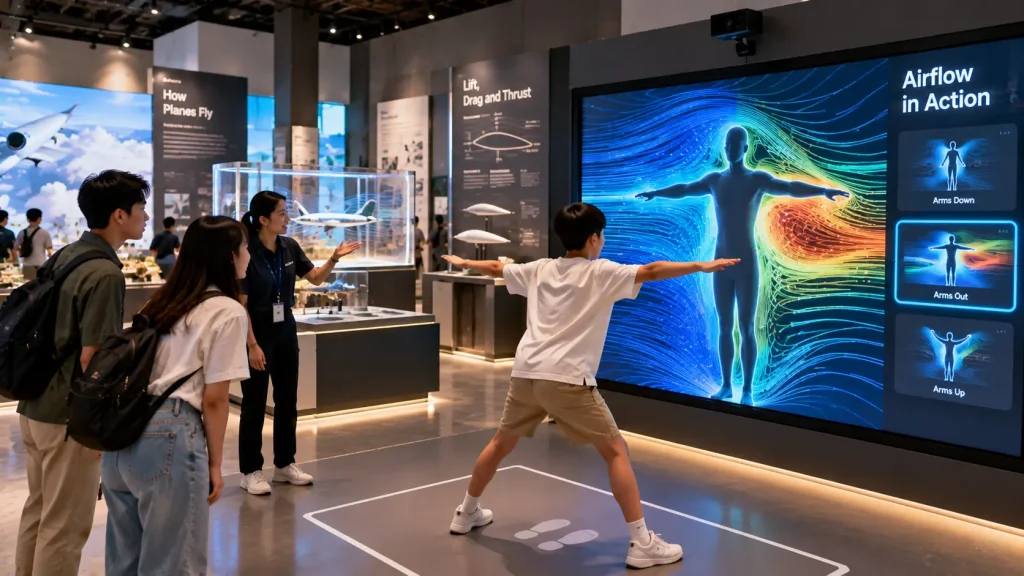
10. Sensor-Based Visitor Interaction
Sensors can create interactions that do not depend on conventional touchscreens.
A system could respond when visitors:
- Approach an exhibit
- Stand in a particular area
- Move their hands
- Walk across a space
- Perform a gesture
- Move a physical object
Possible technologies include proximity sensors, depth cameras, motion tracking and other detection systems.
The appropriate sensor depends on the required interaction distance, number of users and physical environment.
See our sensor-based interactive installation guide for more information.
11. Immersive Rooms as Part of the Journey
An immersive room can become a high-impact moment within the visitor journey when the story benefits from environmental scale.
Projection, sound and lighting can transform the surrounding space into another environment.
Possible subjects include:
- Future cities
- Natural environments
- Manufacturing processes
- Historical locations
- Space and science
- Architecture
- Brand storytelling
The immersive room should not exist only because it looks impressive.
It should have a clear role within the overall narrative.
For example, visitors might first learn about a sustainability programme through interactive exhibits and then enter an immersive environment that visualises how those systems work together at city scale.
See our immersive experience Malaysia guide for more information.
12. Remember — Design the Final Moment
The visitor journey should not end simply because there are no more exhibits.
The final experience can reinforce what the visitor has discovered.
Depending on the project, this might include:
- A personalised summary
- A digital photo experience
- A visitor pledge
- A recommended next step
- A QR-based takeaway
- A generated result based on previous interactions
- A final visual installation
For example, visitors to an environmental centre might complete several activities and receive a personalised summary of the sustainability choices they made.
The objective is to create a meaningful conclusion rather than adding another piece of technology at the exit.
Guided vs Self-Guided Visitor Experience Centres
One of the first operational decisions is whether visitors will explore the centre independently or move through it with a guide.
| Visitor Mode | Experience Priority |
|---|---|
| Self-Guided | Clear navigation, simple instructions and independent exploration |
| Guided Tour | Fast presenter control and a structured storytelling sequence |
| VIP / Corporate Visit | Controlled presentation, selected content and flexible navigation |
| School Group | Short activities, group participation and efficient visitor flow |
| Mixed Mode | Support both independent visitors and guided presentations |
The same installation can potentially support several modes.
For example, an interactive map might normally allow visitors to explore independently. During a guided visit, a presenter interface could provide direct access to selected locations in a predefined sequence.
This should be planned during development rather than added after the visitor centre opens.
How Many Visitors Can Use an Interactive Experience at Once?
Visitor capacity should be considered before selecting the technology.
A single touchscreen may work well for an individual visitor but become a bottleneck when a group of 30 students enters the gallery.
Useful planning questions include:
- How many visitors may enter at one time?
- Will visitors arrive individually or in groups?
- How long will each interaction take?
- How many people can participate simultaneously?
- Can waiting visitors still see and understand the experience?
- Does the next visitor need to wait for the previous session to finish?
For higher visitor volumes, the solution might use multiple interaction points, a larger shared interface or an experience where several visitors can participate simultaneously.
Designing Multi-User Interactive Experiences
Not every interactive installation needs to be designed for one person.
Multi-user experiences can be particularly useful for families, school groups and visitor centres where participation is part of the objective.
Possible formats include:
- Large multi-touch tables
- Interactive walls
- Multi-player educational games
- Sensor-tracked environments
- Collaborative simulations
- Physical control stations
For example, an energy experience could allow several visitors to control different parts of a simulated power network at the same time.
One visitor might manage solar generation while another controls energy storage and another adjusts city demand.
The interaction then becomes a shared learning experience rather than several people waiting for one touchscreen.
Plan the Content Architecture Before Designing the Interface
A visitor centre may contain hundreds of photographs, videos, projects, products, locations and stories.
Putting all of this content into one interface can make the experience difficult to navigate.
Content should first be organised into a clear structure.
For example:
Theme → Category → Story → Detail → Related Content.
A corporate experience centre might use:
Company → History → Capabilities → Projects → Innovation → Future.
A tourism centre might instead use:
Region → Destination → Experience → Attraction → Visitor Information.
The interface should reflect how visitors naturally understand the subject rather than simply reproducing the organisation’s internal file structure.
How Much Content Should Be Shown?
Interactive technology can store a large amount of information, but this does not mean every visitor needs to see everything.
A useful approach is to design information in layers.
Layer 1: Communicate the main idea quickly.
Layer 2: Allow interested visitors to explore more detail.
Layer 3: Provide deeper technical, historical or supporting information where required.
This helps the experience serve both casual visitors and people who want to investigate the subject more deeply.
It also reduces the temptation to place long paragraphs on every screen.
Can Live Data Be Used in a Visitor Experience Centre?
Yes, where suitable data is available.
A visitor centre could potentially display live or regularly updated information such as:
- Energy generation
- Water consumption
- Environmental measurements
- Production data
- Facility activity
- Project information
- Transport information
- Visitor statistics
For example, a sustainability centre could display current solar generation from the actual building alongside an interactive explanation of how the system operates.
This can create a direct connection between the physical facility and the digital experience.
API Integration for Visitor Experience Centres
If information needs to come from another software platform, the interactive application may require API integration.
An API can allow the visitor experience to retrieve approved information from an external system.
Before development, the project team should confirm:
- Whether an API is available
- What data can be accessed
- How authentication works
- How frequently the data changes
- Whether internet access is required
- Whether usage limits apply
- What should happen if the connection becomes unavailable
The visual experience and the source of the data should therefore be considered separately.
A screen may be designed early, but live integration cannot be confirmed until the required data source and access method are understood.
Content Management and Future Updates
Permanent visitor centres rarely remain unchanged forever.
New projects may be completed, products may change and additional photographs, videos or stories may need to be added.
During development, it is useful to identify which information needs to be updateable.
This could include:
- Text
- Images
- Videos
- Project information
- Timeline entries
- Map locations
- Product information
- Languages
Depending on the project, updateable content can be managed through a content management system or another approved workflow.
Major changes to interaction logic, real-time 3D environments or custom animation may still require development work.
Should a Visitor Experience Centre Work Offline?
Core visitor experiences can often be designed to operate locally.
Applications, images, videos, 3D models and other media can be stored on local computers so the main experience does not depend entirely on an internet connection.
Network access may still be required for:
- Live data
- Cloud databases
- Online content
- Remote content management
- Analytics
- API integration
A hybrid architecture can allow core experiences to continue operating locally while connected functions use the network when available.
This can be especially important for permanent visitor centres where the gallery is expected to remain operational throughout opening hours.
Selecting Hardware for a Visitor Experience Centre
Hardware should be selected after the required interaction and physical environment are understood.
| Technology | Typical Application |
|---|---|
| Touchscreen | Maps, timelines, product exploration and information |
| Interactive Table | Shared exploration, masterplans and collaborative experiences |
| Large Display | Group viewing, storytelling and visualisation |
| Projector | Large surfaces, mapping and immersive environments |
| Depth Camera | Body tracking and gesture interaction |
| Physical Controls | Buttons, dials, levers and simulation interfaces |
| Computer / Media Server | Interactive software, real-time 3D and multi-display content |
| Audio System | Narration, environmental sound and immersive storytelling |
The specification should also consider operating hours, performance requirements, ventilation, maintenance access and expected project lifespan.
Technology Should Be Integrated Into the Interior Design
Interactive technology works best when it is coordinated with the physical space from an early stage.
For a new visitor centre, coordination may involve:
- Architect
- Interior designer
- Exhibition designer
- AV consultant
- Interactive developer
- Electrical contractor
- Network team
- Fabrication contractor
Early coordination can help determine:
- Screen positions
- Projector mounting
- Power points
- Network points
- Computer locations
- Sensor positions
- Speaker locations
- Cable routes
- Ventilation
- Maintenance access
This is usually easier than attempting to hide equipment and cables after the interior has already been completed.
Testing the Real Visitor Journey
Technical testing alone is not enough.
An application can operate correctly while still being difficult for visitors to understand.
User testing should observe questions such as:
- Do visitors know where to begin?
- Do they understand what can be touched or controlled?
- Can they complete the interaction without staff assistance?
- Does the interaction take too long?
- Do groups block circulation?
- Can children reach the controls?
- Can waiting visitors understand what is happening?
- Does the system return correctly for the next visitor?
Testing should therefore include realistic visitor behaviour rather than only developer operation.
Planning for Daily Operation
A permanent experience centre should be practical for staff to operate every day.
Depending on the system, daily operation can potentially include:
- Scheduled equipment startup
- Automatic computer login
- Automatic application launch
- Automatic display or projector operation
- Idle reset to the home screen
- Scheduled shutdown
Staff should also receive a simple operating procedure explaining how to restart individual systems if required.
Equipment should remain accessible for maintenance even when it is integrated into custom exhibition structures.
What Affects the Cost of an Interactive Visitor Experience Centre?
There is no single standard price because visitor centres can range from one interactive zone to an entire building containing multiple digital experiences.
Major cost factors include:
- Number of interactive zones
- Custom software development
- Touchscreens and displays
- Projection systems
- Media servers and computers
- Sensors and tracking systems
- Real-time 3D development
- 3D animation and visual content
- Interactive games and simulations
- Immersive content
- Audio systems
- API and database integration
- Content management system
- Custom fabrication
- Installation and calibration
- Testing and commissioning
- Training and technical support
A useful budget should therefore be based on the complete visitor journey and the number of experience zones rather than only the number of screens.
See our interactive installation cost Malaysia guide for a broader explanation of budget factors.
Interactive Visitor Experience Centre Development Process
A practical development process can follow these stages:
- Objective — Define what the centre should achieve.
- Audience — Identify who will visit and how they arrive.
- Visitor Journey — Map the experience from entrance to exit.
- Story — Organise the information into a clear narrative.
- Space — Study visitor circulation and physical constraints.
- Interaction — Define what visitors actually do.
- Technology — Select suitable hardware and software.
- Content — Develop UI, animation, 3D, video, audio and other media.
- Testing — Test individual systems and the complete visitor journey.
- Operation — Prepare maintenance, updates, training and support.
Objective → Audience → Visitor Journey → Story → Space → Interaction → Technology → Content → Testing → Operation.
This sequence helps prevent technology from becoming the starting point of the design.
What Should You Prepare Before Requesting a Proposal?
You do not need to decide which projector, sensor or touchscreen to use before approaching an interactive experience company.
A more useful starting brief includes:
- Project objective
- Target visitors
- Estimated visitor capacity
- Floor plan
- Site photographs
- Interior or exhibition renders
- Available content
- Existing videos and animation
- Available 3D or CAD files
- Required languages
- Existing databases or APIs
- Expected opening date
- Approximate budget, if established
It is also useful to explain what visitors should understand or remember after completing the experience.
From there, the visitor journey and suitable technology can be developed around the actual project requirements.
How MyDigital Asia Supports Visitor Experience Centres
MyDigital Asia develops interactive and immersive experiences for visitor centres, corporate experience centres, exhibitions, galleries and permanent experience spaces in Malaysia.
Depending on the project, the scope can include:
- Interactive experience planning
- Visitor journey development
- Touchscreen applications
- Interactive maps and timelines
- Interactive kiosks and tables
- Real-time 3D applications
- Unity-based interactive experiences
- Interactive games and simulations
- Sensor and motion tracking
- Projection mapping
- Immersive projection environments
- 3D animation and visual content
- API and database integration
- Hardware integration
- Installation and calibration
- Testing and commissioning
The appropriate solution depends on the visitor objective, available content, physical environment, expected audience and long-term operating requirements.
Frequently Asked Questions
What is an interactive visitor experience centre?
An interactive visitor experience centre combines physical space, storytelling and digital interaction to help visitors explore and understand an organisation, place, industry or subject through a structured journey.
What technology can be used in a visitor experience centre?
Depending on the project, technology can include touchscreens, interactive maps, real-time 3D, projection mapping, immersive projection, sensors, physical controls, interactive games, audio and large-format displays.
Should we decide the technology before designing the visitor centre?
Usually, the visitor objective and journey should be defined first. Technology can then be selected according to what visitors need to see, understand or do at each stage.
Can several visitors interact at the same time?
Yes. Multi-touch interfaces, shared interactive tables, large interactive walls, sensor-based installations and collaborative games can be designed for multiple simultaneous participants.
Can the system use live company or facility data?
Potentially. If a suitable API or approved data source is available, the interactive application can be designed to retrieve and visualise selected live or regularly updated information.
Can a visitor experience centre operate without internet?
Yes. Core applications and media can operate locally. Internet or network access may still be required for live data, cloud services, APIs, analytics or remote content updates.
Can the content be updated later?
Yes. If content management is planned during development, selected text, images, videos, projects, map locations and other information can be structured for future updates.
Can MyDigital Asia work with our architect or interior designer?
Yes. Interactive systems can be coordinated with the wider project team so display positions, projection requirements, sensors, computers, power, network connections, fabrication and maintenance access are considered within the physical design.
Planning an Interactive Visitor Experience Centre in Malaysia?
If you are developing a visitor centre, corporate experience centre, discovery centre, industrial gallery, tourism centre or permanent interactive exhibition, begin with what visitors should experience rather than which technology should be installed.
Send MyDigital Asia your project brief, floor plan, site photographs, available content and visitor objectives. We can evaluate the visitor journey and suitable interactive technologies for the space.
Do not begin by filling the space with technology. Design the visitor journey first, then use technology where it genuinely improves the experience.
Explore the Interactive Installation Malaysia Series
This guide is part of our Interactive Installation Malaysia resource series. Continue with the related guides below depending on your project requirements:
-
Interactive Installation Malaysia: Design, Technology & Applications
-
How to Plan an Interactive Installation Project
-
Interactive Installation Cost in Malaysia
-
Permanent vs Temporary Interactive Installations
-
Interactive Maps Malaysia
-
Sensor-Based Interactive Installations
-
Interactive Showroom Malaysia
-
Interactive Learning Installations for Universities & Education
-
Interactive Property Sales Gallery Malaysia
-
Interactive Museum Malaysia
Request a Free Consultation
Looking for Interactive Maps, Interactive Solutions or Event Technology?

LATEST POSTS