
Projection Mapping Malaysia
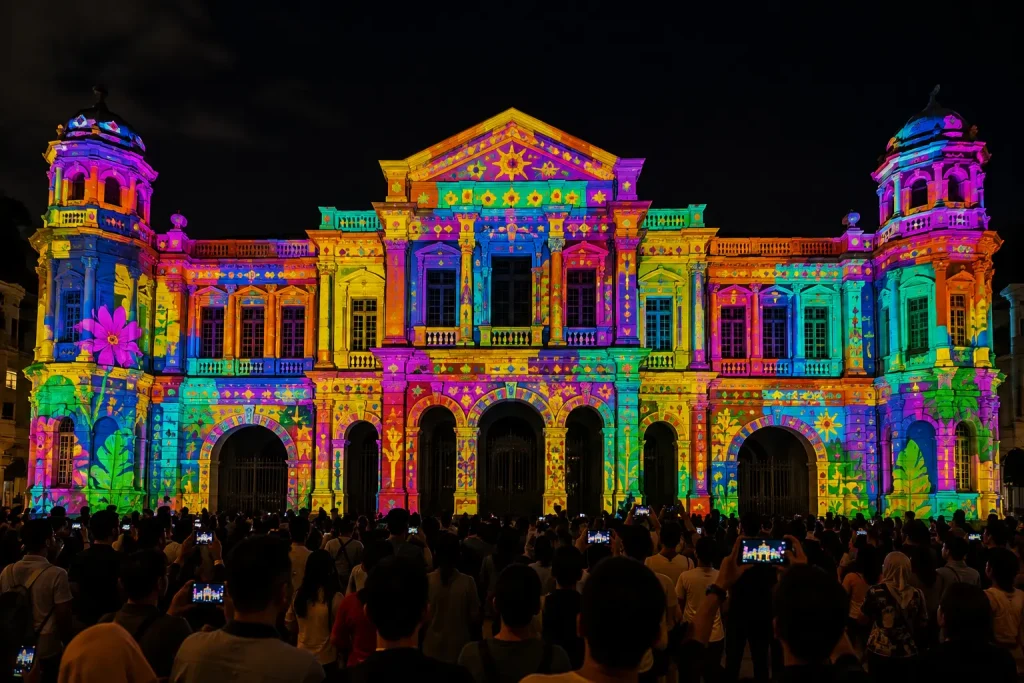
Projection Mapping Malaysia is increasingly being used for corporate events, product launches, exhibitions, building façades, immersive experiences and interactive installations that require something beyond a conventional LED screen or standard video projection.
Instead of displaying content within a rectangular screen, projection mapping allows specially created digital visuals to follow the shape, dimensions and architectural features of a physical surface.
A building can appear to transform. A stage structure can become part of an opening cinematic. A vehicle can be surrounded by animated visual effects. A floor can react to visitors. Multiple walls can even be transformed into an immersive digital environment.
MyDigital Asia provides customised projection mapping solutions in Malaysia covering creative content, projection planning, mapping, interactive integration and technical deployment for different types of events and experiences.
Key Takeaways
- Projection mapping transforms physical surfaces into dynamic digital canvases.
- It can be applied to buildings, stages, products, vehicles, floors and immersive spaces.
- Projects can range from small indoor installations to large-scale outdoor projection shows.
- Projection mapping content should be created according to the actual dimensions and geometry of the surface.
- Multiple projectors can be combined for larger or more complex projection areas.
- Interactive sensors can be added to make projected visuals respond to visitors.
What Is Projection Mapping?
Projection mapping is a visual technology that uses projectors and specialised software to align digital content with physical objects, structures or architectural surfaces.
Unlike conventional projection, the content does not have to remain inside a standard rectangular frame.
Instead, different sections of the projected image can be positioned according to the geometry of the actual surface.
Projection mapping can be applied to:
- Building Façades
- Event Stages
- Walls
- Floors
- Vehicles
- Products
- Sculptures
- Exhibition Structures
- Architectural Models
- Immersive Rooms
This allows the physical structure itself to become part of the visual storytelling.
How Does Projection Mapping Work?
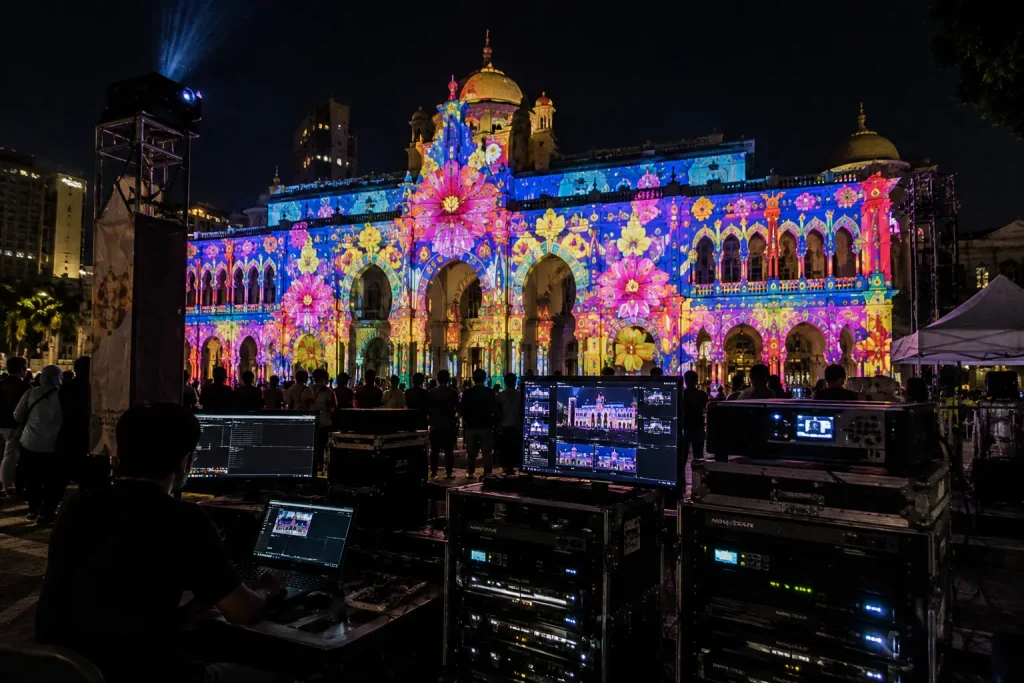
A projection mapping project normally combines physical measurement, projection equipment, mapping software and customised digital content.
The exact technical setup depends on the size of the surface, viewing distance, environment and creative objective.
1. Surface Measurement
The first step is understanding the physical projection surface.
Measurements, photographs, architectural drawings or 3D models can be used to determine the position and dimensions of important features.
For a building façade, these features may include:
- Windows
- Columns
- Doors
- Architectural Lines
- Wall Sections
- Decorative Features
Accurate surface information allows the visual content to be created according to the real structure.
2. Projector Planning
The projector configuration is planned according to the physical environment.
Important considerations include:
- Projection Surface Size
- Projection Distance
- Projector Brightness
- Ambient Lighting
- Surface Colour
- Viewing Distance
- Available Mounting Positions
- Indoor or Outdoor Conditions
A relatively small indoor projection may require only one projector, while a large building projection may require several high-brightness projectors working together.
3. Projection Mapping & Alignment
Specialised projection mapping software is used to align the digital visuals with the physical surface.
The projected image can be adjusted, warped and masked so individual sections correspond with specific areas of the structure.
For larger surfaces, several projectors may be combined to create one continuous visual canvas.
Techniques such as edge blending can help create a seamless transition between overlapping projected images.
4. Custom Projection Mapping Content
The visual content is then designed according to the projection surface and creative concept.
Content may include:
- 2D Motion Graphics
- 3D Animation
- Architectural Animation
- Brand Visuals
- Particle Effects
- Typography
- Cinematic Sequences
- Product Animation
- Sound-synchronised Visuals
Effective projection mapping content is not simply a normal corporate video projected onto a large surface.
The animation should use the geometry of the physical structure to create visual illusions and transformations.
Projection Mapping vs Normal Projection
Normal projection typically displays a rectangular image onto a flat projection screen or wall.
Projection mapping takes a different approach by designing the visual experience around the shape of the physical environment.
For example, instead of displaying a video in the centre of an event stage, projection mapping can use multiple stage panels as part of the animation.
Individual sections can appear to open, move, illuminate or transform while remaining physically stationary.
This creates the impression that the physical environment itself is changing.
Types of Projection Mapping
Projection mapping can be adapted to different environments, audience sizes and project objectives.
Some of the most common formats include:
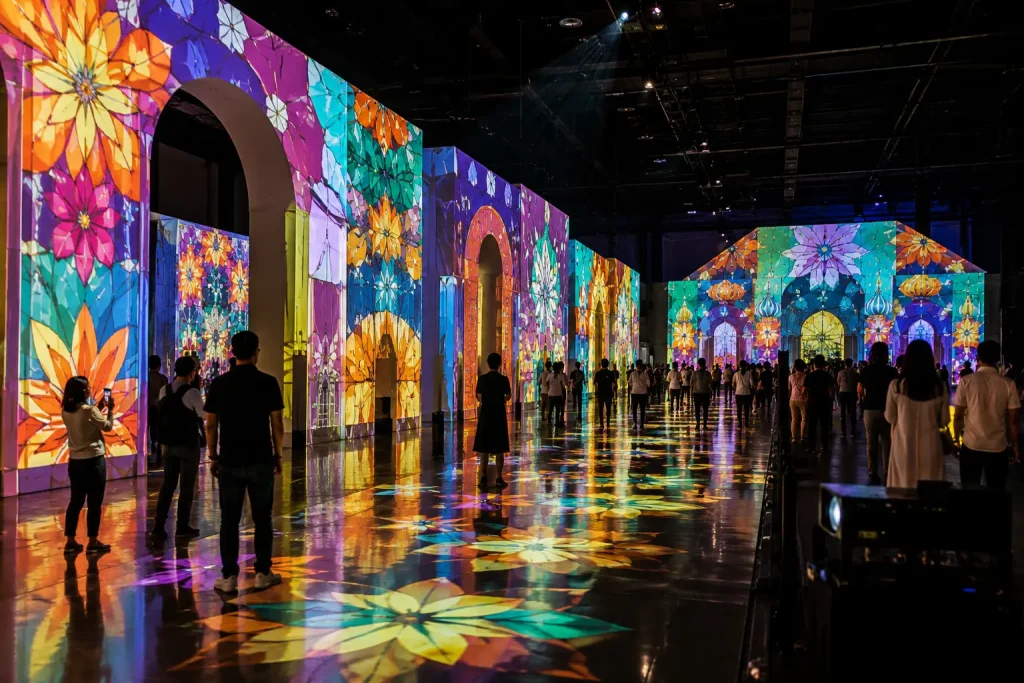
Building Projection Mapping
Building projection mapping transforms an architectural façade into a large-scale visual canvas.
It can be used for city celebrations, festivals, government events, tourism campaigns, anniversaries, public launches and large brand activations.
The animation can follow windows, columns and other architectural features to create the illusion that the building is moving or transforming.
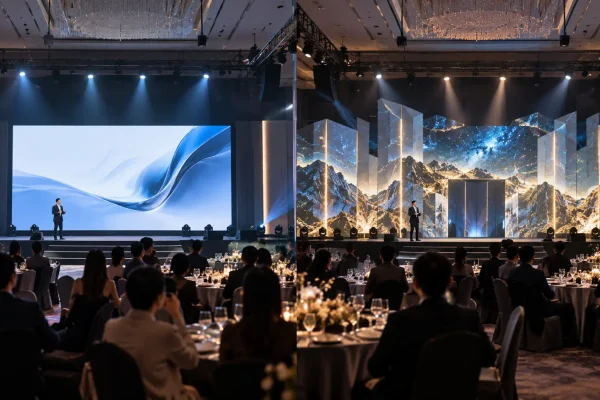
Stage Projection Mapping
Stage projection mapping integrates digital content with physical stage structures.
Instead of relying entirely on an LED screen, selected scenic panels, stage walls or custom structures can become part of the visual presentation.
This can be used for:
- Opening Ceremonies
- Corporate Events
- Award Shows
- Annual Dinners
- Conferences
- Product Launches
Product Projection Mapping
Projection mapping can also be applied directly onto physical products or objects.
Digital visuals can highlight specific product features, introduce different colours or materials, or create animated transformations across the object.
This approach can be particularly effective for product launches and experiential brand activations.
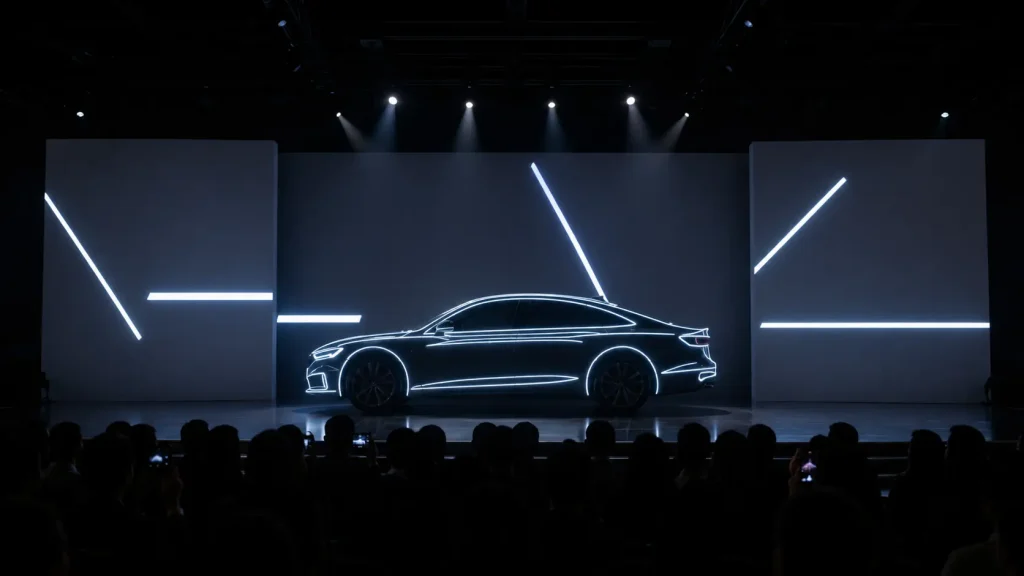
Vehicle Projection Mapping
Vehicles can be incorporated into projection mapping experiences where digital effects interact with the shape and surface of the car.
Visual sequences can highlight design lines, technology features and brand elements before transitioning into the physical vehicle reveal.
The projection can also be coordinated with lighting, audio and launch content to create a complete automotive launch experience.
Interactive Projection Mapping
Projection mapping can become interactive when cameras, motion tracking or sensors are added to the installation.
The system can detect visitor movement and allow projected visuals to respond in real time.
Interactive projection can be used for:
- Interactive Walls
- Interactive Floors
- Motion-controlled Games
- Visitor Experiences
- Museums
- Exhibitions
- Brand Activations
Immersive Projection
Immersive projection expands the experience across multiple surfaces instead of focusing on one projection area.
Walls, floors and surrounding surfaces can be combined to create a digital environment around the audience.
Possible configurations include:
- 180° Projection
- 270° Immersive Projection
- 360° Projection
- Multi-wall Projection
- Floor & Wall Projection
- Interactive Immersive Rooms
These environments can be used for exhibitions, training experiences, visitor centres, product presentations, museums and experiential marketing.
Projection Mapping for Corporate Events
Corporate events can use projection mapping to create a stronger visual impact during important moments of the programme.
Applications can include:
- Event Opening Shows
- Corporate Anniversary Content
- Brand Storytelling
- Award Presentation Sequences
- Product Reveals
- Launch Gimmicks
- Stage Transformation Effects
The projection content can also be synchronised with stage lighting, sound effects and physical actions to create a coordinated show sequence.
Projection Mapping for Product Launches
Product launches are particularly suitable for projection mapping because the technology can connect digital storytelling with the physical product reveal.
A launch sequence might begin with cinematic projection content before gradually introducing the product through animated visual effects.
Depending on the concept, projection mapping can be combined with:
- Physical Product Reveal
- Lighting Effects
- Laser Effects
- LED Content
- Touchscreen Product Exploration
- Interactive Sensors
- 3D Product Animation
This allows the launch experience to continue beyond the initial reveal and give guests additional ways to explore the product.
Building Projection Mapping in Malaysia
Building projection mapping is one of the most visually impactful applications of projection technology because an entire architectural façade can become part of the digital experience.
Instead of installing a conventional screen in front of the building, projection content is mapped directly onto selected architectural surfaces.
This allows windows, columns, walls and structural features to become part of the animation.
Building projection mapping can be suitable for:
- City Celebrations
- Government Events
- Festivals
- Tourism Campaigns
- Corporate Anniversaries
- Property Launches
- Brand Activations
- Public Opening Ceremonies
For large-scale projects, the building must first be assessed to determine the projection area, viewing direction, projector positions and surrounding lighting conditions.
Indoor vs Outdoor Projection Mapping
The technical requirements for indoor and outdoor projection mapping can be very different.
Indoor Projection Mapping
Indoor environments generally provide better control over ambient lighting, projector positions and viewing conditions.
Indoor applications can include:
- Corporate Events
- Annual Dinners
- Product Launches
- Exhibitions
- Museums
- Visitor Centres
- Immersive Rooms
Because the lighting environment can often be controlled, indoor projection may require less brightness than a large outdoor installation.
Outdoor Projection Mapping
Outdoor projection mapping requires additional technical planning because the installation may need to operate across longer projection distances and larger surfaces.
Important considerations can include:
- Building Size
- Projector Brightness
- Projection Distance
- Ambient Street Lighting
- Weather Protection
- Projector Structure
- Power Supply
- Public Viewing Area
- Equipment Security
For large outdoor projects, several high-brightness projectors may be combined to achieve sufficient coverage and visual impact.
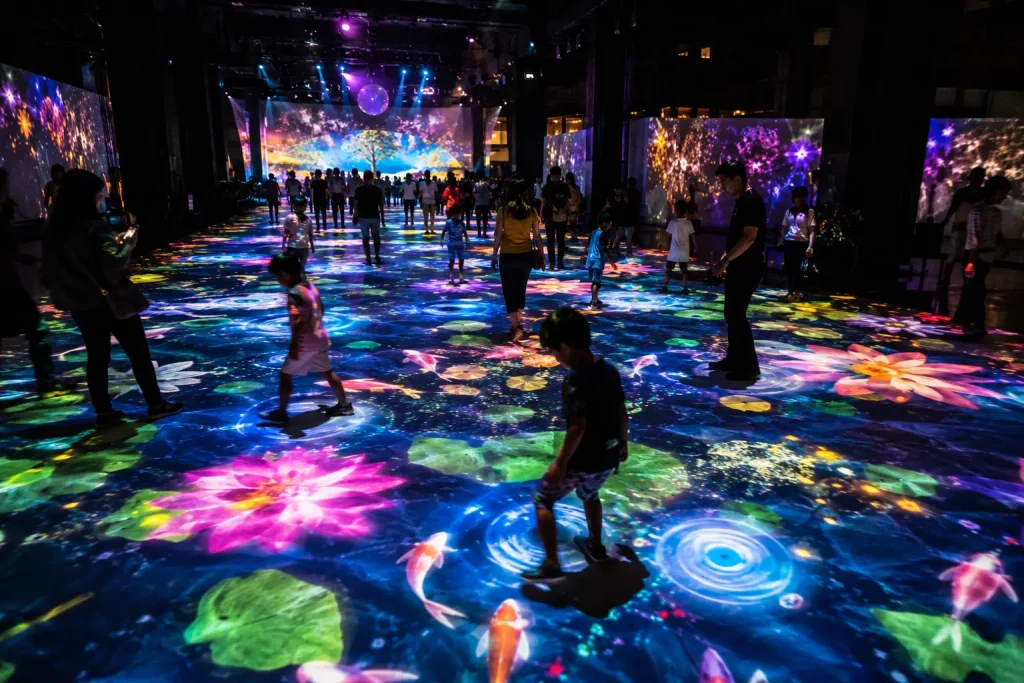
Interactive Floor Projection
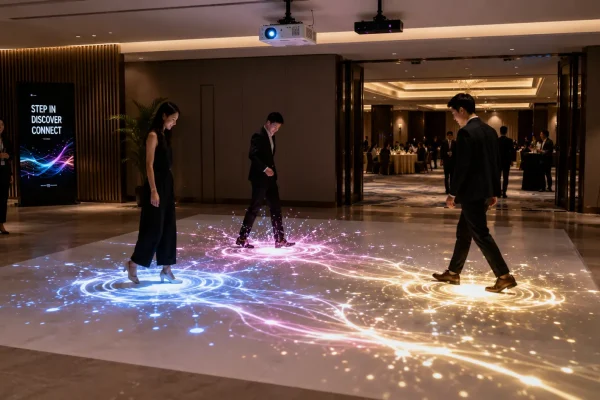
Projection mapping does not have to remain on walls or buildings.
Interactive Floor Projection Malaysia combines projection with motion tracking or sensors so that the digital content can respond when visitors move across the floor.
For example, participants may be able to:
- Move Digital Objects
- Create Visual Trails
- Trigger Animated Effects
- Reveal Information
- Play Interactive Games
- Generate Virtual Energy
- Interact with Branded Content
This type of experience can be used for exhibitions, corporate events, shopping malls, museums, visitor attractions and permanent interactive installations.
The experience can also be designed around a specific message rather than functioning purely as entertainment.
For example, an energy-related exhibition could allow visitors to walk across an interactive floor while the system visualises how much virtual energy their movement generates.
Interactive Wall Projection
Interactive wall projection uses cameras, motion tracking or other sensors to detect participants in front of a projected surface.
The visuals can then respond according to movement, position or interaction.
Possible applications include:
- Interactive Brand Walls
- Digital Art Installations
- Motion-controlled Games
- Educational Experiences
- Interactive Storytelling
- Museum Installations
- Visitor Centre Experiences
Unlike a touchscreen, participants may not need to physically touch the wall.
This allows larger groups or wider interaction areas to become part of the experience.
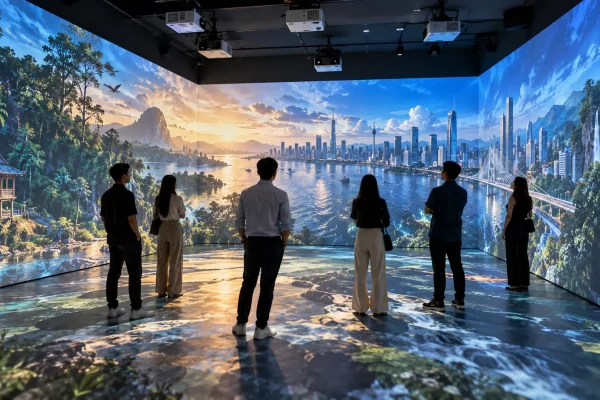
Immersive Projection Experiences
Immersive projection uses multiple projection surfaces to surround visitors with digital content.
Instead of viewing one screen from a distance, visitors enter an environment where the walls — and sometimes the floor — become part of the visual experience.
Common configurations include:
- 180° Immersive Projection
- 270° Immersive Projection
- 360° Immersive Projection
- Three-wall Projection
- Wall & Floor Projection
- Interactive Immersive Rooms
Immersive projection can be used for:
- Corporate Storytelling
- Training Programmes
- Product Presentations
- Museums
- Visitor Centres
- Property Experiences
- Brand Activations
- Exhibitions
The content can transition between different environments without physically rebuilding the room.
For example, the same space could move from a city environment to a factory, natural landscape or futuristic digital world through content alone.
What Equipment Is Required for Projection Mapping?
The equipment required depends on the scale and complexity of the project.
A typical projection mapping system may include:
- High-brightness Projectors
- Projection Lenses
- Media Server or Playback Computer
- Projection Mapping Software
- Video Distribution Equipment
- Mounting Structures
- Signal Cabling
- Power Distribution
- Audio System
- Interactive Sensors where required
Large-scale installations may require multiple projectors and additional media server outputs to create one continuous projection surface.
How Many Projectors Are Needed?
There is no fixed number of projectors required for projection mapping.
The quantity depends on factors such as:
- Surface Width & Height
- Required Brightness
- Available Projection Distance
- Projector Model
- Lens Selection
- Surface Geometry
- Viewing Area
- Content Resolution
A small indoor installation might operate with one projector, while a large architectural façade may require multiple projectors positioned across different projection zones.
In some projects, projectors may also be stacked to increase brightness on the same projection area.
What Is Edge Blending?
When multiple projectors are used to create one large image, their projected areas may overlap.
Edge blending adjusts these overlapping areas so the audience sees one continuous image instead of obvious boundaries between individual projectors.
This is particularly important for:
- Large Building Projection
- Wide Stage Projection
- Panoramic Projection
- 270° Immersive Rooms
- Multi-wall Installations
Accurate alignment and blending help maintain visual consistency across the complete projection surface.
Projection Mapping Content Production
Projection mapping content should normally be developed after the projection surface has been confirmed.
The creative team can use photographs, measurements, architectural drawings or 3D models as references when designing the animation.
The content production process may involve:
- Creative Concept Development
- Storyboard
- Styleframes
- 2D Motion Graphics
- 3D Animation
- Architectural Animation
- Sound Design
- Music Synchronisation
- Technical Mapping Tests
- Final Content Rendering
For architectural projection, the animation can be designed around specific structural features.
For example, sections of a façade can visually separate, windows can illuminate sequentially or architectural lines can become part of animated transitions.
This surface-specific approach is what creates the illusion commonly associated with 3D projection mapping.
Do You Need 3D Animation for Projection Mapping?
Not every projection mapping project requires full 3D animation.
The content style depends on the creative objective, available budget and projection surface.
A project may use:
- 2D Motion Graphics
- 2.5D Animation
- 3D Animation
- Video Footage
- Graphic Design
- Particle Effects
- Typography
- A Combination of Different Techniques
Full 3D animation can be particularly useful when the objective is to create architectural transformations, depth illusions or cinematic sequences.
Projection Mapping Site Survey
A site survey is an important stage for many Projection Mapping Malaysia projects.
The technical team can assess the actual environment before finalising the projection configuration.
During a site survey, the team may evaluate:
- Projection Surface Dimensions
- Possible Projector Locations
- Projection Distance
- Ambient Lighting
- Power Availability
- Rigging or Structure Requirements
- Audience Viewing Direction
- Equipment Access
- Weather Exposure
- Installation Restrictions
For outdoor installations, additional coordination may be required with the venue, building management or relevant authorities depending on the location and project requirements.
Projection Mapping Project Workflow
A professional projection mapping project normally moves through several creative and technical stages.
Step 1 — Project Brief
The project begins by understanding the event, location, audience, creative objective and required projection area.
Step 2 — Site Assessment
The projection surface and technical environment are measured and evaluated.
Step 3 — Technical Planning
The projector quantity, brightness, lenses, positions, media server and supporting equipment are planned.
Step 4 — Creative Concept
The visual direction and storytelling approach are developed according to the project objective.
Step 5 — Content Production
2D or 3D projection mapping content is produced according to the actual surface dimensions.
Step 6 — Installation & Mapping
Projectors and technical equipment are installed before the visuals are aligned with the physical surface.
Step 7 — Testing & Rehearsal
The complete projection sequence is tested together with other event elements such as audio, lighting and physical show cues.
Step 8 — Live Operation
The technical team operates and monitors the projection system during the actual event or experience.
What Affects Projection Mapping Cost in Malaysia?
The cost of a projection mapping project can vary significantly because each installation has different technical and creative requirements.
Major cost factors include:
- Projection Surface Size
- Number of Projectors
- Projector Brightness
- Projection Distance & Lens Requirements
- Content Complexity
- 2D or 3D Animation Requirements
- Media Server Requirements
- Interactive Sensors
- Installation Structures
- Event Duration
- Venue Location
- Technical Crew
- Testing & Rehearsal Requirements
A small indoor product mapping installation and a large outdoor building projection therefore require very different budgets.
Instead of estimating projection mapping purely according to duration, it is more accurate to evaluate the complete projection area, environment, equipment and content requirements.
Request a Free Consultation
Looking for Interactive Maps, Interactive Solutions or Event Technology?

LATEST POSTS