
Interactive Experience Centre Malaysia
An interactive experience centre transforms corporate information, products and technology into a physical environment that visitors can explore instead of simply viewing presentation slides, posters or conventional displays.
MyDigital Asia develops interactive experience centres in Malaysia by combining physical exhibits, touchscreens, interactive applications, projection, digital content, physical models and immersive technology into one connected visitor journey.
The objective is not to install as many screens as possible. It is to help customers, partners, investors and other visitors understand what an organisation does through experiences that are visual, physical and easy to explore.
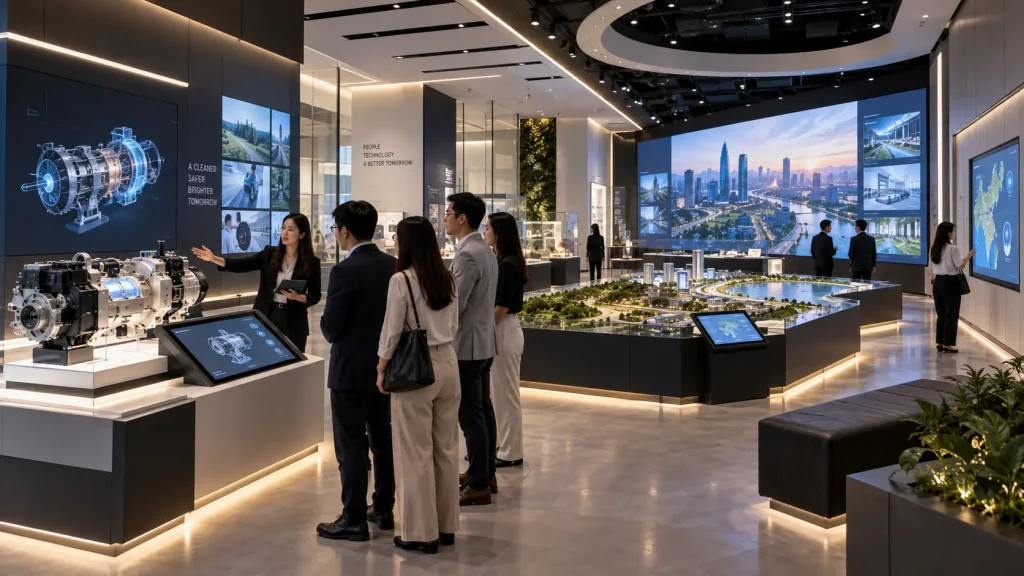
Interactive Experience Centre at a Glance
| Business Requirement | Possible Experience |
|---|---|
| Introduce the Company | Interactive corporate story, milestones or capability overview |
| Explain Products | Physical product with interactive digital information |
| Show Large Projects | Interactive map, physical model or project visualisation |
| Explain a Process | Interactive animation, simulation or process visualisation |
| Present Data | Interactive dashboards, maps and visual storytelling |
| Create Impact | Immersive projection, interactive wall or digital environment |
What Is an Interactive Experience Centre?
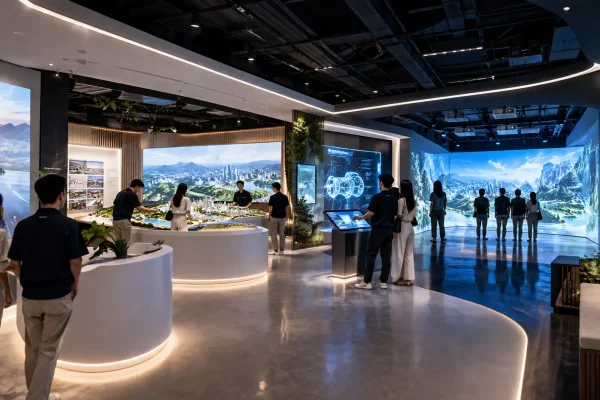
An interactive experience centre is a permanent or long-term physical space designed around how visitors discover and understand an organisation.
Unlike a conventional showroom where products and screens may operate independently, an experience centre can connect different physical and digital elements into a structured journey.
For example, a visitor may begin with an interactive introduction to the company, explore a physical model showing major projects, select a product to reveal technical information and then enter an immersive presentation area showing how the company’s technology works in the real world.
The experience becomes:
Introduction → Exploration → Demonstration → Understanding → Conversation
Who Uses an Interactive Experience Centre?
Experience centres can be developed for organisations that need to communicate complex products, projects or capabilities to visitors.
Common applications include:
- Corporate headquarters
- Property developers
- Manufacturing companies
- Technology companies
- Infrastructure organisations
- Government agencies
- Utilities and energy companies
- Education and research institutions
- Brand showrooms
- Innovation centres
The visitor journey and technology should change according to the organisation rather than following one standard showroom template.
Corporate Experience Centres
Corporate organisations often need to explain more than a single product.
The experience may need to communicate company history, business divisions, capabilities, locations, achievements, technology and future direction within the same space.
Instead of placing this information across multiple wall panels, selected content can become interactive.
For example, visitors could explore the organisation’s regional presence through an interactive map, select business divisions on a touchscreen or view major milestones through a digital timeline.
More important information can then lead into larger physical or immersive experiences.
Experience Centres for Property Developers
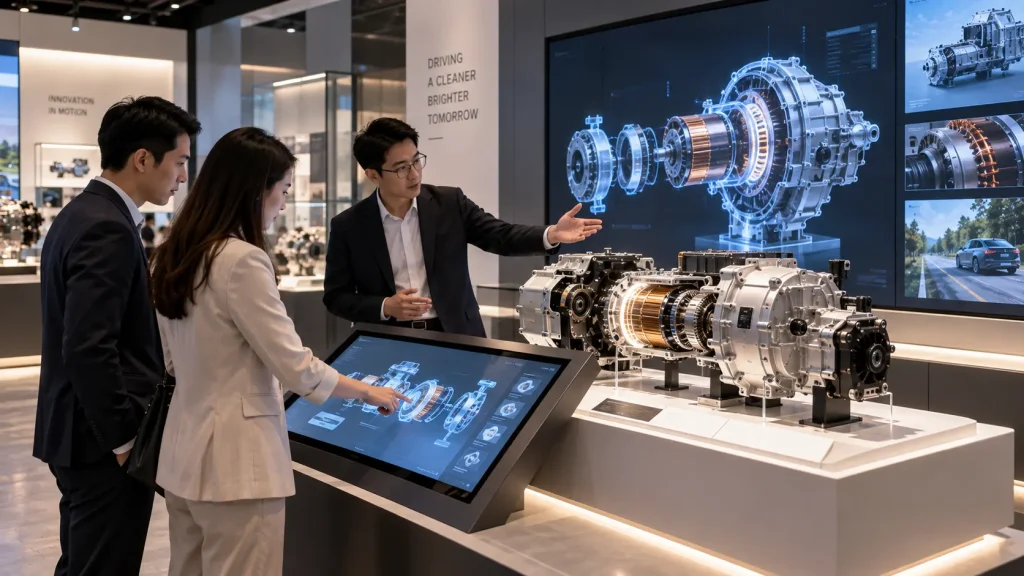
Property developments are difficult to understand from plans and brochures alone, particularly when the project covers a large masterplan.
An interactive property experience centre can combine:
- Physical scale model
- Interactive masterplan
- Unit or development explorer
- Location map
- Infrastructure visualisation
- 3D animation
- Immersive presentation
For example, a visitor could select a development zone on an interactive screen.
The corresponding location on the real physical model could illuminate while a larger display presents the surrounding facilities, connectivity and development information.
This creates a clear relationship between:
Digital Selection → Physical Location → Detailed Information
Experience Centres for Manufacturing and Industrial Companies
Manufacturing companies often need to explain processes that visitors cannot easily see during a conventional presentation.
An interactive experience centre can visualise:
- Manufacturing processes
- Production lines
- Internal machine operation
- Product components
- Quality control
- Supply chains
- Automation systems
- Research and development
A real physical product or component can remain on display while digital animation reveals what happens inside it.
This is particularly useful when equipment is too large, too complex or unsafe to demonstrate directly to every visitor.
Technology and Innovation Experience Centres
Technology companies frequently need to explain systems that are largely invisible.
Networks, software platforms, data systems, AI, cloud infrastructure and digital services can be difficult to communicate through physical exhibits alone.
Interactive visualisation can turn these abstract systems into understandable relationships.
Visitors might trigger a process, follow data moving through a system or explore how different technologies connect to create a complete solution.
The goal is not to make the technology look artificially futuristic. The visual experience should help visitors understand how the real system works.
Interactive Touchscreens
Touchscreens can provide visitors with access to detailed information without filling the physical environment with text.
Applications may include:
- Corporate profiles
- Product catalogues
- Interactive timelines
- Project portfolios
- Product configurators
- Technical specifications
- Maps
- Videos and animation
Touchscreens are most effective when they support a specific stage of the visitor journey rather than being used as digital replacements for brochures.
Physical Products with Digital Interaction
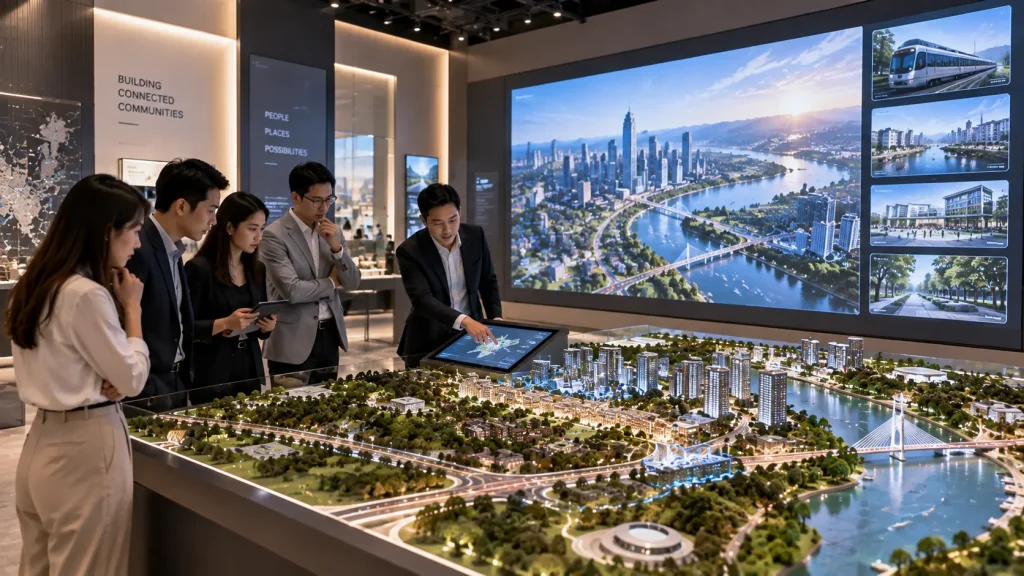
A physical product often remains the strongest way to show what a company actually produces.
Digital technology can make that product easier to understand.
For example, a visitor could select a component on a nearby touchscreen and see the corresponding physical area highlighted while an animation explains its function.
Another approach may use object detection or sensors so placing a sample product in a designated area automatically triggers related digital content.
The relationship should remain clear:
Real Product → Visitor Action → Relevant Digital Explanation
Interactive Physical Models
Physical models are useful when the subject involves geography, infrastructure, architecture or complex physical systems.
Instead of leaving the model as a static display, digital interaction can connect it with additional information.
Possible applications include:
- Property masterplans
- Smart cities
- Transport networks
- Industrial facilities
- Energy infrastructure
- Campus developments
A touchscreen or interactive map can control lighting, projection or selected highlights on the physical model while supporting content appears on a nearby display.
Interactive Walls
An interactive wall can provide a larger shared experience than an individual touchscreen.
Visitors may touch, move or gesture to explore company capabilities, products, data or visual content.
Because several people can observe the experience together, interactive walls can work well during guided corporate visits where a presenter is explaining the content to a group.
Immersive Rooms Inside an Experience Centre
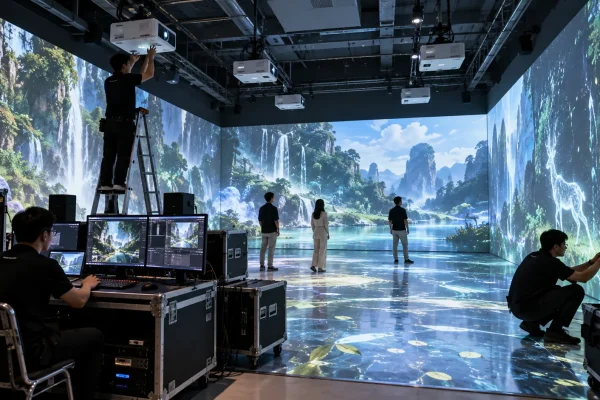
An experience centre may include a dedicated immersive room for content that benefits from a larger visual environment.
For example, visitors could enter a multi-wall environment to experience a future development, industrial process, infrastructure network or corporate vision.
The immersive room can operate as one chapter of the wider visitor journey rather than becoming the entire experience centre.
See Immersive Room Malaysia for more detail about room configurations and interactive options.
Interactive Maps and Data Visualisation
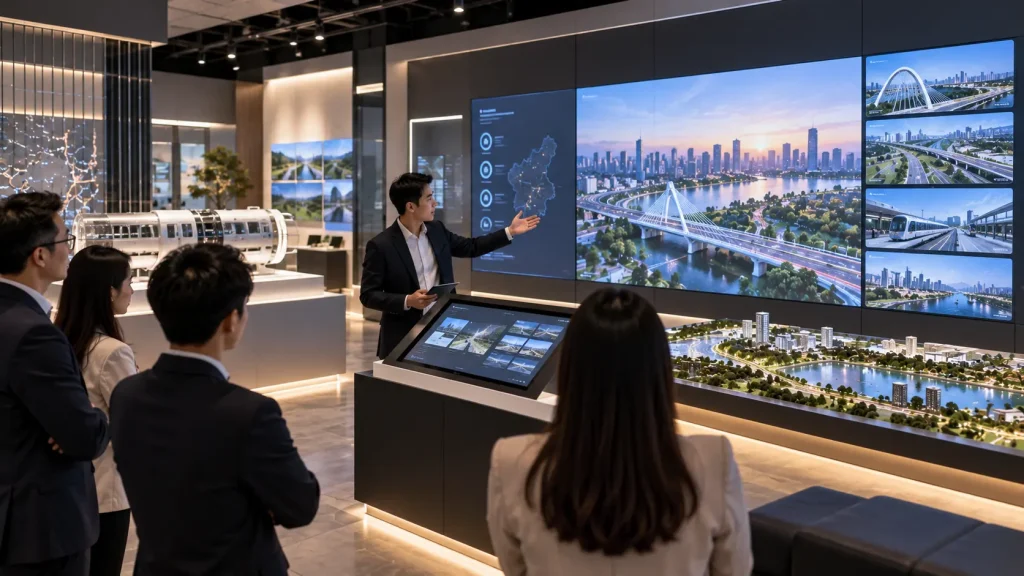
Organisations with multiple locations, projects or data points can use interactive maps to make complex information easier to explore.
A visitor could select a state, facility, project or region and reveal related information without displaying everything simultaneously.
Data can also be presented through visual storytelling rather than conventional spreadsheets and charts.
The objective is to help visitors see relationships and patterns rather than simply presenting more numbers.
Can Different Systems Work Together?
Yes. One of the advantages of an experience centre is that multiple systems can be connected.
For example:
Touchscreen Selection → Physical Model Highlight → Large Display Visualisation
or:
Physical Product Detection → Product Animation → Technical Information
or:
Interactive Map → Project Selection → Immersive Presentation
This creates a more coherent experience than installing several independent screens that visitors use separately.
Guided vs Self-Guided Experience Centres
Not every experience centre is used in the same way.
| Guided Experience | Self-Guided Experience |
|---|---|
| A host leads visitors through the space | Visitors explore independently |
| Useful for VIP and corporate visits | Useful for public-facing spaces |
| Technology can support presentations | Interfaces need clearer self-explanation |
| Journey can follow a controlled sequence | Visitors may enter content in different orders |
Some experience centres support both modes.
A corporate host may control selected content during an official visit, while individual touchscreens and interactive exhibits remain available for visitors to explore independently.
How Should the Visitor Journey Be Planned?
Technology should be selected after the purpose of each stage is understood.
A typical experience centre journey might be:
Welcome → Company Story → Capabilities → Products → Major Projects → Future Vision → Discussion
Not every section needs a separate screen or interactive system.
Some areas may remain physical and quiet, while important subjects receive deeper interactive or immersive treatment.
This approach is part of a wider immersive experience strategy where physical space, content and technology are designed as one visitor journey.
Can an Existing Space Be Converted into an Interactive Experience Centre?
Yes. An interactive experience centre does not always require a completely new building or major renovation.
Existing showrooms, corporate galleries, meeting areas and underused spaces can often be upgraded by identifying where physical exhibits and digital experiences create the greatest value.
Depending on the existing environment, an upgrade may include:
- Interactive touchscreens
- Physical product displays
- Interactive walls
- Digital timelines
- Interactive maps
- Projection surfaces
- Physical models
- A dedicated immersive experience zone
The existing architecture should be reviewed before the technology is selected. Ceiling height, lighting, power, wall construction, visitor circulation and available technical spaces can all influence the final solution.
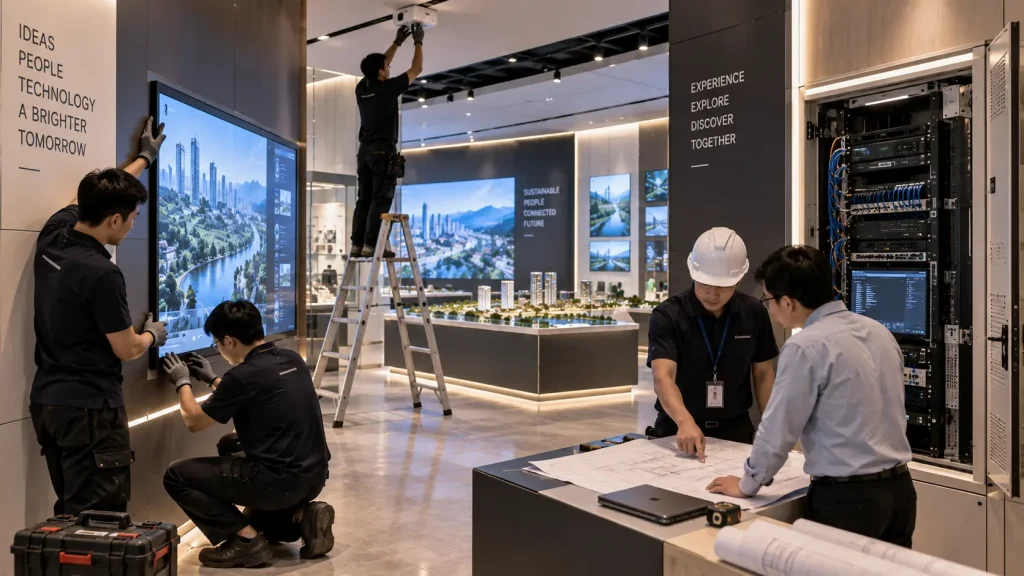
How Should Technology Be Integrated into the Interior Design?
A permanent experience centre should not look like a collection of equipment placed inside a completed room.
Technology should be coordinated with the interior and exhibition design from an early stage.
For example, touchscreen displays can be integrated flush into fabricated walls or furniture, while computers and control equipment can be placed inside ventilated technical compartments.
Projectors, sensors and speakers can also be positioned so they perform correctly without unnecessarily dominating the visitor environment.
Early coordination can help plan:
- Screen dimensions and mounting
- Projector positions
- Sensor locations
- Power outlets
- Data connections
- Cable routes
- Equipment ventilation
- Maintenance access
- Control areas
This is particularly important when the experience centre is being developed together with an architect, interior designer or fit-out contractor.
Can the Experience Centre Be Controlled by a Presenter?
Yes. A guided experience centre can include a central control interface that allows a host or presenter to trigger selected content during a corporate visit.
For example, a presenter may select a project on a control screen and trigger several connected responses:
Presenter Selection → Physical Model Highlight → Main Display Content → Supporting Visuals
This can make presentations more fluid because the host does not need to operate each display independently.
Different presentation sequences can also be prepared for different visitor groups where required.
Can Visitors Explore the Centre Without a Guide?
Yes. Self-guided experiences can be designed with clear interfaces and simple interaction logic so visitors can explore independently.
The system may return automatically to an attract or home state after a period of inactivity, ready for the next visitor.
For public-facing or frequently visited centres, it is useful to avoid interactions that require staff to reset the system after every user.
A hybrid approach can also work well: major presentations are controlled by a host, while individual exhibits remain available for self-guided exploration.
Can the System Operate Offline?
Yes. Many permanent interactive applications can operate locally without continuous internet access.
Touchscreen applications, interactive maps, media playback, projection content and sensor-based experiences can run from local computers or media systems.
This can improve operational reliability when the experience does not require live online information.
Internet connectivity may still be needed for functions such as:
- Cloud-based content
- Live dashboards
- Remote databases
- Online registration
- Remote monitoring
- External API integrations
The network requirement should therefore be determined according to the actual experience rather than assuming every installation must remain online.
How Is Content Managed?
A permanent experience centre may need content updates after launch.
Products change, projects are completed, corporate information evolves and new campaigns may need to be introduced.
Depending on the system, selected content can be structured for future updates, including:
- Images
- Videos
- Project information
- Product information
- Locations
- Languages
- Selected text and media
Not every part of an interactive application needs a full content management system. The update method should match how frequently the information is expected to change.
More complex changes involving animation, interaction logic or new features may still require software or content development.
Can an Experience Centre Support Multiple Languages?
Yes. Digital experiences can support multiple language options where required.
This can be particularly useful for corporate headquarters, government organisations and visitor-facing centres that receive both local and international guests.
Language selection can be provided at the beginning of an individual touchscreen experience or controlled by the presenter for a guided visit.
Audio, subtitles and selected immersive content can also be prepared in multiple languages according to the project scope.
Daily Operation of an Experience Centre
A permanent installation should be designed for practical daily operation, not only for the launch day.
Depending on the project, the system may include simplified startup and shutdown procedures so staff do not need to manually operate every computer and display.
Daily operation may consider:
- System startup and shutdown
- Automatic application launch
- Default attract screens
- Volume control
- Presenter controls
- System reset
- Power recovery
- Basic troubleshooting
The appropriate level of automation depends on the size and complexity of the experience centre.
What Hardware Is Suitable for Permanent Installation?
Permanent installations have different requirements from short-term event equipment.
Hardware should be selected according to operating hours, environment, accessibility and expected visitor usage.
Depending on the experience, the system may use:
- Commercial displays
- Touchscreen systems
- Projection systems
- Local computers
- Media servers
- Tracking sensors
- Audio equipment
- Network equipment
- Control systems
Equipment should also be installed with sufficient ventilation and practical service access.
The objective is not simply to hide every piece of hardware. It is to integrate the equipment cleanly while ensuring technicians can still maintain or replace components when necessary.
Maintenance and Technical Support
Interactive experience centres may operate for years, so maintenance should be considered during the design stage.
Typical maintenance considerations include:
- Touchscreen and display inspection
- Computer and playback system health
- Projector alignment
- Sensor positioning
- Software updates
- Network connectivity
- Equipment cleaning
- Content updates
For larger systems, technical documentation can record equipment locations, network configuration, software versions and startup procedures.
This makes future troubleshooting and component replacement more manageable.
Can the Experience Centre Be Expanded Later?
Yes. Where future expansion is expected, the system architecture can be planned so additional experiences can be added later.
For example, a company may begin with:
Corporate Story + Interactive Product Explorer + Physical Model
and later add:
Immersive Room + Interactive Wall + New Product Experience
Planning future power, network capacity, technical spaces and software structure during the initial project can make later expansion easier.
How Much Does an Interactive Experience Centre Cost in Malaysia?
There is no fixed price because an experience centre can range from a focused interactive showroom to a large multi-zone corporate experience centre.
Major cost factors include:
- Size of the experience centre
- Number of interactive zones
- Touchscreens and displays
- Physical models and exhibits
- Projection and immersive systems
- Sensors and tracking technology
- Custom software development
- 2D and 3D content production
- Audio systems
- Interior and exhibition integration
- System control
- Installation and commissioning
- Long-term support requirements
The physical size of the centre alone does not determine the budget.
A smaller space containing several custom interactive systems may require more technology development than a larger space using primarily passive displays.
For broader budgeting considerations, see our Immersive Experience Cost Malaysia guide.
How Can the Budget Be Prioritised?
It is not necessary to make every wall and every exhibit interactive.
A practical approach is to identify the moments where technology contributes most to visitor understanding.
| Experience Zone | Possible Priority |
|---|---|
| Welcome | Strong visual introduction without excessive interaction |
| Company Story | Interactive timeline or map where deeper exploration is useful |
| Product Zone | Physical product connected to digital explanation |
| Project Zone | Interactive model, map or visualisation |
| Hero Experience | One high-impact immersive or interactive installation |
This creates a varied visitor journey while concentrating investment on the experiences that communicate the most important information.
Interactive Experience Centre Project Process
A typical project can follow these stages:
- Business & Content Review – Understand what the organisation needs visitors to learn.
- Visitor Journey – Define how different visitor groups should move through the centre.
- Experience Concept – Determine the role of physical exhibits, digital content and interaction.
- Spatial Planning – Coordinate experience zones with the interior layout.
- Technical Design – Plan displays, projectors, sensors, computers, control and infrastructure.
- Content & Software Development – Produce interactive applications, animation and visual content.
- Fabrication & Integration – Integrate technology with the physical environment.
- Installation & Commissioning – Install, calibrate and test the complete system.
- Training & Handover – Prepare the client’s team for daily operation where required.
For permanent installations, involving the technology team before interior fabrication begins can reduce modifications and improve the final integration.
What Information Is Needed for a Proposal?
Useful information for an initial proposal includes:
- Purpose of the experience centre
- Target visitor groups
- Floor plan and dimensions
- Existing or proposed interior design
- Products, projects or information to be presented
- Available videos, images and 3D assets
- Required languages
- Guided or self-guided visitor journey
- Preferred interactive ideas or references
- Project timeline
- Estimated budget range
If the interior has not yet been designed, the visitor journey and technology requirements can be developed first so the physical environment is planned around the experience.
Why MyDigital Asia?
MyDigital Asia develops interactive experience centres by combining physical environments, digital content, software and interactive technology into one connected visitor journey.
Depending on the project, our scope can include:
- Experience concept and visitor journey
- Interactive touchscreen applications
- Interactive maps and timelines
- Physical product integration
- Interactive physical models
- Interactive walls and floors
- Projection mapping
- Immersive rooms
- Motion tracking and sensors
- 2D and 3D animation
- System control
- Installation and commissioning
The objective is to build an experience that helps visitors understand the organisation rather than simply surrounding them with technology.
Frequently Asked Questions
Can you upgrade an existing corporate showroom?
Yes. Existing showrooms and corporate spaces can often be upgraded selectively with interactive displays, physical-digital exhibits, projection and other experience technologies without rebuilding the entire space.
Can one system control multiple displays and experiences?
Yes. Where appropriate, a control interface can trigger connected content across multiple systems so a presenter can guide visitors through the experience more smoothly.
Can the experience centre operate without internet?
Many applications can operate locally without continuous internet access. Online connectivity is mainly required when the experience depends on cloud services, live data or external systems.
Can we update products and project information later?
Yes. Selected content can be designed for future updates. More substantial changes involving interaction logic, animation or new functionality may require additional development.
Do we need a technician to operate the centre every day?
Not necessarily. Permanent systems can be designed with simplified startup, shutdown and presenter controls so normal daily operation can be handled by the client’s team.
Can the experience centre be expanded in the future?
Yes. Future expansion can be considered during the initial technical planning so additional displays, interactive zones or immersive experiences can be integrated later.
Create an Interactive Experience Centre in Malaysia
An effective experience centre should make a company’s products, capabilities and projects easier to understand.
The technology should support that objective through a visitor journey that connects physical products, digital information and interactive experiences.
MyDigital Asia can support the project from experience planning and software development through digital content, interactive technology, system integration and permanent installation.
Contact MyDigital Asia with your floor plan, target visitors, project objective and timeline to discuss an interactive experience centre in Malaysia.
Related Immersive Experience Guides
- Immersive Experience Malaysia
- Immersive Room Malaysia
- Immersive Exhibition Malaysia
- Immersive Museum Malaysia
- Immersive Experience for Visitor Centres
- Immersive Brand Experience Malaysia
- Immersive Technology for Events
- Immersive Experience Cost Malaysia
- How to Design an Immersive Experience
Request a Free Consultation
Looking for Interactive Maps, Interactive Solutions or Event Technology?

LATEST POSTS