
Interactive Installations for Museums & Galleries in Malaysia
Museums and galleries contain stories that cannot always be communicated through physical objects and information panels alone.
An artefact may have an important history that is invisible to the visitor. A machine may no longer be safe to operate. An archaeological site may no longer exist in its original form. A scientific process may be impossible to demonstrate physically inside the gallery.
A museum interactive installation can help reveal these additional layers through touchscreens, digital reconstructions, animation, sensors, projection, interactive games and other forms of digital media.
The objective, however, should not be to make every exhibit digital.
Technology works best when it helps visitors understand, explore or experience something that the physical exhibit cannot communicate by itself.
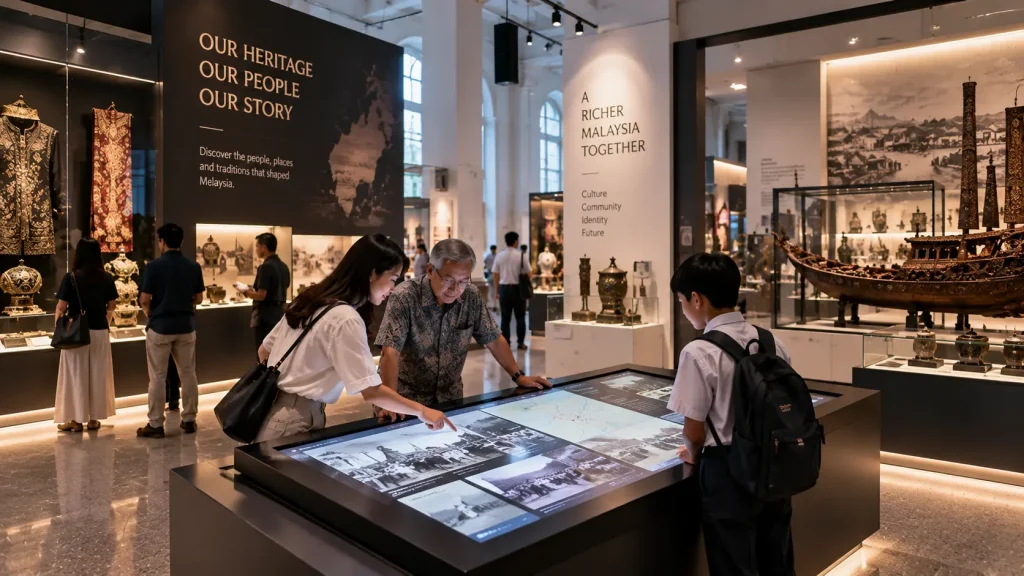
Museum Interactive Technology at a Glance
| Exhibit Requirement | Possible Interactive Approach |
|---|---|
| Explore additional information about an artefact | Touchscreen or interactive digital label |
| See how an object originally looked | 3D reconstruction or animation |
| Understand a historical location | Interactive map or digital reconstruction |
| Explain a scientific process | Interactive simulation or visualisation |
| Engage children through participation | Interactive game or sensor-based activity |
| Create environmental storytelling | Projection, sound and immersive media |
| Allow visitors to explore large archives | Searchable touchscreen experience |
Start With the Exhibit, Not the Screen
Interactive museum design should begin with the object, story or learning objective.
Before deciding on a touchscreen, projector or sensor, ask:
- What should visitors understand from this exhibit?
- What information is difficult to communicate physically?
- Should visitors observe, explore, experiment or participate?
- How long are they likely to spend at this exhibit?
- Will individuals or groups use it?
- Does the technology need to accommodate children?
- Should the physical artefact remain the main focus?
This helps determine whether digital interaction genuinely contributes to the exhibit.
In some cases, the best solution may be a touchscreen. In others, a subtle projection, physical control or simple animation may communicate the story more effectively.
1. Interactive Artefact Explorer
Many museum objects have stories that cannot be seen by looking at the object alone.
A nearby digital experience can allow visitors to investigate an artefact in greater detail without physically handling the original.
Visitors might be able to:
- Rotate a digital 3D version of the object
- Zoom into small details
- Reveal internal structures
- Compare the object before and after restoration
- Explore how it was manufactured
- View related photographs or documents
- Listen to audio explanations
The physical artefact should still remain visually important. The digital interface supports the object rather than becoming an unrelated attraction beside it.
2. Digital Reconstruction of History
Historical environments often no longer exist in the form visitors are learning about.
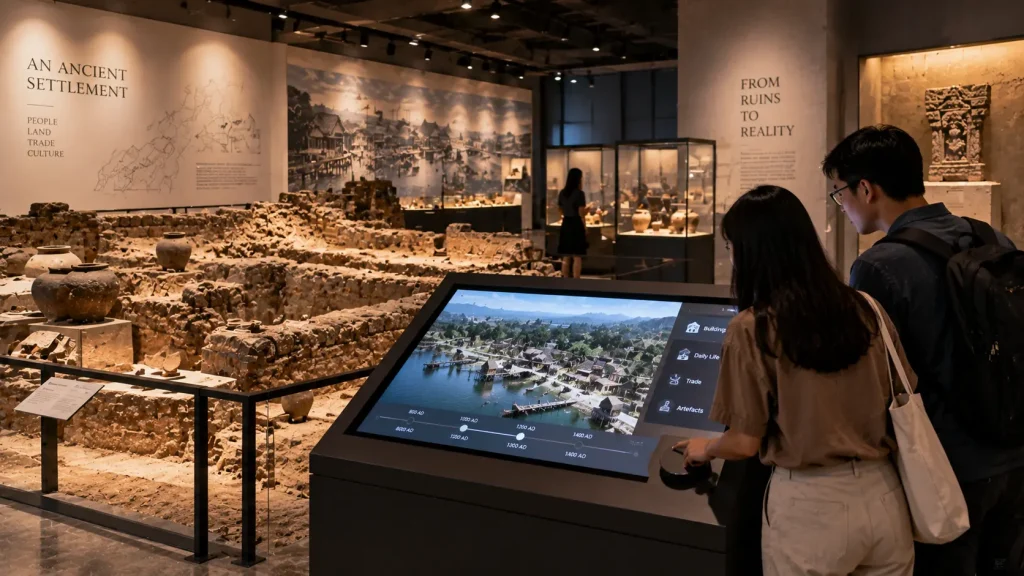
Digital reconstruction can help visitors understand how a building, settlement, landscape or historical location may have appeared during a particular period.
For example, a touchscreen could show a present-day archaeological site and allow visitors to explore a reconstructed 3D version of the same location.
Animation can also demonstrate how structures were built, how communities used a space or how a location changed over time.
Where reconstruction involves interpretation rather than confirmed historical evidence, the content should clearly distinguish between documented information and visual interpretation.
3. Interactive Historical Maps
Maps can help visitors understand how places changed over time, but presenting several historical maps on one wall can quickly become visually overwhelming.
An interactive map allows visitors to select a year, location or topic and reveal the relevant information.
Possible functions include:
- Comparing historical and modern maps
- Exploring migration or trade routes
- Viewing the development of a city
- Selecting important historical locations
- Exploring geographical change
- Displaying related photographs and archive material
For larger mapping projects, see our interactive maps Malaysia guide.
4. Interactive Timelines
A timeline is another area where digital interaction can prevent information overload.
Instead of displaying dozens of events simultaneously, visitors can move through time and select the periods they want to explore.
Historical photographs, videos, documents, audio and animation can be connected to individual milestones.
This approach can be useful for:
- National and local history
- Institutional history
- Biographical exhibitions
- Scientific discoveries
- Industrial development
- Cultural movements
The interface should remain simple enough that visitors understand how to navigate it immediately.
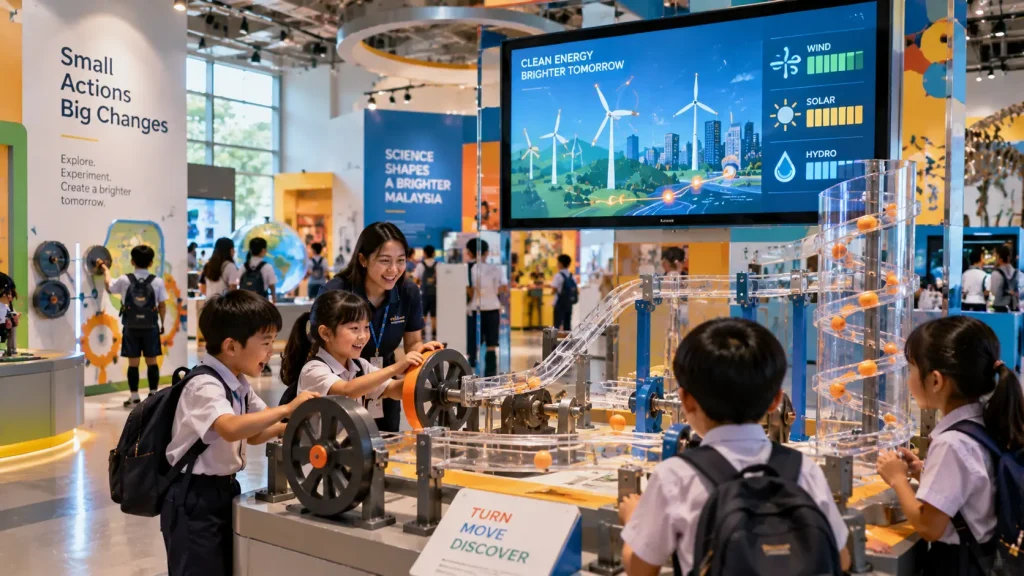
5. Science and Discovery Exhibits
Science museums and educational galleries often benefit from a different type of interaction.
Instead of simply presenting information, visitors can experiment with a digital simulation and observe the result.
For example, an exhibit might allow visitors to adjust:
- Force
- Speed
- Temperature
- Energy
- Environmental conditions
- Mechanical variables
The system then visualises how the outcome changes.
This turns an abstract concept into something visitors can explore through cause and effect.
6. Interactive Experiences for Children
Children’s museum experiences usually require a different interaction design from adult information displays.
Instructions should be shorter, interaction zones larger and feedback more immediate.
Possible experiences include:
- Digital colouring activities
- Object matching games
- Movement-based learning games
- Interactive puzzles
- Touch-and-discover activities
- Digital excavation or discovery games
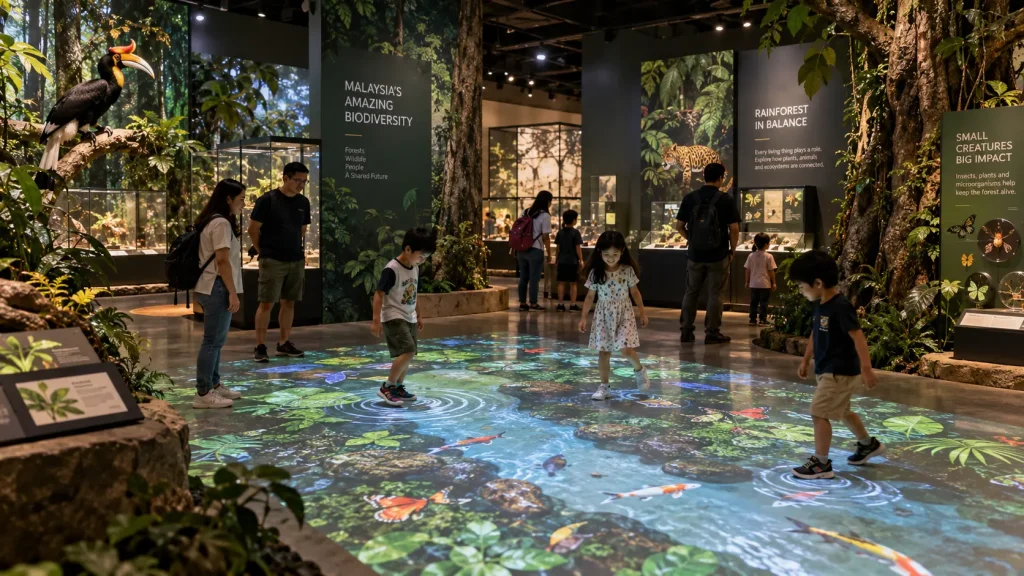
A natural history gallery, for example, could allow children to uncover virtual fossils, identify animals or interact with a digital ecosystem.
The activity can still communicate educational information while giving children a clear reason to participate.
7. Sensor-Based Museum Experiences
Not every museum interaction needs a touchscreen.
Motion and depth sensors can allow content to respond when visitors approach, move or gesture.
This can be useful when:
- The experience needs to accommodate groups
- Visitors should interact from a distance
- Touching shared equipment is undesirable
- Body movement is part of the learning activity
- The installation uses a large wall or projection surface
For example, visitors in a natural history exhibition could move in front of a large digital ecosystem and see animals respond to their position.
In a science gallery, body movement could be used to demonstrate balance, motion or energy.
For technical planning, see our sensor-based interactive installation guide.
8. Projection for Environmental Storytelling
Projection can extend digital content beyond a conventional rectangular screen.
It can be used to transform walls, physical scenery or exhibition surfaces into part of the story.
Applications may include:
- Historical environments
- Natural landscapes
- Underwater environments
- Space and astronomy exhibits
- Animated artwork
- Large-scale timelines
- Atmospheric transitions between gallery zones
Projection is especially useful when the experience needs to surround visitors or connect digital content with the physical environment.
However, ambient light, projection distance, surface material and visitor shadows need to be considered during planning.
9. Physical Exhibits With Digital Layers
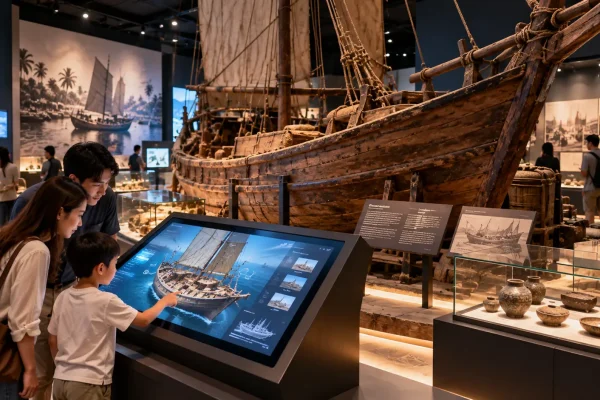
Some of the most effective museum installations combine physical and digital elements rather than choosing one or the other.
For example, a physical ship model could be connected to a touchscreen that explains individual parts of the vessel.
A geological sample display could use digital visualisation to show how the material formed.
An archaeological object could be accompanied by an animation demonstrating how it may have been used.
This approach keeps the authenticity of the physical collection while using technology to reveal information that visitors cannot see directly.
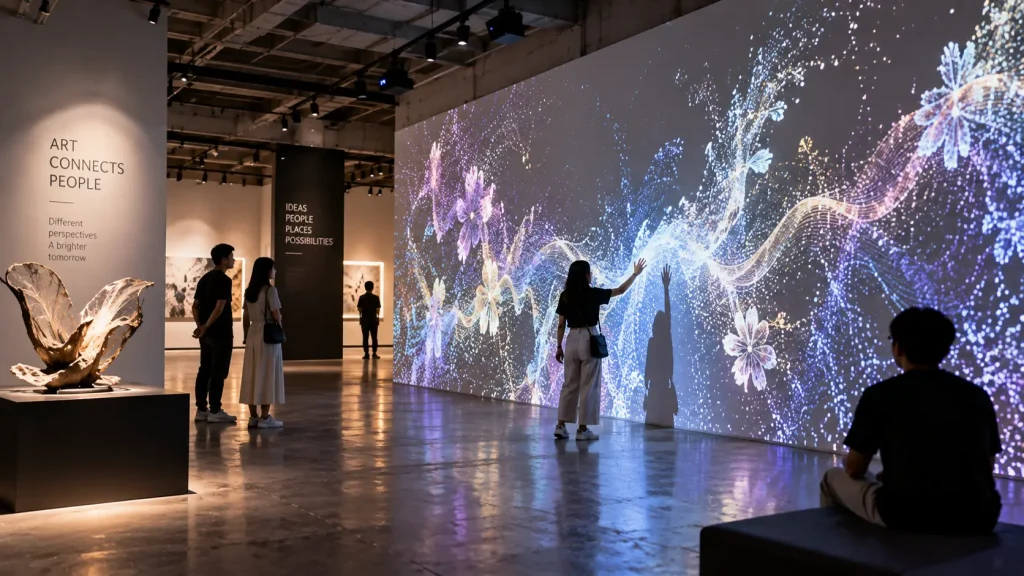
10. Interactive Art and Digital Galleries
In an art gallery, technology can become part of the artwork itself.
Digital pieces can respond to visitor movement, sound or touch, allowing the appearance of the work to change over time.
Projection, sensors, generative graphics and large-format displays can all be used depending on the artistic concept.
This type of installation differs from an information-based museum exhibit because the interaction may be the artwork rather than simply a method for accessing information.
The technical system should therefore be developed closely around the artist’s or curator’s intended experience.
Planning Interaction Around Different Museum Audiences
A museum may serve very different visitor groups within the same day.
School groups may arrive together and move quickly between exhibits. Families may explore at their own pace. Tourists may require multilingual information, while researchers or enthusiasts may want access to deeper layers of content.
The interaction design should account for these differences.
| Visitor Type | Design Consideration |
|---|---|
| Children | Simple instructions, larger interaction areas and immediate visual feedback |
| Families | Experiences that allow several people to observe or participate together |
| School Groups | Short activities that can support learning without creating long queues |
| Tourists | Clear navigation and multilingual content where required |
| General Visitors | Easy entry into the experience without requiring technical knowledge |
| Enthusiasts | Optional deeper layers of information and archive material |
The experience does not need to present the same amount of information to everyone.
A useful approach is to communicate the main idea quickly while allowing interested visitors to explore additional layers.
How Long Should a Museum Interaction Take?
Interaction time should be considered during exhibit planning because it directly affects visitor flow.
An experience that takes several minutes may work well when visitors arrive individually, but the same interaction can create congestion when a school group of 30 students reaches the exhibit at once.
There is no universal ideal duration. Instead, consider:
- Expected visitor volume
- Number of simultaneous users
- Available waiting space
- Importance of the exhibit
- Amount of content
- Whether visitors can leave the experience at any point
Where possible, visitors should be able to understand the main interaction quickly rather than watching another user complete a long sequence before knowing what to do.
Single-User vs Multi-User Exhibits
Another important decision is whether an installation is intended for one visitor or several people simultaneously.
A small touchscreen positioned beside an artefact may naturally function as a single-user experience.
A large interactive table, projected floor or sensor-based wall may support several visitors at once.
Multi-user experiences require additional consideration because the system needs to respond clearly when several actions happen at the same time.
The physical space should also provide enough room for participants and observers without blocking the main circulation route.
Accessibility in Interactive Museum Design
Interactive exhibits should be planned so that technology does not unnecessarily prevent visitors from accessing the content.
Depending on the installation, considerations may include:
- Touchscreen mounting height
- Reach distance
- Readable text size
- Visual contrast
- Alternative methods for accessing audio information
- Space for wheelchair users
- Interaction methods that do not depend on precise gestures
- Clear instructions
Not every visitor will interact with technology in the same way. Important information should therefore not become inaccessible simply because a visitor cannot perform one particular gesture or action.
Designing Digital Content for Museum Exhibits
Museum content should not simply transfer an information panel onto a screen.
Digital media is most useful when it takes advantage of what the technology can do.
For example, instead of presenting a long paragraph describing the construction of a historical object, the installation could show an animated sequence demonstrating how the object was made.
Instead of displaying ten maps beside one another, visitors could move through different periods using one interactive map.
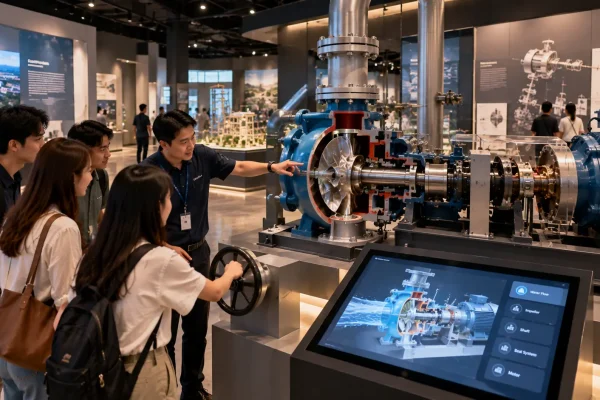
Instead of explaining the internal structure of a machine only with diagrams, visitors could rotate and separate a digital 3D model.
The content format should therefore be selected according to the information being communicated.
2D Animation
Useful for historical sequences, diagrams, timelines, educational explanations and illustrated storytelling.
3D Visualisation
Useful for reconstructed environments, artefacts, machinery, architecture and objects that visitors need to examine from multiple angles.
Video and Archive Media
Useful for oral histories, interviews, documentary footage and historical records.
Interactive Graphics
Useful when visitors need to compare, select, explore or manipulate information.
Sound
Useful for oral histories, environmental storytelling, music, language and atmosphere, but audio spill between nearby exhibits should be considered.
Technology Should Not Compete With the Artefact
One risk in digital museum design is creating an interactive installation that attracts attention but disconnects visitors from the collection.
If the physical object is the reason the exhibit exists, the digital experience should normally direct visitors back toward that object.
For example, a touchscreen beside a historical artefact might highlight a small detail and then encourage visitors to locate the same detail on the original object.
A digital reconstruction might show how a damaged object originally appeared while keeping the surviving artefact visible beside the screen.
This creates a relationship between physical evidence and digital interpretation.
Permanent Museum Installation Requirements
Museum installations are usually expected to operate repeatedly over a long period, so technical reliability is particularly important.
The system should be designed for daily operation rather than treated like a temporary event setup.
| Technical Area | Planning Consideration |
|---|---|
| Display Hardware | Operating hours, brightness, resolution and commercial suitability |
| Touchscreens | Durability, mounting, accessibility and expected usage |
| Sensors | Detection coverage, mounting position and visitor traffic |
| Computers | Performance, ventilation and maintenance access |
| Projection | Brightness, throw distance, surface, shadows and ambient light |
| Audio | Speaker direction, volume and sound spill between exhibits |
| Network | Offline operation, local network or internet requirements |
| Physical Integration | Equipment housing, cable management and service access |
Where possible, computers and control equipment should remain accessible without dismantling major parts of the exhibition.
Daily Operation and Maintenance
Museum staff should not need specialist technical knowledge simply to open the gallery every morning.
Depending on the system, permanent installations can be designed around straightforward operating procedures such as:
- Automatic application startup
- Scheduled display operation
- Automatic return to the home screen after inactivity
- Simple restart procedures
- Restricted access to system settings
- Basic troubleshooting documentation
- Content update procedures
More complex installations may also require periodic calibration, software maintenance or hardware servicing.
These requirements should be considered during the initial design rather than only after the exhibition opens.
How Should Museum Interactive Technology Be Planned?
A practical planning sequence is:
- Define the story or learning objective — Determine what visitors should understand.
- Identify the audience — Consider age, language, group size and accessibility.
- Review the physical exhibit — Understand what the artefact or environment already communicates.
- Identify the missing layer — Decide what digital media can reveal that visitors cannot otherwise see.
- Choose the interaction — Determine whether visitors should touch, move, explore, experiment or simply observe.
- Select the technology — Choose suitable displays, sensors, projection, computers and physical controls.
- Develop the content — Produce graphics, animation, 3D assets, audio or other media.
- Integrate with exhibition design — Coordinate structures, lighting, power, audio and visitor circulation.
- Test with users — Confirm that visitors understand the interaction without extensive explanation.
- Plan long-term operation — Consider maintenance, updates and technical support.
For a broader project workflow, see our interactive installation design guide.
What Affects Museum Interactive Installation Cost?
The project budget depends on the number and complexity of interactive exhibits rather than simply the gallery size.
Typical cost factors include:
- Number of interactive stations
- Touchscreen and display hardware
- Sensor systems
- Projection equipment
- Custom software development
- 2D and 3D content production
- Digitisation or preparation of archive material
- Physical fabrication
- Audio systems
- Installation and calibration
- Testing and commissioning
- Training and maintenance requirements
A gallery containing one highly customised immersive experience may therefore require a different budget from another gallery containing several simpler touchscreen exhibits.
For a broader quotation breakdown, see our interactive installation cost Malaysia guide.
What Should You Prepare Before Requesting a Proposal?
If your museum or gallery project is still at the concept stage, you do not need to decide the exact hardware before requesting a proposal.
Useful starting information includes:
- Gallery floor plan
- Available installation dimensions
- Photos or visualisations of the space
- Exhibition theme
- Key artefacts or stories
- Target visitor groups
- Expected visitor capacity
- Languages required
- Existing archive material and digital assets
- Target opening date
- Approximate project budget, if established
Reference images and videos can also be useful for communicating the desired experience even when the final technology has not been selected.
How MyDigital Asia Supports Museum & Gallery Projects
MyDigital Asia develops interactive technology and digital content for museums, galleries, educational spaces and experience environments in Malaysia.
Depending on the project requirements, the scope can include:
- Interactive experience concept development
- Touchscreen applications
- Interactive maps and timelines
- Sensor and motion-based experiences
- Interactive educational games
- 3D artefact and environment visualisation
- 2D and 3D animation
- Projection and immersive content
- Custom interactive software
- Hardware integration
- Installation and calibration
- Testing and operating guidance
The technology can be developed around the exhibition story rather than forcing every exhibit into the same digital format.
Frequently Asked Questions
What is an interactive museum exhibit?
An interactive museum exhibit allows visitors to participate in or explore part of the exhibition through actions such as touch, movement, selection, experimentation or physical controls.
Do museums need touchscreens for interactive exhibits?
No. Interaction can also use sensors, projection, physical buttons, interactive tables, digital models, sound or other technologies depending on the exhibit.
Can historical artefacts be converted into interactive 3D models?
Potentially. Existing 3D data, photography, drawings or other reference material can be used to create digital representations depending on the required accuracy and available source material.
Can interactive exhibits support children and adults?
Yes, but the experience should be designed around the intended audiences. Some installations may provide a simple primary interaction with optional deeper information for visitors who want to explore further.
Can museum interactive installations operate offline?
Yes. Many installations can be designed to run locally without depending on a continuous internet connection. Internet access may still be required when the system uses cloud services, remote content or other online functions.
Can existing museum exhibits be upgraded with interactive technology?
Potentially. Existing displays, artefacts and physical structures can be reviewed to determine whether digital content, touchscreens, projection, lighting or other interactive elements can be integrated without rebuilding the entire exhibit.
Planning an Interactive Museum or Gallery in Malaysia?
If you are developing or upgrading a museum, heritage gallery, science centre, educational exhibition or cultural space, begin with the story visitors need to understand.
Send MyDigital Asia your exhibition concept, floor plan, artefact information, visitor requirements and visual references. We can evaluate where interactive technology can meaningfully support the physical exhibition.
The purpose of museum technology is not to make the collection look more digital. It is to help visitors discover more from the collection.
Related Guides
- Interactive Installation Malaysia: Design, Technology & Applications
- Interactive Installations for Visitor Centres & Experience Centres
- Interactive Installation Cost in Malaysia
- Sensor-Based Interactive Installations: How They Work
- How to Plan an Interactive Installation Project
Request a Free Consultation
Looking for Interactive Maps, Interactive Solutions or Event Technology?

LATEST POSTS