
Interactive Product Launch Technology
Interactive Product Launch Technology combines digital content, interactive systems and event production technology to transform a product unveiling into a memorable live experience.
Instead of simply presenting a new product on stage, brands can build anticipation through cinematic LED content, interactive launch gimmicks, projection mapping, immersive environments and digital product experiences before revealing the physical product.
The technology should support the product story rather than becoming a distraction. A successful launch creates a clear journey from anticipation to reveal and then allows guests to explore the product in greater detail after the main presentation.
Key Takeaways
- Create stronger product reveals through interactive launch gimmicks.
- Combine LED content, lighting, audio and physical stage actions.
- Use projection mapping to transform products and physical surfaces.
- Allow guests to explore products through interactive touchscreens.
- Create immersive environments around the product story.
- Connect the launch moment with post-launch visitor engagement.
What Is Interactive Product Launch Technology?
Interactive product launch technology refers to digital and physical technologies used to support the introduction of a new product, service, development or brand initiative during a live event.
Depending on the launch concept, the experience can include:
- Interactive Launch Gimmick
- Physical Trigger Button
- Touchscreen Launch Interface
- Cinematic LED Content
- 3D Product Animation
- Projection Mapping
- Laser Mapping
- Immersive Projection
- Interactive Product Display
- Touchscreen Product Explorer
- Gesture Interaction
- AR Product Experience
- Interactive Scale Model
- Digital Photo Experience
The appropriate technology depends on the product, venue, audience, stage configuration and launch objective.
Designing the Product Launch Journey
A strong product launch is more than the few seconds when the product is officially revealed.
The complete experience can be designed around several stages.
Stage 1 — Guest Arrival
Guests arrive at the launch venue and begin experiencing the brand before the main presentation starts.
The foyer or pre-function area can include:
- Digital Registration
- Interactive Product Teasers
- Touchscreen Information Displays
- Interactive Brand Timeline
- Digital Photo Experiences
- Immersive Brand Content
At this stage, the product does not necessarily need to be shown completely. Digital content can reveal selected details, materials, features or brand messages to build curiosity before the official unveiling.
Stage 2 — Opening Presentation
Once guests enter the main launch area, the LED screen, projection environment or stage content can introduce the product story.
The opening sequence might communicate:
- Market Challenge
- Customer Need
- Brand Vision
- Innovation Journey
- Product Development
- Key Technology
This creates context before the physical product appears.
Stage 3 — Launch Gimmick
Senior management, VIPs or brand representatives can activate the official launch through a customised physical or digital interaction.
The trigger can initiate a coordinated sequence involving:
- LED Animation
- Countdown
- Lighting Change
- Sound Design
- Projection Content
- Stage Automation
- Product Reveal
Stage 4 — Product Reveal
The reveal is the central moment of the event.
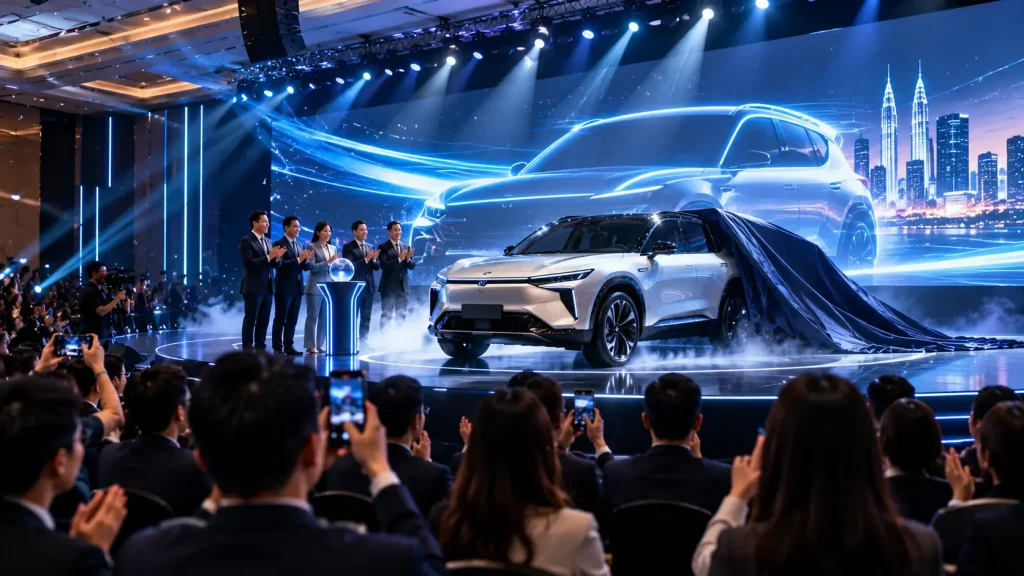
The physical product may appear through stage doors, curtains, moving panels, lighting transitions or other production methods while digital content supports the reveal.
The strongest approach is usually to let technology build anticipation and then allow the real product to become the visual focus.
Stage 5 — Product Exploration
After the official reveal, guests can move closer to the product and explore its features through interactive experiences.
Touchscreens, interactive displays, AR applications and digital product configurators can allow visitors to discover information at their own pace.
Interactive Launch Gimmick
An Interactive Launch Gimmick creates a physical action that officially activates the product launch.
Instead of asking VIPs to stand on stage while a video simply begins, they can participate directly in the launch moment.
Possible trigger methods include:
- Large Physical Push Button
- Touchscreen Activation
- Multi-person Touch Pedestal
- Custom Product-shaped Trigger
- Sensor-based Activation
- Gesture Activation
- RFID Trigger
- Interactive Object Placement
Once activated, the trigger can send a signal to the launch system so the visual sequence begins at the correct moment.
The technical operator can also retain control of the overall show sequence to ensure the launch remains reliable during the live event.
Cinematic LED Content for Product Launches
The main LED screen can be used to build anticipation before revealing the physical product.
Instead of showing conventional presentation slides, customised cinematic content can gradually introduce the product through:
- Abstract Product Details
- Material Close-ups
- Technology Visualisation
- 3D Product Animation
- Exploded Product Views
- Feature Demonstrations
- Brand Storytelling
- Countdown Sequences
For example, an automotive launch might begin with close-up animations of headlights, body lines and interior details before transitioning into a full 3D vehicle reveal.
The final animation can then synchronise with the appearance of the real vehicle on stage.
Projection Mapping for Product Launches
Projection mapping can transform physical objects, stages and architectural surfaces into animated visual environments.
Rather than limiting content to a rectangular screen, projected visuals can be mapped precisely onto selected surfaces.
Applications can include:
- Product Projection Mapping
- Stage Set Projection
- Building Projection Mapping
- Vehicle Projection Mapping
- Product Pedestal Mapping
- 3D Object Mapping
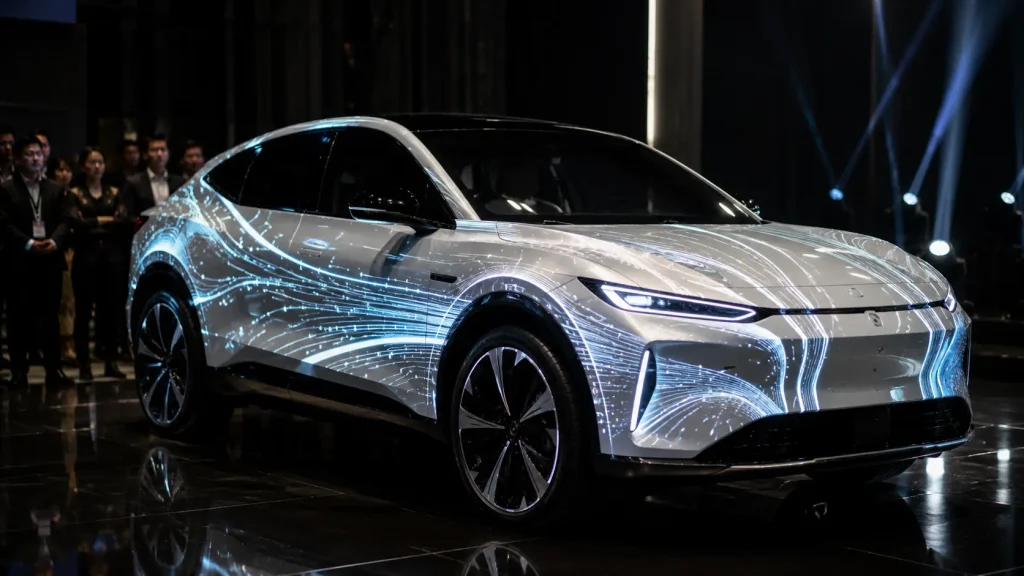
For example, a vehicle can remain physically stationary while projected graphics travel across its body to highlight design lines, technology, performance or different visual themes.
Projection mapping works particularly well when the venue lighting can be controlled and the mapped surface provides suitable visibility for projection.
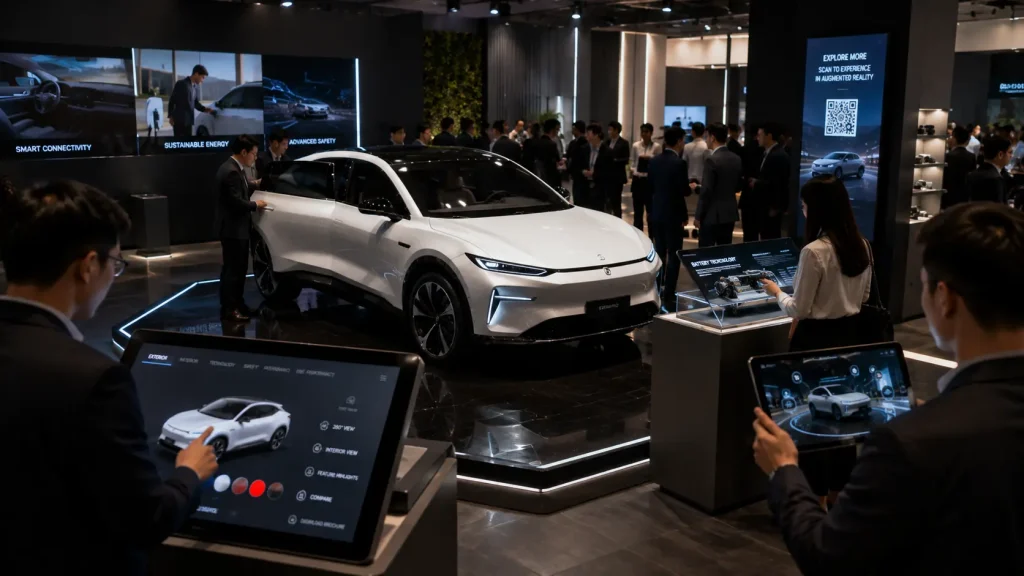
Interactive Product Touchscreen
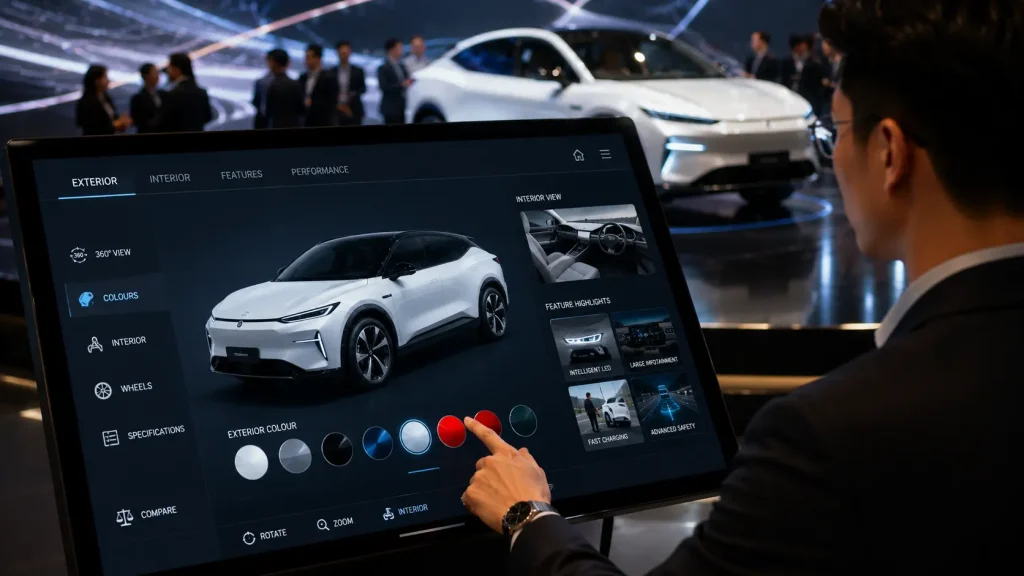
After the main launch presentation, an interactive touchscreen can allow guests to explore the product independently.
The interface can contain:
- Product Overview
- Feature Explorer
- Technical Specifications
- Product Images
- Videos
- 360° Product View
- Colour Selection
- Model Comparison
- Interactive Hotspots
- Product Variants
- Downloadable Information
This is particularly useful when the physical product contains features that cannot easily be demonstrated during a short stage presentation.
3D Product Configurator
A more advanced interactive product display can use a real-time 3D model rather than static images.
Guests can interact with the digital product through controls such as:
- 360° Rotation
- Zoom
- Colour Switching
- Model Selection
- Feature Hotspots
- Interior View
- Component Exploration
- Product Configuration
For automotive launches, visitors could rotate the vehicle, change exterior colours, explore interior areas and select different product features directly from a touchscreen.
For machinery or technology products, interactive 3D models can also reveal internal components that are normally hidden inside the physical product.
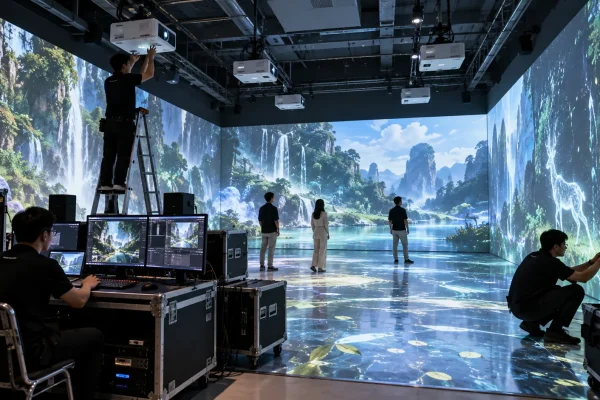
Immersive Product Launch Experience
Some product launches can extend beyond a conventional stage and LED screen by surrounding guests with digital content.
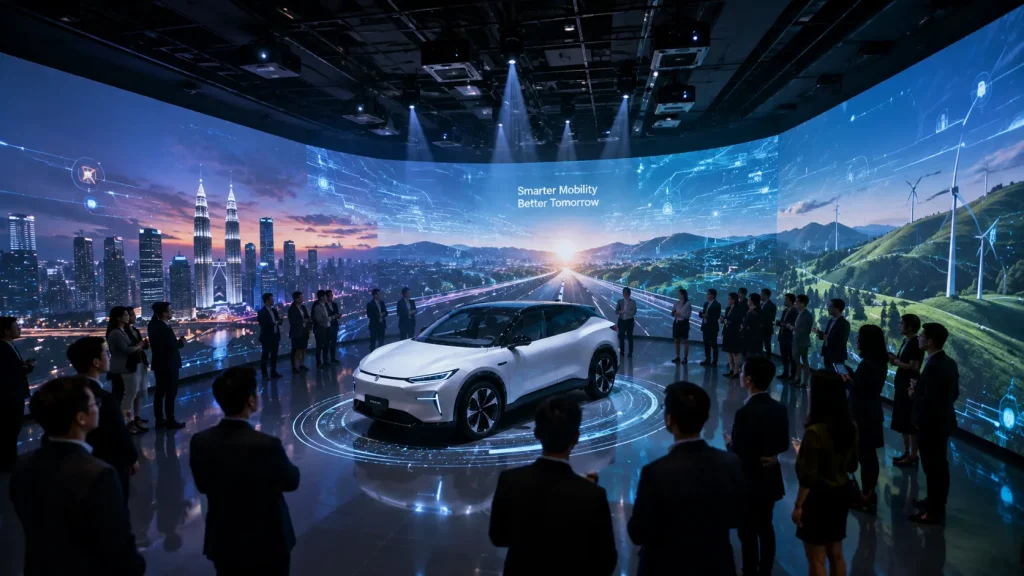
An immersive environment can use multiple projection surfaces or large-format displays to create a visual experience around the audience.
Possible applications include:
- 270° Immersive Projection
- Panoramic Product Content
- Floor & Wall Projection
- Immersive Brand Storytelling
- Environmental Product Visualisation
- Interactive Projection
For example, a new mobility product could be presented inside an immersive environment that transitions through city streets, highways and future urban environments while the product story is introduced.
The technology therefore becomes part of the storytelling environment rather than simply another display inside the venue.
AR Product Experience
Augmented Reality can extend a product launch beyond the physical display by allowing guests to explore digital content through smartphones, tablets or dedicated AR devices.
An AR Product Experience can place interactive digital information around a physical product or display a virtual version of the product within the user’s environment.
Possible applications include:
- Virtual Product Placement
- 3D Product Visualisation
- Interactive Product Hotspots
- Product Feature Animation
- Internal Component Visualisation
- Colour & Variant Selection
- AR Product Information
- QR-based AR Experience
- AR Photo Experience
For products that are physically large, difficult to transport or available in multiple configurations, AR can allow guests to explore additional versions without requiring every variation to be present at the launch venue.
Interactive Scale Model
For property developments, infrastructure projects, masterplans and large facilities, an interactive scale model can combine a physical model with digital information.
Visitors can select a location, building or development zone from a touchscreen while the corresponding area is highlighted on the physical model.
The experience can also connect with a large display showing:
- 3D Flythrough Animation
- Development Information
- Masterplan Overview
- Building Details
- Facilities
- Project Phases
- Location Information
- Interactive Maps
This creates a useful launch experience for projects that are too large or complex to explain through a conventional presentation alone.
Laser Mapping & Laser Effects
Laser technology can be incorporated into selected product launches where a stronger visual reveal is required.
Laser effects can outline objects, create moving beams within the venue or work together with lighting and LED content during the launch sequence.
Possible applications include:
- Product Outline Effects
- Vehicle Laser Mapping
- Stage Laser Effects
- Launch Countdown Effects
- Product Reveal Sequence
- Outdoor Architectural Laser Effects
For example, a vehicle launch can begin with the physical vehicle remaining partially concealed while laser graphics trace selected parts of its silhouette before lighting reveals the complete product.
Laser installations require appropriate technical planning, safety assessment and venue approval. Outdoor or large-scale laser applications may also require additional approvals depending on the location and operating conditions.
Synchronising the Product Reveal
The most important moment of a product launch is often only a few seconds long.
For that reason, the reveal should be planned as one coordinated sequence rather than several independent technical effects.
A typical sequence could be:
- VIP activates the launch trigger
- Main LED content responds immediately
- Countdown begins
- Audio builds anticipation
- Stage lighting transitions
- Projection or laser effects activate
- Physical reveal mechanism opens
- Product lighting activates
- Final product visual appears on screen
The timing between each element can be programmed or coordinated through the event show-calling process depending on the production setup.
Technical rehearsals are important to ensure the physical product, content, AV systems and stage crew respond correctly during the live launch.
Interactive Product Launch Hardware
Interactive Product Launch Technology can use different combinations of hardware depending on the concept and venue.
A typical setup may include:
- Main LED Screen
- LED Video Processor
- Media Playback System
- High-performance Content Computer
- Interactive Touchscreen
- 43-inch to 98-inch Touchscreen Displays
- Freestanding Interactive Kiosk
- Physical Launch Trigger
- Sensor or Camera
- Projection System
- Media Server
- Laser System
- Network Equipment
- Audio Integration
- Lighting Control Integration
Not every launch requires all of these components. The technical configuration should be designed around the creative concept instead of adding unnecessary equipment.
Using the Existing Event LED Screen
Where the event organiser or venue already provides a suitable LED screen, interactive launch content can often be integrated with the existing display infrastructure.
The interactive system can provide a video output to the event’s video processor or switching system, allowing the production team to move between:
- Welcome Content
- Corporate Presentation
- Launch Cinematic
- Interactive Experience
- Live Camera Feed
- Product Information
- Closing Content
Screen resolution and aspect ratio should be confirmed before content production begins so animations and interactive applications can be created at the correct output dimensions.
Venue Considerations for Product Launches
The venue can significantly affect which technologies are suitable for a product launch.
Important considerations include:
- Stage Dimensions
- LED Screen Size & Resolution
- Ceiling Height
- Lighting Control
- Projection Distance
- Rigging Availability
- Power Supply
- Internet Connectivity
- Product Access Route
- Loading Bay Access
- Venue Safety Requirements
- Available Setup Time
For automotive launches, the route used to bring the vehicle into the venue should be confirmed early, including entrance dimensions, floor loading limitations and access timing.
For projection mapping, ambient lighting and projection distance are particularly important because they directly affect image visibility and coverage.
Product Launch Event Flow
A complete interactive product launch can be planned as a connected guest journey rather than a single reveal moment.
A sample event flow could be:
- 5:30 PM — Guest Registration
- 5:45 PM — Interactive Foyer Experience
- 6:15 PM — Guests Enter Main Launch Area
- 6:30 PM — Opening Cinematic
- 6:35 PM — Management Presentation
- 6:50 PM — Product Story & Feature Content
- 7:00 PM — Interactive Launch Gimmick
- 7:02 PM — Official Product Reveal
- 7:10 PM — Product Presentation
- 7:30 PM — Interactive Product Exploration
- 8:00 PM — Networking & Product Experience
The actual programme will depend on the event, but planning the technology together with the run of show helps prevent awkward transitions between presentations, videos and interactive segments.
Automotive Product Launch Technology
Automotive launches are particularly suitable for interactive technology because vehicles contain many visual, technical and configurable features.
Possible automotive experiences include:
- 3D Vehicle Animation
- Vehicle Projection Mapping
- Interactive Vehicle Configurator
- Exterior Colour Selection
- Interior Exploration
- Feature Hotspots
- Vehicle Specification Comparison
- AR Vehicle Experience
- Interactive Launch Gimmick
- Immersive Driving Environment
After the physical vehicle is revealed, touchscreen kiosks can allow guests to continue exploring colours, specifications, technology and different variants without interrupting the main stage programme.
Property Launch Technology
Property launches can use interactive technology to help potential buyers understand developments that have not yet been completed.
Possible solutions include:
- Interactive Masterplan
- Interactive Scale Model
- 3D Property Flythrough
- Interactive Unit Selector
- Digital Sales Gallery
- Touchscreen Property Explorer
- Interactive Location Map
- Unit Availability Display
- VR Property Experience
- Immersive Property Presentation
The same approach can also be deployed at property exhibitions and fairs, allowing developers to present projects within a temporary event environment rather than relying only on a permanent sales gallery.
Technology Product Launch
Technology companies can use interactive displays to demonstrate products, platforms and systems that may otherwise be difficult to explain through physical exhibits.
Applications can include:
- Interactive Product Demonstration
- Software Simulation
- Touchscreen Feature Explorer
- Interactive Data Visualisation
- 3D Product Animation
- Product Comparison
- Interactive Demo Stations
Multiple demo stations can also be installed around the venue so guests can explore different product features after the main launch presentation.
Corporate Initiative & Campaign Launches
Interactive launch technology is not limited to physical products.
Companies can also use the same approach when launching:
- Digital Platforms
- Corporate Initiatives
- New Services
- Transformation Programmes
- Sustainability Campaigns
- Internal Employee Programmes
- Data Platforms
- Brand Campaigns
In these cases, the launch content can visualise an abstract idea through cinematic storytelling, interactive data, digital interfaces and symbolic stage interactions.
A physical trigger can still create an official launch moment even when the product itself is entirely digital.
From Launch Moment to Product Engagement
One common mistake is investing heavily in a dramatic launch reveal while providing very little interaction afterwards.
The reveal may last only a few minutes, while guests can remain at the event for several hours.
A stronger experience therefore continues after the launch through:
- Interactive Product Stations
- Touchscreen Explorers
- 3D Configurators
- AR Experiences
- Product Demonstrations
- Interactive Games
- Photo Experiences
- QR Product Information
This gives guests an opportunity to move from watching the launch to actively exploring the product.
Why Choose MyDigital Asia?
MyDigital Asia develops customised Interactive Product Launch Technology for brands, agencies and corporate organisations across Malaysia.
Our solutions can include:
- Interactive Launch Gimmicks
- Launch Cinematic Content
- 3D Product Animation
- Projection Mapping
- Laser Mapping
- Immersive Projection
- Interactive Touchscreen Experiences
- 3D Product Configurators
- AR / VR Experiences
- Interactive Scale Models
- Custom UI / UX Development
- Sensor-based Interaction
- LED Screen Integration
- On-site Technical Setup
- Event-day Technical Operation
Frequently Asked Questions
What is Interactive Product Launch Technology?
Interactive Product Launch Technology uses digital content, interactive systems and event technology to create launch gimmicks, product reveals and post-launch product experiences.
Can we use our existing event LED screen?
Yes. Interactive and cinematic content can often be integrated with an existing LED screen, subject to the screen resolution, video processor and technical configuration.
Can the VIP physically trigger the launch?
Yes. A physical button, touchscreen, sensor or customised launch device can be used as the visible trigger for the launch sequence.
Can lighting and sound activate together with the launch?
Yes. The launch can be coordinated with LED content, audio, lighting and other production elements through a programmed sequence or event show-calling workflow.
Can projection mapping be used directly on a product?
Yes, depending on the product surface, venue lighting, projector positioning and viewing conditions. Vehicles, product structures and custom-built objects can be suitable for projection mapping.
Can guests interact with the product after the launch?
Yes. Touchscreens, 3D configurators, AR experiences and interactive displays can allow guests to explore product features after the main presentation.
Can you create the 3D product model?
Yes. Existing CAD or 3D assets can be reviewed and optimised for animation or real-time interaction. Where suitable usable assets are unavailable, a new visual 3D model may need to be created based on the available product references.
Does projection mapping require a dark venue?
Projection performs best when ambient lighting can be controlled. The required brightness depends on the projection surface, image size, projector output and venue conditions.
Can this technology be used for property launches?
Yes. Property launches can combine interactive masterplans, scale models, touchscreen unit selectors, 3D flythroughs, immersive presentations and digital sales experiences.
How early should we plan the launch technology?
Planning should begin as early as possible, particularly when the project involves custom animation, 3D content, projection mapping, physical fabrication or integration with event production systems.
Related Articles
- Interactive Event Technology Malaysia
- Interactive Event Ideas Malaysia
- Big Screen Interactive Games Malaysia
- Interactive Touchscreen Games for Events
- Interactive Annual Dinner Technology
- Interactive Touchscreen Malaysia
- Interactive Maps Malaysia
Create a More Memorable Product Launch
Interactive Product Launch Technology can connect cinematic storytelling, launch gimmicks, product reveals and interactive exploration into one coordinated guest experience.
MyDigital Asia provides customised launch content, interactive systems, 3D animation, projection mapping, immersive experiences, touchscreen applications, AR / VR solutions and on-site technical integration for product launches across Malaysia.
Contact MyDigital Asia today to discuss the technology and interactive experience for your next product launch.
Request a Free Consultation
Looking for Interactive Maps, Interactive Solutions or Event Technology?

LATEST POSTS